
Container and Kubernetes Security Hardening in 2026
 Derar SattoufUpdated Security
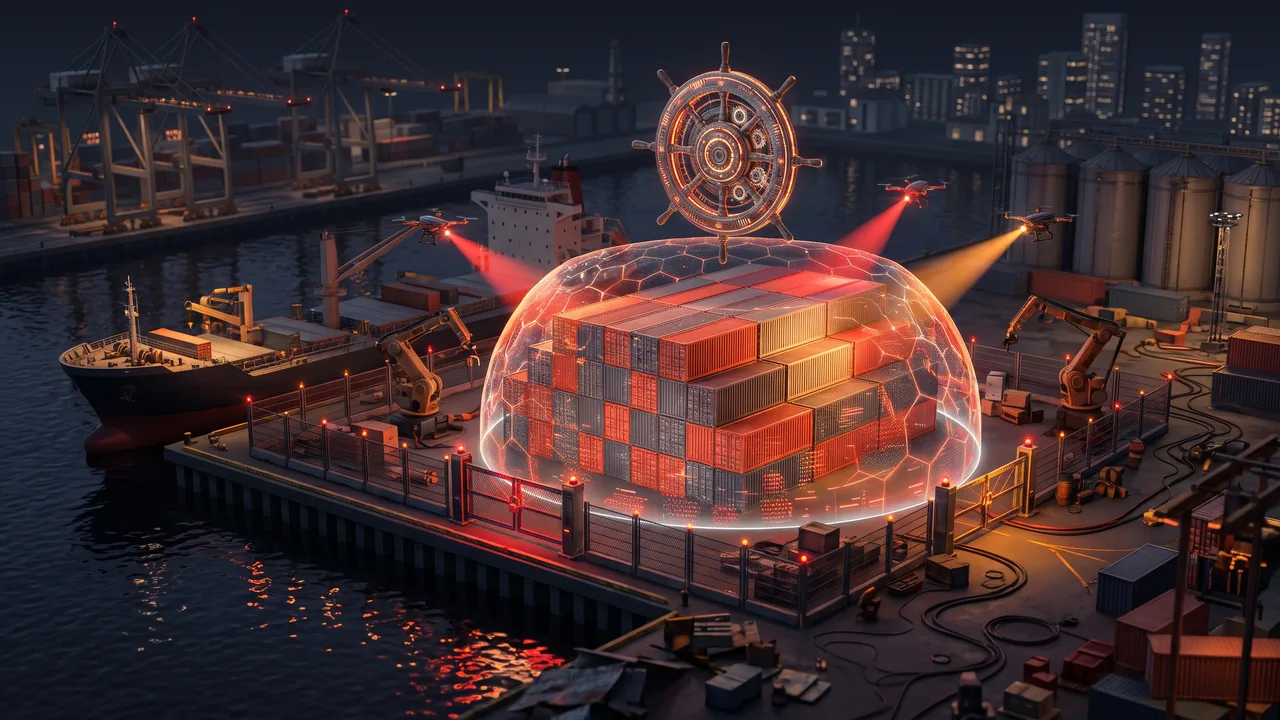
A container is not a security boundary in the way a virtual machine is. It's a process with namespaces and cgroups, sharing the host kernel. That makes defaults matter a lot: a container running as root, with a writable filesystem, extra capabilities and open network access is one kernel bug or one application RCE away from a cluster-wide incident.
The good news is that nearly every meaningful hardening step is a few lines of configuration. In short: a minimal, pinned, non-root image; a locked-down Pod spec; Pod Security Standards, default-deny NetworkPolicy and least-privilege RBAC on the cluster; secrets that never touch an image; and runtime detection for when prevention fails. Two things changed in 2026: ingress-nginx is retired and user namespaces are GA. There's a section on both near the end.
Hardening the image
Use multi-stage builds and minimal bases
# Node and distroless tags change; verify current tags and pin by digest.
# ---- build stage: has compilers, caches, dev tools ----
FROM node:24-bookworm AS build
WORKDIR /app
COPY package*.json ./
RUN npm ci
COPY . .
RUN npm run build && npm prune --omit=dev

# ---- runtime stage: only what runs ----
FROM gcr.io/distroless/nodejs24-debian13:nonroot
WORKDIR /app
COPY --from=build --chown=nonroot:nonroot /app/dist ./dist
COPY --from=build --chown=nonroot:nonroot /app/node_modules ./node_modules
ENV NODE_ENV=production
USER nonroot
EXPOSE 8080
CMD ["dist/server.js"]
No shell, no package manager and no curl in the final image means an attacker who gets code execution has far fewer tools to pivot with. Smaller images also have fewer packages, so fewer CVEs to triage, and the build toolchain never ships to production.
For compiled languages (Go, Rust), scratch or distroless static images are ideal. If you're choosing between distroless and Alpine: distroless removes the shell and package manager, which is good for security but harder to debug (use ephemeral debug containers). Alpine is small and has a shell, but it uses musl libc, which can cause compatibility surprises. Choose per language and team.
Never run as root
# If you must use a base without a nonroot user
RUN addgroup --system --gid 10001 app && adduser --system --uid 10001 --ingroup app app
USER 10001:10001
Use a numeric UID so Kubernetes can verify runAsNonRoot; it can't verify a named user.
Pin and verify
- Pin base images by digest (
FROM image@sha256:...) and update through Renovate or Dependabot, so updates are reviewed rather than silent. - Rebuild on base-image updates (weekly at minimum) and on critical CVEs, then redeploy through your normal pipeline.
- Scan in CI with Trivy or Grype and fail on high or critical fixable vulnerabilities.
- Sign images and verify at admission (see the supply chain post on this blog).
trivy image --severity HIGH,CRITICAL --ignore-unfixed --exit-code 1 ghcr.io/acme/api:1.4.2Keep secrets out of layers
Anything copied or built into a layer persists in history even if you delete it later. Use BuildKit secret mounts:
# syntax=docker/dockerfile:1.7
RUN --mount=type=secret,id=npm_token \
NPM_TOKEN=$(cat /run/secrets/npm_token) npm cidocker build --secret id=npm_token,src=$HOME/.npm_token .Add a .dockerignore that excludes .git, .env, *.pem, and local build outputs.
Hardening the Pod spec
Make this securityContext your default template:
apiVersion: apps/v1
kind: Deployment
metadata:
  name: api
spec:
  replicas: 3
  selector:
    matchLabels: { app: api }
  template:
    metadata:
      labels: { app: api }
    spec:
      automountServiceAccountToken: false      # opt in only if the app calls the K8s API
      securityContext:
        runAsNonRoot: true
        runAsUser: 10001
        runAsGroup: 10001
        fsGroup: 10001
        seccompProfile:
          type: RuntimeDefault
      containers:
        - name: api
          image: ghcr.io/acme/api@sha256:3f1c...e9
          ports: [{ containerPort: 8080 }]
          securityContext:
            allowPrivilegeEscalation: false
            readOnlyRootFilesystem: true
            capabilities:
              drop: ["ALL"]
          resources:
            requests: { cpu: 100m, memory: 128Mi }
            limits:   { memory: 256Mi }
          volumeMounts:
            - { name: tmp, mountPath: /tmp }
          readinessProbe:
            httpGet: { path: /readyz, port: 8080 }
          livenessProbe:
            httpGet: { path: /healthz, port: 8080 }
      volumes:
        - name: tmp
          emptyDir: { medium: Memory, sizeLimit: 32Mi }
What each setting buys you:
| Setting | Protects against |
|---|---|
runAsNonRoot | Root-owned exploits, writing to protected host paths |
allowPrivilegeEscalation: false | setuid binaries and no_new_privs bypass |
capabilities.drop: ALL | Raw sockets, mount, chown and other powers most apps never need |
readOnlyRootFilesystem | Persistence, dropping tools or webshells onto disk |
seccompProfile: RuntimeDefault | Blocks dozens of rarely needed, risky syscalls |
automountServiceAccountToken: false | Stolen API credentials from a compromised pod |
| memory limit | Noisy-neighbor and memory-exhaustion DoS |
In application workloads, almost never allow privileged: true, hostNetwork, hostPID, hostIPC, hostPath mounts (especially the Docker/containerd socket), or added capabilities like SYS_ADMIN.
Enforcing it with Pod Security Standards
Don't rely on every developer remembering. Enforce a baseline with the built-in Pod Security Admission via namespace labels:
apiVersion: v1
kind: Namespace
metadata:
  name: production
  labels:
    pod-security.kubernetes.io/enforce: restricted
    pod-security.kubernetes.io/enforce-version: latest
    pod-security.kubernetes.io/warn: restricted
    pod-security.kubernetes.io/audit: restricted
The restricted profile requires non-root, dropped capabilities, no privilege escalation, and a seccomp profile. Roll out with warn and audit first, fix the violations, then switch enforce on. Pod Security Admission is cheap, built in and covers the standard profiles, so most clusters enable it. For custom rules (required labels, allowed registries, signed images), add a policy engine such as Kyverno or OPA Gatekeeper, or Kubernetes' native ValidatingAdmissionPolicy (CEL).
# Native ValidatingAdmissionPolicy: only allow images from your registry
apiVersion: admissionregistration.k8s.io/v1
kind: ValidatingAdmissionPolicy
metadata:
  name: allowed-registries
spec:
  failurePolicy: Fail
  matchConstraints:
    resourceRules:
      - apiGroups: ["apps"]
        apiVersions: ["v1"]
        operations: ["CREATE", "UPDATE"]
        resources: ["deployments"]
  validations:
    - expression: >-
        object.spec.template.spec.containers.all(c, c.image.startsWith('ghcr.io/acme/'))
      message: "images must come from ghcr.io/acme/"
(You also need a ValidatingAdmissionPolicyBinding to activate it.)
Network: default deny
By default every pod can talk to every other pod. A single compromised pod can then scan and attack the whole cluster. Start with default-deny and add explicit allows.
# Deny all ingress and egress in the namespace
apiVersion: networking.k8s.io/v1
kind: NetworkPolicy
metadata:
  name: default-deny-all
  namespace: production
spec:
  podSelector: {}
  policyTypes: [Ingress, Egress]
---
# Allow the API to receive traffic from the ingress controller,
# and to reach Postgres and DNS only
apiVersion: networking.k8s.io/v1
kind: NetworkPolicy
metadata:
  name: api-allow
  namespace: production
spec:
  podSelector:
    matchLabels: { app: api }
  policyTypes: [Ingress, Egress]
  ingress:
    - from:
        - namespaceSelector:
            matchLabels: { kubernetes.io/metadata.name: ingress-nginx }
      ports: [{ port: 8080 }]
  egress:
    - to:
        - podSelector:
            matchLabels: { app: postgres }
      ports: [{ port: 5432 }]
    - to:
        - namespaceSelector:
            matchLabels: { kubernetes.io/metadata.name: kube-system }
      ports: [{ port: 53, protocol: UDP }, { port: 53, protocol: TCP }]
NetworkPolicies only work if your CNI enforces them (Cilium, Calico, and most managed offerings do; check yours). Block access to the cloud metadata endpoint (169.254.169.254) from application pods, or enforce IMDSv2 with hop limit 1 on AWS, since stealing node credentials via SSRF is a common cloud pivot.
RBAC: least privilege
- Give each workload its own ServiceAccount; never use
default. - Prefer namespaced
RoleandRoleBindingoverClusterRoleandClusterRoleBinding. - Avoid wildcards (
verbs: ["*"],resources: ["*"]) and be especially careful withsecrets,pods/exec,serviceaccounts/token, and theescalate,bind, andimpersonateverbs; those allow privilege escalation.
apiVersion: rbac.authorization.k8s.io/v1
kind: Role
metadata:
  name: config-reader
  namespace: production
rules:
  - apiGroups: [""]
    resources: ["configmaps"]
    resourceNames: ["api-config"]
    verbs: ["get", "watch"]
Audit regularly:
kubectl auth can-i --list --as=system:serviceaccount:production:api -n production
kubectl get clusterrolebindings -o json | jq -r '.items[] | select(.subjects[]?.name=="system:anonymous")'
For humans, use SSO-backed short-lived credentials rather than long-lived kubeconfig certificates, and restrict cluster-admin to a break-glass group.
Secrets
Kubernetes Secrets are base64-encoded, not encrypted, unless you enable encryption at rest in etcd (or your managed service does). Better:
- Use an external secrets manager (AWS Secrets Manager, GCP Secret Manager, Vault) synced via External Secrets Operator or a CSI driver.
- Mount secrets as files rather than environment variables (env vars leak into crash dumps,
/proc, and child processes). - Use workload identity (IRSA, GKE Workload Identity, Azure Workload Identity) so pods get short-lived cloud credentials without static keys.
- Rotate regularly and alert on access anomalies.
volumes:
  - name: db-creds
    secret:
      secretName: db-credentials
      defaultMode: 0400
containers:
  - name: api
    volumeMounts:
      - { name: db-creds, mountPath: /var/run/secrets/db, readOnly: true }
Node and cluster layer
- Keep Kubernetes and node images patched; use auto-upgrade channels on managed services.
- Prefer a container-optimized, immutable OS (Bottlerocket, Talos, Flatcar) with minimal packages.
- Restrict access to the API server (private endpoint or IP allowlist) and to the kubelet and etcd ports.
- Enable audit logging and ship logs off-cluster.
- Consider sandboxed runtimes (gVisor, Kata Containers) for multi-tenant or untrusted workloads. Standard containers share the kernel; sandboxes add a boundary.
- Separate tenants by cluster or at least by node pools with taints, not only by namespace.
Runtime detection and response
Prevention fails eventually, so plan to detect:
- Falco or Tetragon (eBPF-based) rules for suspicious behavior: shells spawned in containers, writes to
/etc, unexpected outbound connections, reading service account tokens. - Alert on
kubectl execinto production pods and on creation of privileged pods. - Set up an incident playbook: isolate the pod with a deny-all NetworkPolicy, capture forensics (
kubectl debugwith an ephemeral container), then rotate any credentials the pod could reach.
# Example Falco rule (simplified)
- rule: Shell in container
  desc: A shell was started inside a container
  condition: evt.type = execve and container.id != host and proc.name in (bash, sh, zsh)
  output: "Shell in container (user=%user.name container=%container.name cmd=%proc.cmdline)"
  priority: WARNING
Scanning your own cluster
# CIS benchmark checks for nodes/cluster
kube-bench run

# Misconfiguration scanning for manifests and live cluster
trivy config ./k8s/
trivy k8s --report summary cluster

# Policy linting before apply
kubectl apply --dry-run=server -f deploy.yaml
kubescape scan framework nsa ./k8s/
Add manifest scanning to CI so insecure YAML never merges.
Checklist
- Minimal, digest-pinned base image; multi-stage; no secrets in layers.
- Numeric non-root user; read-only root FS;
tmpfsfor writable paths. - Drop ALL capabilities;
allowPrivilegeEscalation: false; seccompRuntimeDefault. - Pod Security
restrictedenforced on application namespaces. - Default-deny NetworkPolicies with explicit allows; metadata endpoint blocked.
- Dedicated ServiceAccounts, no token automount, namespaced least-privilege RBAC.
- Secrets from an external manager, mounted as files, workload identity for cloud access.
- Image scanning, signing, and admission verification.
- Resource requests/limits and PodDisruptionBudgets for availability.
- Audit logs, runtime detection, and a rehearsed incident playbook.
Encode these defaults in templates (Helm charts, Kustomize bases) and enforce them with admission policy, so the secure path is also the easy path for every team.
Docker host and Compose hardening (non-Kubernetes)
Not everything runs on Kubernetes. On a single host with Docker or Compose, the same ideas apply:
docker run -d --name api \
  --user 10001:10001 \
  --read-only --tmpfs /tmp:rw,noexec,nosuid,size=32m \
  --cap-drop ALL \
  --security-opt no-new-privileges:true \
  --pids-limit 256 --memory 256m --cpus 1 \
  -p 127.0.0.1:8080:8080 \
  ghcr.io/acme/api:1.4.2
The equivalent in a Compose file:
services:
  api:
    image: ghcr.io/acme/api:1.4.2
    user: "10001:10001"
    read_only: true
    tmpfs:
      - /tmp:rw,noexec,nosuid,size=32m
    cap_drop: [ALL]
    security_opt:
      - no-new-privileges:true
    pids_limit: 256
    mem_limit: 256m
    ports:
      - "127.0.0.1:8080:8080"
Host-level rules:
- Never mount the Docker socket (
/var/run/docker.sock) into a container. Access to it is root on the host. - Membership of the
dockergroup is root-equivalent. Treat it likesudo. - Consider rootless mode or user-namespace remapping so that "root in the container" isn't root on the host. Rootless Podman gives you this by default.
- Bind published ports to
127.0.0.1unless they must be public. Published ports bypass some host firewall rules because Docker manipulates iptables or nftables itself; verify with your firewall tooling. - Keep the engine,
containerdandruncpatched. Container escape CVEs in the runtime layer do happen.
Background on Docker concepts: Docker: The Complete Course.
What changed for 2026
Several things have changed recently, so check each against current documentation for your platform.
- Distroless images are now built on Debian 13. The
gcr.io/distroless/nodejs22-debian12style tags in older guides are deprecated; the project listsnodejs22,nodejs24and newer variants on Debian 13 withlatest,nonroot,debuganddebug-nonroottags. Use a current Node LTS and pin by digest. - Ingress NGINX has been retired. The Kubernetes project announced in November 2025 that
ingress-nginxwould be retired in March 2026, with no further releases or security fixes afterwards. Existing deployments keep running but are unmaintained. If you use it, plan a migration to the Gateway API or another supported ingress controller. This affects the NetworkPolicy examples above, which allow traffic from aningress-nginxnamespace: change the namespace selector to whatever controller you run. - User namespaces are generally available. Setting
hostUsers: falsein the pod spec (stable in Kubernetes 1.36) maps root inside the container to an unprivileged user on the host, which limits the damage of many escape bugs. It requires a supported kernel and container runtime, and the API rejects mixing it with some host namespaces. It reduces risk; it doesn't replace the other controls, and the shared kernel remains. - ValidatingAdmissionPolicy (CEL-based) is stable and is a good native alternative to a policy engine for simple rules.
spec:
  hostUsers: false          # use a user namespace for this pod
  securityContext:
    runAsNonRoot: true
    seccompProfile:
      type: RuntimeDefault
Verifying signatures at admission
Scanning finds known vulnerabilities; signing proves where an image came from. A common setup is to sign images in CI with Sigstore cosign (keyless) and verify at admission with a policy engine. A Kyverno-style policy looks like this (field names vary by version, so check the Kyverno docs):
apiVersion: kyverno.io/v1
kind: ClusterPolicy
metadata:
  name: verify-image-signatures
spec:
  validationFailureAction: Enforce
  rules:
    - name: require-signed-images
      match:
        any:
          - resources:
              kinds: [Pod]
      verifyImages:
        - imageReferences: ["ghcr.io/acme/*"]
          attestors:
            - entries:
                - keyless:
                    issuer: https://token.actions.githubusercontent.com
                    subject: https://github.com/acme/*
Pair this with SBOMs and provenance. See software supply chain: SLSA, Sigstore and SBOM and npm supply chain defence for dependency-level risks.
Lab: harden a deployment and prove it works
Hardening you haven't tested is hardening you don't have. This lab uses a local cluster (kind, minikube or any dev cluster). Run the same settings in development too, so a surprise like "it only breaks in production because of PSA" shows up early.
- Create a namespace with Pod Security enforcement.
kubectl create namespace hardened
kubectl label namespace hardened \
  pod-security.kubernetes.io/enforce=restricted \
pod-security.kubernetes.io/warn=restricted- Try to run an insecure pod. It should be rejected.
kubectl -n hardened run bad --image=nginx --privileged
# Expect: Error ... violates PodSecurity "restricted:latest"- Apply the hardened Deployment from the Pod spec section and confirm it starts.
kubectl -n hardened apply -f deploy.yaml
kubectl -n hardened rollout status deploy/api- Verify the runtime properties from inside the container. With a distroless image there's no shell, so use an ephemeral debug container that shares the pod's namespaces:
kubectl -n hardened debug -it deploy/api --image=busybox:1.37 --target=api -- sh
# inside the debug shell:
id                      # expect uid=10001, not 0
touch /test             # expect failure on the read-only root filesystem
cat /proc/1/status | grep -i cap # capabilities should be zeroed for the app process- Apply the default-deny NetworkPolicy and test that egress is blocked.
kubectl -n hardened apply -f default-deny.yaml
kubectl -n hardened run probe --rm -it --image=busybox:1.37 --restart=Never -- wget -T 3 -qO- http://example.com
# Expect: timeout (if your CNI enforces NetworkPolicy)- Check RBAC.
kubectl auth can-i get secrets -n hardened --as=system:serviceaccount:hardened:api
# Expect: no- Scan the manifests.
trivy config ./k8s/Keep these checks as automated tests in CI (for example with conftest, kubescape or a script) so regressions fail the build.
Troubleshooting
| Symptom | Likely cause | Fix |
|---|---|---|
Pod CrashLoopBackOff after enabling readOnlyRootFilesystem | App writes to /tmp, a cache dir or logs | Mount emptyDir volumes on exactly the paths it writes |
Permission denied on a mounted volume | UID mismatch with volume ownership | Set fsGroup, or fix ownership in the image |
container has runAsNonRoot and image will run as root | Image uses a named or default root user | Add a numeric USER in the Dockerfile or set runAsUser |
Pod rejected: violates PodSecurity "restricted" | Missing seccomp, capabilities or privilege-escalation settings | Add the securityContext fields from the Pod spec section; check the exact message |
| Binding to port 80 fails | Non-root users cannot bind below 1024 by default | Listen on 8080 and map the Service port to 80 |
| DNS stops working after default-deny | Egress to kube-dns not allowed | Allow UDP and TCP 53 to kube-system |
| NetworkPolicy seems ignored | CNI does not enforce policies | Use a CNI that does (Cilium, Calico) and test |
| Image pull fails at admission | Signature policy cannot verify | Check the signer identity, issuer and registry access |
| App cannot reach the Kubernetes API | automountServiceAccountToken: false | Enable it only for workloads that need it, with a scoped Role |
| Scanner reports many CVEs | Fat base image | Move to a minimal base, rebuild regularly, use --ignore-unfixed |
Where this usually goes wrong
- Hardening only the Dockerfile and leaving the Pod spec at defaults, or the reverse.
- Using
latesttags or unpinned images, so you can't reproduce or audit what runs. - Treating namespaces as a security boundary for untrusted tenants.
- Setting
privileged: trueto "make it work" instead of finding the one capability or mount needed. - Putting secrets in environment variables or in image layers.
- Giving every pod the default service account with a mounted token.
- Wildcard RBAC, and
cluster-adminbound to CI systems or developers permanently. - No egress control, so a compromised pod can reach the internet and cloud metadata.
- Alerts nobody owns. Runtime detection without a response process is noise.
- Never testing that the controls actually block what you expect.
- Skipping node patching. The shared kernel is the foundation of every container's isolation.
When these controls aren't enough
If you run untrusted or multi-tenant code (customer scripts, build farms, AI-agent sandboxes), add stronger isolation such as gVisor, Kata Containers or microVMs, and separate node pools or clusters. See agentic AI in production for why agent code execution needs this. Highly regulated workloads need compliance tooling, audit evidence and dedicated infrastructure. On pure serverless or managed platforms the provider handles many of these controls, so focus on identity, secrets and network egress.
For observability that can support detection, see eBPF observability for developers, and for reliability practice around incidents see SLOs, error budgets and incident response. Platform teams can bake these defaults into paved paths (Helm charts, Kustomize bases, admission policy) so the secure way is also the easy way: platform engineering for small teams.
Questions that come up
Is a container as secure as a VM? No. Containers share the host kernel, so a kernel vulnerability can cross the boundary. VMs and microVMs add a hardware-assisted boundary. Hardening shrinks risk but does not equal VM isolation.
Do I still need Pod Security Admission if I have a policy engine? It is cheap, built in and covers the standard profiles, so most clusters enable it and add a policy engine for custom rules.
What about readOnlyRootFilesystem and apps that need to write?
Mount an emptyDir on the specific paths that need writes. Everything else stays immutable.
Is Docker Desktop or a laptop cluster relevant to these controls? Use the same settings in development so problems surface early; "it only breaks in production because of PSA" is a preventable surprise.