
Context Engineering for Coding Agents: Structure Your Repo
 Derar SattoufUpdated AI engineering
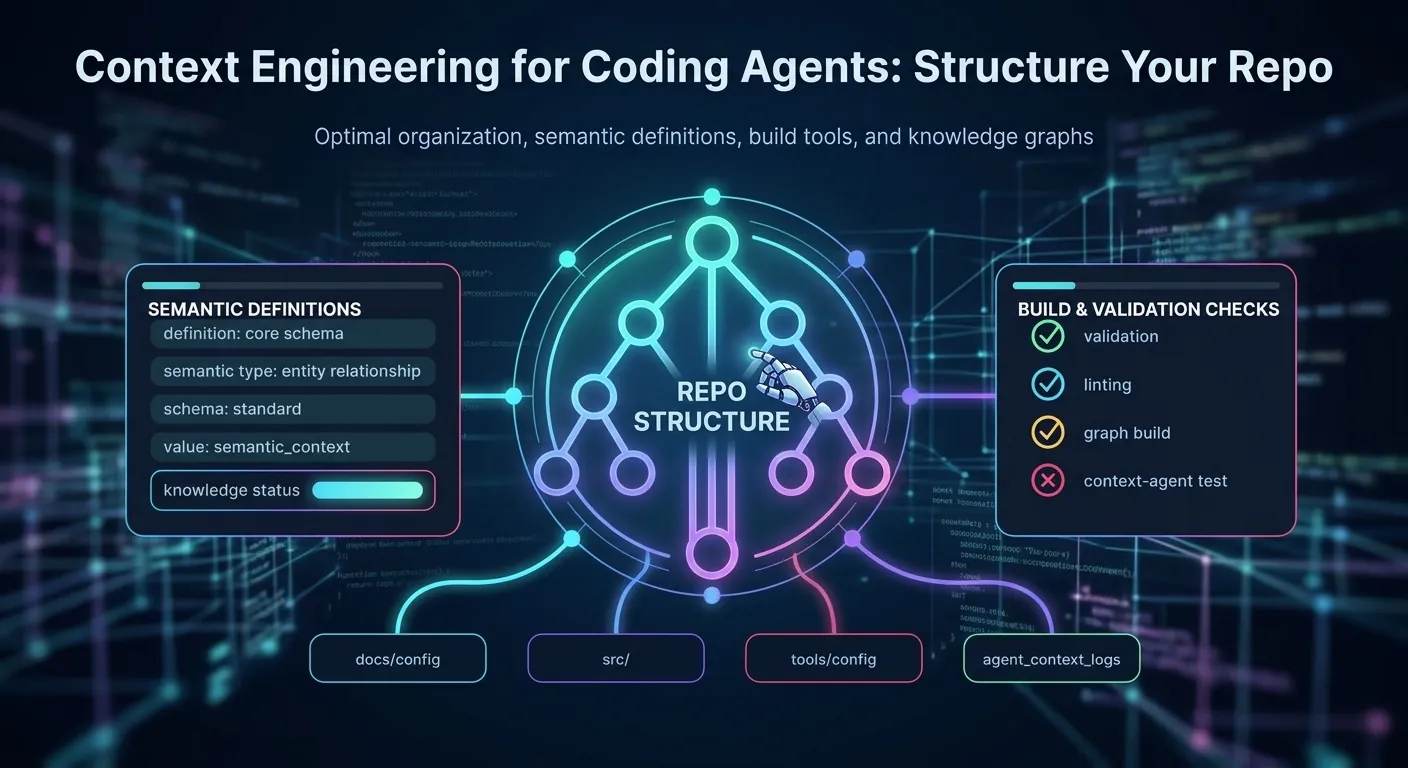
A coding agent is only as good as the context it sees. Two developers can use the same model on the same codebase and get very different results. One gets a clean pull request that follows the team's conventions. The other gets code that compiles but ignores the project's patterns, runs the wrong test command, and quietly rewrites a module nobody asked it to touch.
The difference is rarely the model. It is usually what the agent knew when it started, what it loaded along the way, and how much of that context was noise. That discipline has a name now: context engineering. Anthropic's engineering team describes it as curating the best set of tokens for the model at each step, not just writing a better prompt once.
Earlier posts on this site cover how to work with agents as async teammates. This one goes a level down, to what lives in your repository.
In practice, context engineering means deciding what the agent sees, when it sees it, and what it can fetch on demand. Put a short, accurate instruction file at the root of your repo (AGENTS.md, or CLAUDE.md for tools that read it) and add scoped files in subfolders only where the rules differ. Keep those files short. Commands, conventions and boundaries go in them; long reference material moves into docs the agent can open when needed.
Scope each session to one task, and reset or compact between tasks instead of letting one conversation grow for hours. Give the agent fast, deterministic checks: a test command, a linter and a typecheck it can run and read the output of. And delete stale instructions as aggressively as you add new ones. A wrong rule is worse than a missing one.
What context engineering means
Prompt engineering is about the wording of a request. Context engineering is about everything the model has access to while it works: the system prompt, the tool definitions, the instruction files that load automatically, the code it reads, the outputs of commands it runs, and the conversation history that accumulates over time.
Anthropic's post makes a point that many teams still miss. Context is a finite resource. Every token competes for the model's attention, and recall gets less reliable as the window fills. The goal is not to give the agent as much information as possible. The goal is to give it the smallest set of high-signal information that lets it make the right decision at each step.
For coding work, this shows up in four places:
- Standing context. Facts that apply to every task: how to build, how to test, what the architecture looks like, what not to touch. This lives in instruction files.
- Task context. Facts specific to the current change: the issue, the relevant files, the acceptance criteria. This comes from your brief.
- Discovered context. Facts the agent finds while working: file contents, search results, logs. This should be fetched just in time and kept lean.
- Accumulated context. Everything the conversation has produced so far. This grows, and it is where most long sessions go wrong.
Most of the payoff is in the first and last items. Good standing context removes the need for the agent to rediscover your conventions every time. Disciplined handling of accumulated context keeps a long session from drifting.
Standing context: the instruction file
Most coding agents now look for a plain Markdown file at the root of the repository that describes how to work in it. The emerging cross-tool convention is called AGENTS.md. It is intentionally simple: no required fields, no special syntax, just Markdown that tells an agent the things a new human contributor would need on their first day.
Some tools use their own file names. Claude Code reads CLAUDE.md, and its memory documentation describes how project, user, and nested files are loaded. Recent versions can also read AGENTS.md directly, but only when no CLAUDE.md exists in your working directory or above it, so a repo that has both should import AGENTS.md from CLAUDE.md to be safe. If your repo serves several tools, keep one source of truth in AGENTS.md and point the other file at it. For example, a CLAUDE.md containing just @AGENTS.md on its first line works with tools that support file imports. Check each tool's current documentation, because support changes quickly.
What belongs in the root file
A good root instruction file answers the questions an agent would otherwise guess at:
- How do I install, build, test, and lint? Give exact commands, including flags. "Run the tests" is not enough.
npm test -- --runis. - What conventions differ from the defaults? Naming rules, formatting rules, which state library to use, which patterns are banned.
- What are the boundaries? Directories that are generated and should never be edited, secrets that must never be printed, migrations that need human review.
- What does done look like? Which checks must pass before a change is ready.
Keep the whole file short enough to read in one pass. A root file of roughly 30 to 100 lines is usually plenty. Everything else should be a link.
A good example
Here is a root AGENTS.md for a hypothetical Next.js and PostgreSQL product:
# AGENTS.md

## Commands
- Install: `pnpm install`
- Dev server: `pnpm dev`
- Unit tests: `pnpm test -- --run` (Vitest, must pass before a PR)
- Typecheck: `pnpm typecheck` (run after any change to a `.ts` or `.tsx` file)
- Lint: `pnpm lint --fix`
- Database tests need a running Postgres: `docker compose up -d db`

## Conventions
- Use Server Components by default. Add `"use client"` only when the component uses state, effects, or browser APIs.
- Data access goes through `src/server/repositories/`. Never query the database from a page or component.
- Validate all external input with the Zod schemas in `src/server/schemas/`.
- Money is stored as integer cents. Never use floats for currency.

## Boundaries
- Do not edit files in `src/generated/`. They are produced by `pnpm codegen`.
- Do not change migrations in `db/migrations/` that have already been merged. Add a new migration instead.
- Never print values from `.env`. Refer to variables by name only.

## Done means
- Tests and typecheck pass.
- New behavior has a test next to the code it covers.
- The PR description states what changed and how it was verified.

More detail lives in `docs/architecture.md` and `docs/testing.md`. Read those when a task touches the area they describe.
Notice what is missing. There is no history of the project, no marketing description, no list of every file. Each line either prevents a mistake or saves a search.
A bad example
Now compare it with a file that many teams accidentally write:
# Instructions

We are a fast-moving team building the next generation of our platform. Our mission is to empower users with seamless experiences.

Please always write clean code. Make sure everything is well tested and follows best practices. Be careful and think hard before changing anything.

We used to use Redux but moved to Zustand in 2023, though some parts still use Redux. Don't use Redux in new code unless you need it, except the legacy checkout flow which is still on it.

The tests are in various places. Run the tests. You might need to set up the database first, see the wiki.

Our API is REST. Some endpoints are v1 and some are v2. Use v2 unless the endpoint only exists in v1.

Don't break production. Ask before deleting anything.
This file fails in several ways. The mission statement and "think hard" advice cost tokens and change nothing. "Run the tests" has no command, so the agent guesses. The Redux note contradicts itself and has no path to the legacy code. "See the wiki" points at something the agent cannot read. "Ask before deleting anything" is good advice, but it is buried and vague, because it does not say what counts as deleting.
The fix is not to make the bad file longer. It is to replace each vague sentence with a command, a path, or a rule that can be checked.
Scoped instructions: put rules where they apply
A single root file cannot describe a large monorepo. The backend has different test commands from the mobile app. The design system has its own rules about tokens and components. Cramming all of it into the root creates the bloated file described above.
The better pattern is layered. Keep the root file for facts true everywhere. Add a short file in a subfolder only when that folder has rules the root does not cover. Tools that support nested instructions load the closest file when the agent works in that folder, so the rule shows up at the moment it matters.
For example:
repo/
  AGENTS.md                 # install, global commands, shared conventions
  apps/web/AGENTS.md        # Next.js rules, routing, image handling
  apps/mobile/AGENTS.md     # Expo commands, native module rules
  packages/db/AGENTS.md     # migration rules, how to run the local database
  packages/ui/AGENTS.md     # token rules, story requirements, accessibility checks
Each nested file should be shorter than the root. It should describe only what differs. If a nested file repeats the root, delete the repetition. Duplicated instructions drift apart, and when they disagree the agent has to guess which one wins.
A practical test: when you add a rule, ask who needs it. If the answer is "everyone," it goes in the root. If the answer is "people touching the database package," it goes in that package's file. If the answer is "one person on one Tuesday," it probably belongs in the task brief, not in a permanent file.
Context budgets: know what you are spending
Before the conversation starts, the agent has already spent part of its window. System instructions, tool definitions, connected server schemas, and instruction files all take space. Every tool you add has a description the model must read on every turn. Every memory file loaded at startup is spent whether or not it is relevant to the task.
This is why a bloated tool setup hurts even when the model is capable. Anthropic's post specifically warns about bloated tool sets with overlapping functions. If three tools can each read a file, the model has to think about which one to use every time. A minimal set of tools with clear, non-overlapping purposes is cheaper and more reliable.
Treat your context like a budget:
- Fixed costs. Instruction files, tool and MCP definitions, and skills. Audit these every month. Remove anything the team no longer uses.
- Variable costs. File reads, search results, command output, and test logs. These are where most sessions bleed tokens.
- Growth. Conversation history. This grows with every turn, including the turns where the agent went down a wrong path.
Some practical controls:
- Ask for targeted reads. "Read the
createOrderfunction insrc/server/orders.ts" is cheaper than "look at the orders code." - Limit command output. Tell the agent to run tests with a reporter that prints failures only, or pipe long logs through
tailandgrep. A 4,000-line test log rarely helps more than the 40 lines around the first failure. - Check what is loaded. Many tools have a command that shows the current context breakdown. Run it before a long task so you know where the tokens are going. In Claude Code,
/contextshows this. - Compact or reset deliberately. Summarize a long session before you start a new phase, or start fresh and carry over a short written summary.
You do not need to measure everything. You do need to notice when a session gets slow, forgetful, or repetitive. Those are usually signs that the window is full of material the agent no longer needs.
Keeping long sessions clean
Most people use a coding agent as one long conversation. They start with a bug, move to a related refactor, then ask for a test, then a question about deployment. By the end, the context holds dead ends, abandoned plans, and old file contents that are now wrong.
A cleaner approach uses four techniques.
Scope each session to one task
One task per session is the simplest rule and the most effective. A session should have a clear goal, a clear end, and a clear definition of done. When the task is finished, close the session. The next task starts with fresh context and only the material it needs.
Use progressive disclosure
Do not preload everything. Give the agent a map and let it load detail on demand. The root instruction file can say, "The payment flow is documented in docs/payments.md. Read it before changing anything in src/server/payments/." The agent then reads that file only when the task calls for it.
Anthropic describes this as just-in-time retrieval. The agent keeps lightweight references such as file paths and queries, and loads contents when it needs them. Claude Code works this way: instruction files load up front, while search and file reads happen as the task progresses.
Summarize and checkpoint
For multi-step work, have the agent write a short progress note at each milestone. A useful checkpoint includes:
- What has been done and verified.
- What remains.
- Decisions made and why.
- Files changed so far.
That note can live in a scratch file, a draft pull request description, or a tracking issue. When the session ends or compacts, the note preserves the state without dragging the full history forward. Anthropic's post describes structured note-taking as a way to maintain progress across long tasks, and it is one of the most reliable habits in practice.
Use subagents for isolated investigation
When a task needs a lot of exploration, such as searching a large codebase or reading many logs, delegate that investigation to a subagent. The subagent does the noisy work in its own context and returns a short answer. Your main session stays clean.
This pattern works best for questions with a clear output: "Which modules call this deprecated function?" or "Find every place we build a URL from user input." It works poorly for open-ended design discussions, where the reasoning needs to stay in one place.
Give the agent the right tools and checks
Context is not only what the agent reads. It is also what the agent can do and how it learns whether it succeeded. The most useful thing you can give a coding agent is a fast, trustworthy feedback loop.
Tests are context
A test suite tells the agent what the code is supposed to do. A failing test is more informative than a paragraph of explanation, because it is precise and it changes when the code changes. Teams that get the most from agents usually have:
- A single command that runs the relevant tests quickly.
- Tests that are deterministic. Flaky tests teach agents to ignore failures.
- Clear failure messages. Assertions that say what was expected and what was received.
- Fast feedback. If the full suite takes twenty minutes, document a subset command for focused runs.
The context side is simpler: make the test command obvious and the output readable.
Linters and typechecks catch cheap mistakes
Typecheck and lint output is structured and specific. Telling an agent to run pnpm typecheck after every change catches errors before they compound. Put the command in your instruction file, and make it fast enough that people actually run it.
Keep tool access narrow
Give the agent access to what the task requires. Read access to the repo is usually fine. Write access should be scoped to the branch or worktree. Production credentials should not be in the agent's environment at all. Narrow access reduces both risk and noise, because the agent does not have to reason about a dozen tools it will never use.
Which file does which tool read?
Every major agent has its own conventions, and they overlap. This table is a starting point; confirm file names and precedence in each tool's current documentation, because they change.
| Tool | Main instruction file | Notes |
|---|---|---|
| Many tools (Codex, Cursor, Copilot's coding agent, Gemini CLI, Zed, Windsurf, Aider and more, per agents.md) | AGENTS.md | Open convention. The nearest file to the edited path takes precedence, and an explicit instruction in chat overrides it |
| Claude Code | CLAUDE.md (or .claude/CLAUDE.md), CLAUDE.local.md for private notes, .claude/rules/ for scoped rules | Reads AGENTS.md directly only if no CLAUDE.md exists above your working directory; otherwise import it with @AGENTS.md |
| Cursor | .cursor/rules/ (plus AGENTS.md) | Rule files can be scoped by glob. Verify the current format |
| GitHub Copilot | .github/copilot-instructions.md and path-specific instruction files | Verify current file names in GitHub docs |
| Gemini CLI | GEMINI.md | Hierarchical like CLAUDE.md. Verify |
The safest layout for a team using several tools:
repo/
  AGENTS.md          # the single source of truth
  CLAUDE.md          # one line: @AGENTS.md  (plus any Claude-only notes)
  .claude/rules/     # path-scoped rules for Claude Code, if you need them
Claude Code specifics worth knowing
As of November 2026 these details follow Anthropic's memory documentation. Verify them against the current page.
- Size. The docs recommend targeting under 200 lines per
CLAUDE.md. Longer files consume more context and reduce adherence. Move material that matters for only part of the codebase into path-scoped rules. - Imports.
@path/to/fileinside aCLAUDE.mdpulls another file into context. Relative paths resolve from the file that contains the import, and imports can nest up to four hops. Imports inside code spans and fenced blocks are ignored, so wrap a literal mention in backticks. - Personal notes.
CLAUDE.local.mdis for private, uncommitted preferences. Add it to.gitignore. - Path-scoped rules. Files under
.claude/rules/can declare which paths they apply to, so they only load when the agent works on matching files. - Monorepo noise. The
claudeMdExcludessetting skips other teams' instruction files by glob. - Auto memory. Claude can write its own notes from your corrections. Only the first 200 lines or 25 KB of that memory load each session, so review and prune it.
- Bootstrapping.
/initdrafts aCLAUDE.mdfrom your codebase; treat it as a draft to cut down. - Instructions are context, not enforcement. The docs say Claude treats these files as context rather than enforced configuration. To block an action regardless of what the model decides, use a hook.
A path-scoped rule file looks like this:
---
paths:
  - "packages/db/migrations/**"
---

# Migration rules
- Never edit a merged migration. Add a new one.
- Every migration needs a down step or an explicit note on why it is irreversible.
- Run `pnpm db:check` and paste the output in the PR description.
Instructions versus enforcement
A rule in a markdown file is a request. A hook, a permission setting, a CI check, or a branch protection rule is a guarantee. Use each for what it is good at.
| Mechanism | Strength | Use it for |
|---|---|---|
| Instruction file | Soft. The model usually follows it, but can miss it | Conventions, commands, architecture, preferences |
| Task brief | Soft, specific to the task | Scope, acceptance criteria, files to reuse |
| Tool permissions and allow-lists | Hard | Which commands and paths the agent may run or write |
| Hooks (pre-tool, post-tool, on session events) | Hard, deterministic | Blocking edits to generated files, auto-formatting after edits, running a typecheck, refusing to read .env |
| CI and required checks | Hard, outside the agent | Tests, lint, type, security scans, review requirements |
| Branch protection and code review | Hard, human | Nothing merges unreviewed |
Rule of thumb: if breaking the rule would cause real damage, do not rely on prose. Enforce it. If you catch yourself writing "NEVER" in capitals in the instruction file, that is a signal to add a hook or a permission rule instead. See securing MCP servers in production for tool-level controls.
A repository you clone from the internet can contain an AGENTS.md or rules file written by someone else. Treat it as untrusted input: read it before you let an agent act on a freshly cloned project, especially one with broad tool permissions.
Lab: audit and rewrite an instruction file in 30 minutes
Take your existing instruction file (or the output of an /init-style command) and run these steps.
Step 1: classify every line
Copy the file and mark each line with one letter:
- C: a command the agent can run
- R: a rule the agent can follow and a reviewer can check
- P: a pointer to a file or doc
- N: narrative, history, marketing, or vague advice
- S: stale or contradicted by the code
Delete every N and S line. Rewrite vague ones into C, R or P. Typical result: the file shrinks by half.
Step 2: verify every command and path
This script checks that the backticked paths in your instruction file exist. It is a simple heuristic, not a parser, so adjust it for your repo:
#!/usr/bin/env bash
# check-instruction-paths.sh - flag backticked paths in AGENTS.md that do not exist
file="${1:-AGENTS.md}"
grep -oE '`[A-Za-z0-9_./-]+/[A-Za-z0-9_./*-]*`' "$file" | tr -d '`' | sort -u | while read -r p; do
  case "$p" in
    *\**) continue ;;   # skip globs
  esac
  if [ ! -e "$p" ]; then
    echo "MISSING: $p"
  fi
done
Run it in CI so stale paths fail a build:
name: instructions
on: [pull_request]
jobs:
  check:
    runs-on: ubuntu-latest
    steps:
      - uses: actions/checkout@v4
      - run: bash scripts/check-instruction-paths.sh AGENTS.md
Pin the action to a full commit SHA in a real repository.
Also run every documented command once on a clean checkout. A command that fails on a fresh clone is the single most common instruction-file bug.
Step 3: measure the size
wc -l AGENTS.md CLAUDE.md 2>/dev/null
# rough token estimate: characters divided by 4
wc -c AGENTS.md | awk '{printf "%d approx tokens\n", $1/4}'
If the root file is above roughly 100 to 200 lines, split reference material into linked docs or scoped rules.
Step 4: run a behavior test
Start a fresh session and give the agent three small tasks that your file should make easy: run the tests, add a trivial function in the right place, and make a change that touches a banned pattern. Watch where it guesses. Each guess is a missing line. Each violation is a rule that needs to be clearer or enforced.
Step 5: add an owner and a review date
Put a line at the bottom of the file: who owns it and when it was last reviewed. Review it when the thing it describes changes.
A task brief template
Standing context handles the repo. The brief handles the change. A reusable template:
## Goal
One sentence: what outcome do we want?

## Context
- Relevant files: `path/a.ts`, `path/b.ts`
- Existing pattern to follow: `path/c.ts`
- Link to issue or spec: ...

## Requirements
1. Behavior 1 (with an example input and output)
2. Behavior 2

## Out of scope
- Do not change X, Y, or Z

## Verification
- Run: `pnpm test -- --run src/feature` and `pnpm typecheck`
- Add or update tests for: ...

## Report back
- Files changed, commands run, anything you were unsure about
For larger features, write a short spec first and let the agent work from it.
Skills, tools and MCP: keep the fixed cost low
Tool definitions and skill descriptions are context you pay on every turn.
| Choice | Cost | Guidance |
|---|---|---|
| One more MCP server | Tool descriptions loaded every session | Add only servers you use weekly. Remove duplicates of built-in tools |
| Large skill library | Names and short descriptions load up front; full content loads when invoked (in tools that implement it this way) | Write sharp one-line descriptions so the right skill triggers, and keep rarely-used material out of the always-on file |
| Long instruction file | Loaded every session | Keep it short; link out |
| Broad file-reading tools | Large results flood context | Prefer search plus targeted reads |
| Verbose command output | Tokens per turn | Use quiet reporters; show failures only |
If a workflow needs a long procedure (a release checklist, a migration recipe), put it in a skill or a doc the agent loads on demand instead of in the always-loaded file. The same reasoning applies to protocols: see MCP and A2A agent protocols.
A repository readiness checklist
Use this list to judge how agent-ready your repository is. You do not need every item on day one, but each unchecked box is a place where the agent will guess.
- The root instruction file exists and is under about 100 lines.
- Install, dev, build, test, lint, and typecheck commands are written out exactly.
- The test command runs in under a few minutes for the common case, with a documented subset command for focused work.
- Generated directories are listed as off-limits.
- Secrets handling is stated: which files exist, which must never be printed, and how to refer to variables by name.
- Architecture and boundary rules are written down in a short file, not only in people's heads.
- Nested instruction files exist only in folders with rules that differ from the root.
- Every link in the instruction files points to a file that exists.
- Stale rules have been removed in the last quarter.
- A definition of done is written, and it includes verification steps.
- Pull request templates ask for what was changed and how it was verified.
Score yourself honestly. If you check fewer than half the boxes, start with the commands and the stale-rule review. Those two changes pay off faster than anything else on the list.
Where this usually goes wrong
Some mistakes show up in almost every team that adopts coding agents. Recognizing them early saves weeks of frustration.
The giant instruction file
A 900-line AGENTS.md looks thorough. In practice it is rarely read in full, and the important rules get lost among the trivial ones. It also costs tokens on every session. Split it: keep the essentials at the root and move reference material into linked docs.
Stale documentation
Documentation that describes a system that no longer exists is worse than no documentation. The agent will follow it confidently and produce code that matches the old design. Assign an owner to each instruction file, and review them when you change the thing they describe. A good habit is to update the instruction file in the same pull request as the code change that makes it stale.
Rules that contradict each other
When two files disagree, the agent has to pick one, and it may not pick the one you intended. The Redux example in the bad instruction file above shows this. Resolve contradictions by deleting one of the rules, not by hoping the agent reconciles them.
Dumping the whole repo
Pasting an entire directory into a session, or telling the agent to "read everything," fills the window with material most of which is irrelevant. Name the files that matter. If you do not know which files matter, that is a reason to use a search or subagent first, not a reason to load everything.
Vague rules with no way to check them
"Write clean code" cannot be verified. "Functions over 40 lines must be split and have a test" can be. Rules the agent cannot check tend to be ignored, and rules it cannot follow erode trust in the file as a whole.
One session for everything
A session that began with a bug fix and ended with a database migration has accumulated context that now misleads the agent. Start a new session when the task changes.
Treating the file as write-once
Instruction files are living documents. The best ones change every few weeks as the team learns what the agent gets wrong. When an agent makes the same mistake twice, that is a signal to add a rule, add a test, or add a check. Do this deliberately, and remove the rule once the check exists.
A worked example: briefing an agent on a real change
Suppose a team wants an agent to add a rate limit to a public API endpoint. A weak brief looks like this:
Add rate limiting to the API.
The agent now has to discover the framework, the existing middleware, the storage layer, the test setup, and the error format on its own. It may pick a reasonable approach, but it will spend context on exploration and may miss a convention.
A stronger brief uses the standing context and adds only what is specific to the task:
Add per-user rate limiting to
POST /api/comments. Allow 20 requests per minute per authenticated user. Use the existing Redis client fromsrc/server/cache.ts. Return HTTP 429 with the error shape insrc/server/errors.ts. Follow the middleware pattern insrc/server/middleware/auth.ts. Add tests insrc/server/middleware/rateLimit.test.tscovering under-limit, over-limit, and window reset. Do not change other endpoints. Runpnpm test -- --runandpnpm typecheckbefore finishing, and list the files you changed.
Look at what this brief does. It names the endpoint, the limit, the existing pieces to reuse, the output format, the test location, the boundaries, and the verification commands. The agent can start working immediately, and the reviewer knows exactly what to check.
The root instruction file supplied the test and typecheck commands. The brief supplied everything that was specific to this change. Neither needed to be repeated in full, and neither forced the agent to guess.
Measuring whether your context is working
You cannot improve what you do not observe. A few signals are worth tracking:
- Rework rate. How often do agent changes need substantial revision before merge? A rising rate often points to missing conventions.
- Repeated mistakes. Are agents making the same error across sessions? That is a missing rule or a missing check.
- Verification failures. How often does the first run of tests or typecheck fail? Frequent failures suggest the agent lacks a convention it can see.
- Session length. Very long sessions that keep changing direction usually mean the task was too big or the context was not scoped.
Review these monthly. A short retrospective that asks "what did the agent get wrong, and what would have prevented it?" usually produces two or three concrete improvements to the instruction files.
Troubleshooting: the agent ignores my rules
| Symptom | Likely cause | Fix |
|---|---|---|
| Rule is ignored in long sessions | Context is crowded; the rule is buried or the session drifted | Start a fresh session; move the rule up; shorten the file; restate the rule in the brief |
| Rule followed in one folder but not another | Scoped file not loaded for that path | Check scoping and nesting; move global rules to the root |
| Agent edits generated files | Boundary only stated in prose | Add a hook or permission rule that blocks writes there |
| Agent runs the wrong test command | Command missing or ambiguous | Write the exact command; verify it on a clean clone |
| Two rules conflict | Duplicated across files | Delete one; keep a single source of truth |
Agent does not see AGENTS.md | Tool reads a different file name, or a CLAUDE.md takes precedence | Add the import line, or check the tool's current precedence rules |
| Output follows old architecture | Stale docs | Update docs in the same PR as the code; add an owner |
| Agent repeats a past mistake | Lesson not captured | Add a rule, a test, or a check; then remove the rule once the check exists |
| Slow, forgetful, repetitive sessions | Window full of noise | Compact or reset; use subagents for exploration; limit command output |
| Agent proposes risky actions from a README it just read | Prompt injection or overbroad trust of repo text | Treat repo content as data; restrict permissions; review actions |
When not to invest in instruction files
Tiny or throwaway projects don't need much: a few lines of commands are enough. If a linter can enforce a rule, configure the linter and run it rather than describing the style in prose. Facts that change daily belong in the task brief, not in a permanent file.
Never put credentials or private data in instruction files. They are committed and loaded into model context. And if the agent cannot work out where logic lives, fix the structure and the naming first, because no instruction file can fully compensate.
Questions that come up
Do I need both AGENTS.md and CLAUDE.md? Not necessarily. Use AGENTS.md as the single source of truth if your tools support it. If a specific tool only reads its own file name, create that file and import or link to AGENTS.md. Avoid maintaining two copies of the same rules.
Should I put architecture diagrams in the instruction file? Put a short text description in the file and link to the diagram. Agents read text more reliably than images, and a diagram that is not kept current is another source of stale context.
Is it better to write the rules myself or let the agent generate them? Let the agent draft, then edit it yourself. Generated instruction files tend to be long, generic, and full of advice that does not apply to your project. Use the agent to find the commands and paths, then cut everything that is not specific to your repo.
How often should I update the instruction files? Update them whenever you change a command, move a directory, or see the same mistake twice. Do a full review once a quarter to remove stale rules.
Is this only useful for agents? No. The same things that help an agent (clear commands, documented boundaries, readable tests and current docs) help new engineers onboard faster and help reviewers judge changes with confidence.
What is the single most useful change I can make this week? Write down the exact commands for install, test, and typecheck in the root instruction file, and make sure they work. Most agent failures start with guessing at those.
Sources
- Anthropic, Effective context engineering for AI agents
- AGENTS.md, the cross-tool instruction file convention
- Anthropic, How Claude remembers your project (Claude Code memory)
- Anthropic, Claude Code hooks guide
- Anthropic, Claude Code subagents
- Model Context Protocol, for tool and context servers
- Related reading on this site: AI Coding Agents in 2026, Securing MCP servers in production, MCP and A2A agent protocols, Secure AI-generated code review