
Next.js Security Upgrades in 2026: A Dependency Checklist
 Derar SattoufUpdated Next.js & frontend
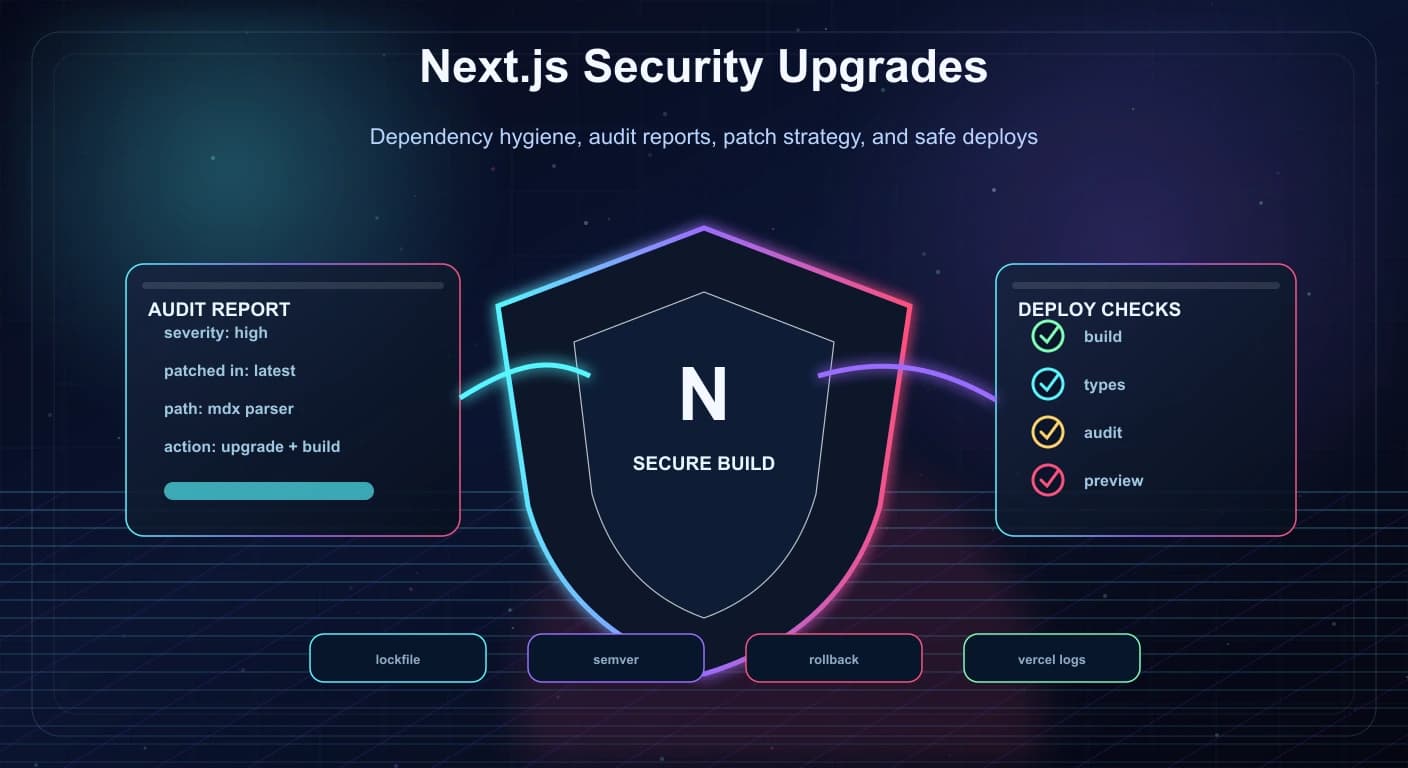
Modern Next.js apps depend on a large ecosystem: React, MDX tooling, content parsers, analytics packages, UI libraries, deployment adapters, and build tools.
That ecosystem is powerful, but it also means security work is never finished. A small dependency warning in a Vercel build log can point to a real issue. A patch release can include important fixes. An old MDX package can become the weakest part of an otherwise polished site.
Next.js publishes official upgrade guides, including the version 16 guide and the version 15 guide, and its support policy encourages production apps to use an active or maintenance release. npm's audit report documentation explains how audit output identifies vulnerable packages, patched versions, dependency paths, and severity.
The short version
- Keep Next.js, React, React DOM, and framework-adjacent packages upgraded together.
- Treat deploy warnings as engineering work, not background noise.
- Read audit reports before running aggressive fixes.
- Build locally after upgrades and check production deploy logs.
- Keep rollback simple by making dependency changes focused and reviewable.
Why this matters now
Next.js is used for content sites, SaaS products, dashboards, ecommerce, admin panels, and AI applications. That makes it a high-value part of the JavaScript ecosystem.
At the same time, apps are becoming more dependency-heavy:
- MDX content pipelines.
- Image optimization.
- Server Components.
- Analytics integrations.
- Auth packages.
- AI SDKs.
- Payment libraries.
- CMS clients.
- UI systems.
Every package adds behavior and risk.
The question is not "can we avoid dependencies?" The better question is:
"Do we know which dependencies matter, which versions are safe, and how to upgrade without breaking the app?"
Start with the build log
The build log is often the first place a problem becomes visible.
Warnings worth investigating:
- Vulnerable package detected.
- Unsupported Next.js version.
- Peer dependency mismatch.
- Deprecated package.
- Failed type check.
- Failed static generation.
- Missing environment variable.
- Unsupported Node.js runtime.
- Edge runtime incompatibility.
Do not ignore warnings just because the build completed.
Security and compatibility warnings are often early signals. They are easier to fix before they become production incidents.
Upgrade framework packages together
Next.js does not live alone.
When upgrading, check these together:
nextreactreact-domeslint-config-next@types/react@types/react-dom- MDX packages
- next-related plugins
- deployment or adapter packages
The official Next.js version 15 guide shows that upgrades can involve React 19, async request APIs, caching changes, route handler behavior, and other framework-level shifts.
That means a framework upgrade is not only changing a version number. It can change runtime behavior.
Use the official guides before making a major jump. For Next.js 16.1 and later, npx next upgrade (or your package manager's equivalent) is the simplest starting point. Older versions need the separate codemod tooling described in the guides. As of November 2026, 16.x is the current line, so check the official releases page for the latest patch.
Read npm audit instead of panicking
npm audit is useful, but it needs interpretation.
Audit reports can show:
- Severity.
- Vulnerable package.
- Patched version range.
- Dependency path.
- More information about the advisory.
The dependency path is especially important. It tells you whether the vulnerable package is direct, transitive, used in production, used only in development, or pulled in by a package you can update.
Before running a broad fix, ask:
- Is this a production dependency?
- Is there a patched version?
- Which parent package brings it in?
- Will the fix upgrade a major version?
- Does the advisory affect how this app uses the package?
- Can I update the parent package instead?
Blindly running forceful fixes can replace one problem with a broken app.
Keep dependency changes focused
A clean security upgrade is easier to review when it has a narrow purpose.
Good upgrade commit:
Update next-mdx-remote to patched major version
Update lockfile
Run production build
Risky upgrade commit:
Update 80 packages
Change UI components
Refactor routing
Modify content rendering
Fix random TypeScript errors
Security work should be boring and traceable.
If the upgrade requires code changes, keep them close to the dependency being updated. Do not mix unrelated refactors into the same release.
Check MDX and content pipelines carefully
MDX packages deserve special attention in portfolio sites, documentation sites, and blogs.
They often touch:
- Markdown parsing.
- JSX compilation.
- Frontmatter.
- Syntax highlighting.
- Remote content rendering.
- User-generated or CMS-provided content.
If a build platform warns about an MDX package, investigate quickly.
Checklist:
- Confirm whether the vulnerable package is used at runtime.
- Read the patched version range.
- Check breaking changes for the new major version.
- Build locally.
- Open a few posts manually.
- Test headings, links, code blocks, and metadata.
- Confirm static generation still works.
Content rendering is part of the security surface. Treat it that way.
Verify with more than one command
After dependency updates, run a small verification suite.
For a typical Next.js content site:
npm run build
npm run lint
npm audit
If the app has tests:
npm testThen check:
- Home page renders.
- Blog index renders.
- Individual blog posts render.
- Metadata is generated.
- Images resolve.
- RSS or sitemap routes still work.
- Deployment logs are clean.
The goal is not only "the package installed." The goal is "the user-facing app still works."
Deployment verification
Local builds are necessary, but deployment builds can reveal environment-specific issues.
After pushing:
- Read the Vercel build log.
- Confirm no vulnerable package warning remains.
- Check generated route output.
- Confirm static pages were prerendered.
- Open the production preview.
- Inspect the pages that use the updated dependency.
- Compare bundle size if the update is large.
If the warning came from Vercel, the Vercel build is where you confirm it is gone.
Rollback planning
Security fixes should move quickly, but rollback still matters.
Keep rollback simple:
- One dependency-focused commit.
- Lockfile included.
- Clear release note.
- Known previous deployment.
- No unrelated content or UI changes.
- Quick smoke test list.
If the upgrade breaks production, you want to revert cleanly and try again with better information.
That is much harder when the security fix is mixed with half a dozen unrelated changes.
A practical checklist
Use this checklist when a Next.js dependency warning appears:
- Identify the package and version.
- Check whether it is direct or transitive.
- Read the patched version range.
- Check official framework upgrade docs.
- Update the smallest reasonable set of packages.
- Include the lockfile.
- Run build, lint, audit, and tests.
- Inspect MDX/content pages if content tooling changed.
- Read deployment logs.
- Verify the warning is gone.
- Keep the rollback path clean.
This is simple work, but it pays off.
Create a dependency review routine
Security upgrades become easier when they are routine.
A practical monthly routine:
- Check the current Next.js version.
- Review official upgrade notes.
- Run
npm outdated. - Run
npm audit. - Identify direct dependencies with security or maintenance risk.
- Update one small group of packages.
- Build locally.
- Deploy to preview.
- Review logs.
- Merge only after the app is verified.
This routine prevents the painful pattern where a project waits too long, then needs a huge upgrade under pressure.
Small regular upgrades are usually safer than rare emergency upgrades.
Use a lockfile as a security artifact
The lockfile is not noise.
It records the exact dependency tree that the app builds with. That makes it important for security, reproducibility, and debugging.
Good lockfile habits:
- Commit the lockfile.
- Do not manually edit it.
- Regenerate it with the package manager.
- Review large lockfile changes.
- Keep package manager usage consistent.
- Avoid switching between npm, pnpm, yarn, and bun casually.
When a vulnerability appears, the lockfile helps answer:
- Which exact version is installed?
- Which parent package pulled it in?
- Did the patched version actually resolve?
- Did the deploy use the same dependency tree?
Treat the lockfile as part of the production app.
Be careful with force fixes
Package managers can offer forceful audit fixes.
Sometimes they are necessary, but they can also upgrade major versions and introduce breaking changes.
Before using a force fix:
- Read what packages will change.
- Check whether major versions will be installed.
- Review breaking changes.
- Confirm whether the vulnerable package is used in production.
- Create a clean branch or focused commit.
- Run the full verification suite.
If the fix changes core framework packages, do not treat it as a tiny patch. It is a framework upgrade and should be tested like one.
Check runtime behavior, not only compilation
A Next.js app can compile and still behave differently after an upgrade.
Check:
- Server-rendered pages.
- Static generated pages.
- Dynamic routes.
- Route handlers.
- Metadata generation.
- Image optimization.
- MDX rendering.
- Authentication.
- Middleware.
- API routes.
- Cache behavior.
- Form submissions.
- Analytics scripts.
Framework upgrades can change caching defaults, async request APIs, and runtime behavior. That is why clicking through real pages matters.
For a portfolio or blog, open:
- Home.
- About.
- Blog index.
- A new blog post.
- An old blog post.
- A project page.
- Sitemap.
- Robots route.
This catches issues that a package install cannot.
Automate the boring parts
Automation helps, as long as the team still reviews the result.
Useful automation:
- Dependabot or Renovate for dependency update PRs.
- CI builds for every pull request.
npm auditor equivalent security checks.- Type checks.
- Unit tests.
- Smoke tests for critical routes.
- Preview deployments.
- Bundle size checks for large apps.
The best automation creates small reviewable changes.
For example:
PR 1: update Next.js patch version
PR 2: update MDX rendering package
PR 3: update analytics dependency
PR 4: update UI library minor version
This is easier to review than one giant dependency PR that changes everything.
Emergency advisory runbook
When a serious advisory appears, move quickly but methodically.
Runbook:
- Identify affected package and version.
- Confirm whether the app uses the vulnerable path.
- Check patched versions.
- Update the package or parent dependency.
- Run build and tests.
- Deploy to preview.
- Verify affected routes manually.
- Deploy production.
- Confirm deploy logs are clean.
- Document what changed.
If the fix cannot be deployed immediately, consider temporary mitigation:
- Disable affected feature.
- Block risky input.
- Restrict access.
- Move route behind authentication.
- Add WAF or middleware rule.
- Roll back to a safer version if appropriate.
Security response is not only installing a package. It is reducing risk quickly and proving the app still works.
What went wrong in the real world: framework-level advisories
Dependency hygiene is not abstract. Recent history shows why "upgrade within days" is the right default for the framework itself, not only for random packages. The following are well-documented events; for exact affected and fixed version numbers always read the official advisory, because patch ranges differ per release line.
| When | Issue | Lesson |
|---|---|---|
| March 2025 | A middleware authorization bypass (CVE-2025-29927) let a crafted internal header skip middleware checks in affected versions | Never make middleware the only place you enforce authorization. Check access again in the data layer |
| December 2025 | "React2Shell": a critical remote code execution in the React Server Components protocol (CVE-2025-55182, tracked for Next.js as CVE-2025-66478 and later marked a duplicate), affecting App Router apps on certain 15.x and 16.x releases. Exploits became public within days | An RSC endpoint is a public network surface. Patch immediately, then rotate secrets if you were exposed |
| 2026 | Several denial-of-service advisories affecting React Server Components and Server Actions, patched in new 15.x and 16.x releases | Stay on a supported line and watch advisories; patch releases are routine |
For React2Shell the official Next.js advisory listed patched releases including 15.0.5, 15.1.9, 15.2.6, 15.3.6, 15.4.8, 15.5.7 and 16.0.7, and noted that Pages Router apps, Next.js 13.x and 14.x stable, and the Edge Runtime were not affected. Treat that list as an example of the shape of such advisories rather than as current guidance, because later patches supersede it.
Where to watch:
- The Security advisories tab of the Next.js repository on GitHub (github.com/vercel/next.js/security/advisories).
- The Next.js blog and the changelog of your hosting provider.
npm auditand your update bot (covered below).- During
next dev, Next.js DevTools can show a Vulnerability Insight when your installed version is affected by a known vulnerability.
Which Next.js version should you be on?
The official support policy (check the live page, because it changes) describes three states:
| State | What you get | What to do |
|---|---|---|
| Active LTS (currently 16.x) | Features, bug fixes and security patches | Default target for production |
| Maintenance LTS (currently 15.x) | Only critical fixes and necessary security updates, delivered as minor releases | Acceptable while you plan the move to the active line |
| End of life (14.x and earlier) | Nothing | Upgrade now; an unpatched framework is an unpatched vulnerability |
The policy also notes that 15.x security releases continue through January 31, 2027 (an extension of the original two-year window), and that in rare cases severe bugs may be patched outside the policy. Plan your 15 to 16 migration well before that date.
Rule of thumb: stay within one minor of the latest patch on your line, and treat a security patch as a same-week task.
Lab: triage an advisory in fifteen minutes
Scenario: a scanner, your hosting dashboard or a newsletter says "Next.js is vulnerable". Work through these steps in order.
Step 1: what are you running, really?
npm ls next react react-dom        # what the lockfile resolved
node -p "require('next/package.json').version"
node --version                     # check the Node requirement of your target version
Step 2: read the advisory and answer four questions. Which versions are affected? Which are fixed on your release line? Which router or feature is affected (App Router, Pages Router, Server Actions, Image Optimization, middleware)? Is there a mitigation if you cannot patch today?
Step 3: are you actually exposed? Check the feature in use:
# Do you use the App Router at all?
ls app 2>/dev/null | head
# Any Server Actions?
grep -rn --include='*.ts' --include='*.tsx' "use server" app src 2>/dev/null | head
# Any middleware / proxy?
ls middleware.* proxy.* src/middleware.* src/proxy.* 2>/dev/null
Step 4: upgrade the smallest thing that fixes it. On Next.js 16.1 or newer the built-in command exists:
npx next upgrade                 # interactive codemod workflow
npx next@canary upgrade --agent  # have a coding agent upgrade and verify (security policy by default)
The agent mode is documented as experimental: it selects the latest safe release in the earliest eligible major for an affected stable version, prepares migration guides, and hands the task to a coding agent. Review its diff like any other pull request. For versions before 16.1, the older route is npx @next/codemod@canary upgrade latest. For a pure patch bump you can also do it by hand:
npm install next@16 react@latest react-dom@latest   # replace 16 with your target line
npm install -D eslint-config-next@16 @types/react@latest @types/react-dom@latest
Step 5: verify and ship using the CI workflow and smoke script in the next sections.
Step 6: if you were exposed to a remote code execution bug, assume compromise. Patching closes the hole but does not undo what an attacker did. Rotate environment secrets and tokens the server could read, review access logs for the vulnerable window, and redeploy from a clean build.
Reading npm audit like an engineer
Useful commands, from broad to specific:
npm audit --omit=dev                       # only production dependencies
npm audit --omit=dev --audit-level=high    # fail only on high or critical
npm audit --json | node -e "const a=JSON.parse(require('fs').readFileSync(0,'utf8')); console.log(Object.entries(a.vulnerabilities).map(([n,v])=>n+' '+v.severity+' direct='+v.isDirect).join('\n'))"

npm explain vulnerable-package-name        # why is this installed, and via which parents?
npm ls vulnerable-package-name             # which versions exist in the tree?
npm audit signatures                       # verify registry signatures and provenance
When the vulnerable package is transitive and the parent has not released a fix, you can force a patched version with overrides while you wait. Use sparingly, comment why, and remove when the parent catches up:
{
  "overrides": {
    "some-transitive-package": "^2.1.4"
  }
}
Decision guide:
| Situation | Action |
|---|---|
| Dev-only dependency, advisory is about a runtime path you never execute | Schedule the update; do not block the release |
| Production dependency with a patched version in range | Update now, run verification |
| Fix requires a new major of a library | Read the changelog, branch, test, then merge |
| No patched version exists | Mitigate (disable the feature, validate input), or replace the package |
Advisory is in the framework (next, react) | Treat as urgent; same-week patch |
npm audit fix --force can install breaking major versions. Run it on a throwaway branch, read the resulting diff, and never merge it unreviewed.
Automate updates without automating risk
Update bots create small, reviewable pull requests. A Dependabot configuration that groups low-risk updates and delays brand-new releases:
# .github/dependabot.yml
version: 2
updates:
  - package-ecosystem: "npm"
    directory: "/"
    schedule:
      interval: "weekly"
    open-pull-requests-limit: 5
    cooldown:
      default-days: 3        # wait a few days after a release; verify option name in current docs
    groups:
      react-and-next:
        patterns: ["next", "react", "react-dom", "@types/react*", "eslint-config-next"]
      dev-tools:
        dependency-type: "development"
        update-types: ["minor", "patch"]
Notes:
- Group
next,react,react-domand their type packages so they move together. - A short cooldown (a minimum release age, also available in Renovate and some package managers) reduces exposure to a freshly published malicious version, but security patches for a vulnerability you are exposed to should be applied immediately and not wait. Treat security updates as a separate fast lane. Verify the exact option names in your tool's current docs.
- Require CI to pass before merge, and require human review for major version bumps.
Make the upgrade safe: CI gate and smoke test
A workflow that fails a pull request when production dependencies have serious known vulnerabilities, or when the build breaks:
name: verify-upgrade
on:
  pull_request:
    paths: ["package.json", "package-lock.json"]
permissions:
  contents: read
jobs:
  verify:
    runs-on: ubuntu-latest
    steps:
      - uses: actions/checkout@v4
      - uses: actions/setup-node@v4
        with:
          node-version: 22
          cache: npm
      - run: npm ci
      - run: npm audit --omit=dev --audit-level=high
      - run: npm audit signatures
      - run: npx tsc --noEmit
      - run: npm run lint
      - run: npm run build
      - name: Smoke test
        run: |
          npm run start &
          npx wait-on http://localhost:3000 --timeout 60000
          bash scripts/smoke.sh http://localhost:3000
Pin action versions to what your organization approves, use the Node version your Next.js release requires (check the upgrade guide), and pin actions by commit SHA with least-privilege tokens.
#!/usr/bin/env bash
# scripts/smoke.sh - fail fast if key routes break after an upgrade
set -euo pipefail
base="${1:-http://localhost:3000}"

check() {
  local path="$1" expect="${2:-200}"
  code=$(curl -s -o /dev/null -w "%{http_code}" "$base$path")
  if [ "$code" != "$expect" ]; then
    echo "FAIL $path expected $expect got $code"; exit 1
  fi
  echo "ok   $path $code"
}

check /
check /blog
check /sitemap.xml
check /robots.txt
check /api/health
check /definitely-not-a-page 404
Extend it with one authenticated check (a protected page must return a redirect or 401 without a session). If a bug like the middleware bypass reappears in a future version, this is the test that catches it:
code=$(curl -s -o /dev/null -w "%{http_code}" "$base/dashboard")
[ "$code" = "307" ] || [ "$code" = "302" ] || [ "$code" = "401" ] || { echo "protected route is open: $code"; exit 1; }
Authorization in depth: don't depend on a single layer
The 2025 middleware bypass is the textbook case for defense in depth. The Next.js data-security guide recommends a Data Access Layer for new projects: one internal module that checks the session and shapes the data before it reaches components.
// lib/dal.ts
import "server-only";
import { cache } from "react";
import { cookies } from "next/headers";
import { redirect } from "next/navigation";
import { decrypt } from "@/lib/session";

export const verifySession = cache(async () => {
  const token = (await cookies()).get("session")?.value;
  const session = await decrypt(token);
  if (!session?.userId) redirect("/login");
  return { userId: session.userId as string };
});
Every Server Function (formerly "Server Action") must authorize on its own, because it is a public POST endpoint that anyone can call with crafted input:
// app/actions/posts.ts
"use server";
import { z } from "zod";
import { verifySession } from "@/lib/dal";
import { db } from "@/lib/db";

const schema = z.object({ id: z.coerce.number().int().positive() });

export async function deletePost(formData: FormData) {
  const { userId } = await verifySession();           // 1. who is calling?
  const { id } = schema.parse({ id: formData.get("id") }); // 2. validate input
  await db.posts.deleteWhere({ id, ownerId: userId });  // 3. scope to the owner
}
Checklist for every Server Function and Route Handler:
- Authenticate: who is calling?
- Authorize: may this user act on this specific record?
- Validate: parse the input with a schema.
- Minimize: return only the fields the client needs.
- Rate limit abusive paths.
More patterns in Next.js Server Components, Caching and Data Patterns.
Cheap hardening that limits blast radius
Upgrades fix known bugs; configuration limits damage from unknown ones.
// next.config.ts
import type { NextConfig } from "next";

const securityHeaders = [
  { key: "X-Content-Type-Options", value: "nosniff" },
  { key: "Referrer-Policy", value: "strict-origin-when-cross-origin" },
  { key: "X-Frame-Options", value: "DENY" },
  { key: "Permissions-Policy", value: "camera=(), microphone=(), geolocation=()" },
  { key: "Strict-Transport-Security", value: "max-age=63072000; includeSubDomains" },
];

const nextConfig: NextConfig = {
  poweredByHeader: false,
  async headers() {
    return [{ source: "/:path*", headers: securityHeaders }];
  },
};

export default nextConfig;
Add a Content Security Policy as well; the Next.js docs have a dedicated guide for nonce-based CSP with the App Router. Roll out CSP in report-only mode first. Beyond headers:
- Environment variables: only variables prefixed
NEXT_PUBLIC_are inlined into client bundles. Never prefix a secret. - Least privilege at runtime: run the app as a non-root user, give the database user only the permissions it needs, and keep secrets out of the build image.
- Egress limits: if the server cannot reach arbitrary hosts, remote code execution is much less useful to an attacker.
- Logging and alerts: ship server logs somewhere searchable, so an investigation after an advisory is possible.
- Self-hosted vs managed platform: a managed platform may apply a WAF rule or platform mitigation quickly, but a mitigation is not a patch. Upgrade anyway.
Troubleshooting table
| Symptom | Likely cause | Fix |
|---|---|---|
npm audit still reports the package after upgrading | Lockfile not updated, or another parent pins the old version | npm explain pkg, update the parent, or use overrides temporarily |
Peer dependency conflict (ERESOLVE) on upgrade | React, next and types out of sync | Upgrade next, react, react-dom and @types/* in one command |
| Build fails with type errors after the upgrade | Async request APIs (params, searchParams, cookies()) are Promises | Run the codemod from the official guide and await them |
| Hosting build rejects the deploy as vulnerable | Platform blocks known-vulnerable versions | Upgrade to the patched release for your line |
| Dev works, production behaves differently | Caching and runtime differences | Test with next build && next start, not only next dev |
| Middleware seems skipped | Matcher mismatch or the bypass class of bug | Add a second authorization check in the data layer; add a smoke test |
next upgrade command not found | Version is older than 16.1 | Use npx @next/codemod@canary upgrade latest |
| Warning about unsupported Node | Node older than the new version requires | Bump the Node version in CI, Docker and the host together |
| After upgrade MDX pages are blank | Content tooling major version changed | Open an old and a new post locally, check MDX package release notes |
| Lockfile diff is thousands of lines | Different package manager or version | Use the same package manager and version as the team (packageManager field) |
Where upgrades go wrong
- Treating a deploy warning as noise. It is a free early alert.
- Fixing with
--forceon main. Breaking changes arrive without review. - Patching without checking exposure. You may spend a day on something you don't use, or ignore something you do.
- Patching but not rotating secrets after an RCE-class advisory.
- Relying on middleware alone for authorization.
- Staying on end-of-life versions because "it works".
- Mixing the security fix with a refactor, which makes rollback painful.
- Having no smoke test, so the upgrade "succeeds" while a route is broken or open.
- Switching package managers during the upgrade.
- Not telling anyone. Write a short note in the pull request: advisory link, versions, verification done.
When not to upgrade immediately
Speed matters, but not every update is an emergency:
- A new major that is not security-motivated. If you are on a supported line, schedule the major upgrade; don't rush it on a Friday.
- A brand-new release of a non-critical package. A short cooldown reduces the chance of picking up a compromised release.
- Canary or release candidate builds in production. The support policy says canary is not recommended for production traffic.
- When your exposure is demonstrably nil and a patch is coming. Document the reasoning and set a deadline. If the advisory concerns a feature you don't use, scheduling is reasonable. If you're not sure, patch.
Questions that come up
How often should I update Next.js? Apply patch releases routinely (weekly or monthly) and security patches within days. Review minor and major releases on a schedule.
Is npm audit enough?
No. It reports known advisories in published packages. Pair it with an update bot, provenance checks, code review, and runtime hardening.
Do I have to upgrade React separately?
Usually yes. Next.js and React versions are linked, and a security fix may land in React packages, so upgrade next, react and react-dom together.
Are Pages Router apps affected by the same issues? Sometimes not. The React2Shell advisory, for example, concerned the App Router's React Server Components protocol. Always read the "affected" section of each advisory.
Should I use the agent upgrade command? It can save time on larger upgrades, but it is documented as experimental. Use a branch, review the diff, and rely on your tests.
How do I know a patch fixed my deployment? Check the version in the deployed build log or output, run the smoke test against the deployment, and confirm the scanner no longer flags it.