
Playwright End-to-End Testing: Reliable Suites, Fixtures, Auth and CI at Scale
 Derar SattoufUpdated Next.js & frontend
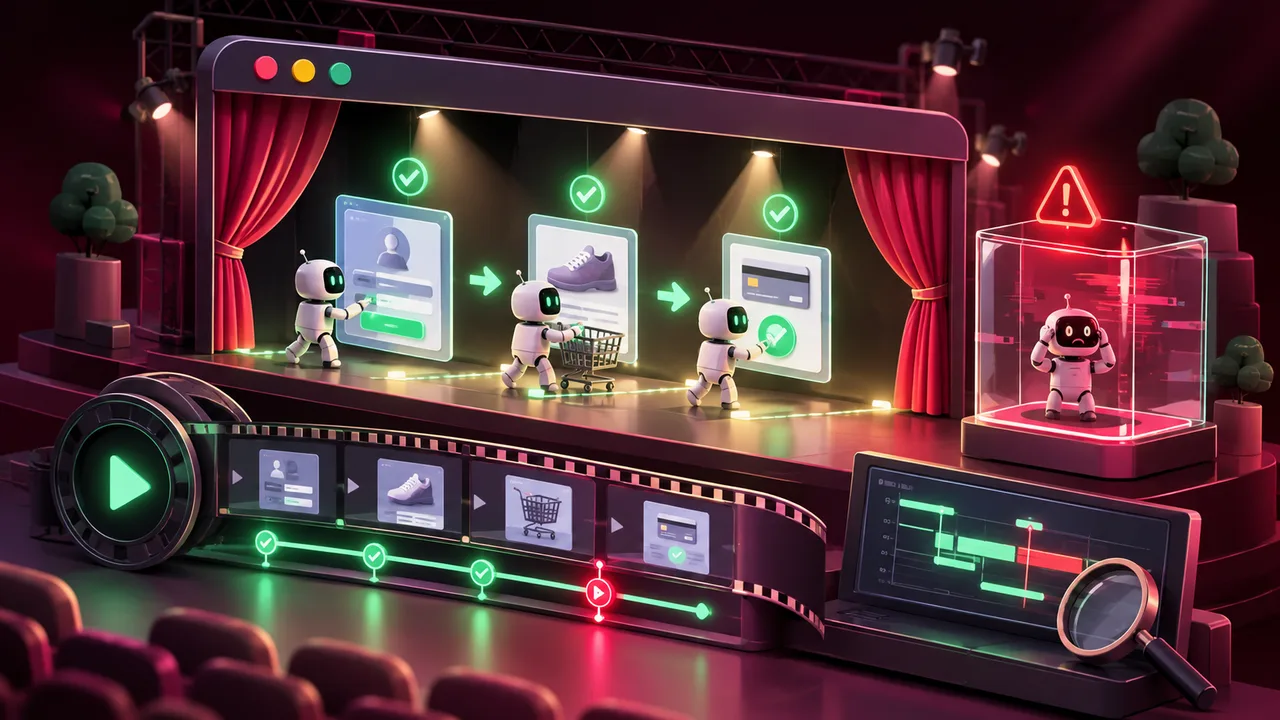
End-to-end tests have a reputation: slow, flaky, expensive, and quietly ignored when they go red. That reputation is earned by suites that were written like scripts (copy-pasted selectors, sleep(2000), shared accounts, tests that depend on each other) and run in CI with no diagnostics. A Playwright suite written with a few disciplined habits behaves differently: it is fast because it runs in parallel, stable because it waits for the right conditions, and debuggable because every failure ships with a trace.
E2E tests verify critical user journeys through the real stack, not every branch of logic. Keep a small number (tens, not thousands) of fast, stable journeys and push detail down to unit and integration tests. Locate elements the way users and assistive technology do: getByRole, getByLabel, getByText, then getByTestId as a fallback. Avoid CSS and XPath chains tied to markup. And never sleep. Use web-first assertions (await expect(locator).toBeVisible()), which retry until the condition holds or time out. Playwright also auto-waits for actionability before clicks and fills.
Use fixtures (test.extend) for setup, data and page helpers, and thin page objects only when a page has repeated, complex interactions. Log in once in a setup project, save storageState, and reuse it, with separate states for separate roles. Don't log in through the UI in every test. Isolate tests: every test creates its own data with unique identifiers, uses API calls for setup (not UI clicks), and never depends on another test. That's what makes fullyParallel safe. Mock third parties and failure cases with page.route, but don't mock your own backend in journey tests unless the test is about the UI alone.
Capture evidence: trace: "on-first-retry", screenshots and video on failure, HTML and blob reports. The trace viewer is the main debugging tool. Scale with workers, then with sharding across CI machines, and merge the blob reports into one HTML report. Run in the official Playwright Docker image, or install browsers with npx playwright install --with-deps in GitHub Actions, and pin the Playwright version. For visual snapshots, generate and compare baselines in the same environment (the Docker image) or the diffs will be noise.
AI can draft tests and explore pages through Playwright MCP, but generated tests need human review for assertions, data isolation and flake risk. Treat a flaky test as a bug with a deadline: reproduce it with --repeat-each, read the trace, fix the cause (usually a missing wait condition, shared state or a race), and quarantine only temporarily.
Playwright ships a minor release roughly every one to two months, and the 1.6x line is current as of late 2026 (1.64 came out in October 2026, with 1.65 shortly after; check the release notes page for the latest). The APIs used here are long-stable. Where a feature is newer or may have changed, the text says to verify against current docs. The things most likely to drift are the latest Playwright version and Docker tag, option names such as failOnFlakyTests, toMatchAriaSnapshot syntax, page.clock methods, Playwright agents setup commands, component testing status, device descriptor names, and GitHub Action major versions. Examples use TypeScript and @playwright/test.
Decision table: what to test where
| Concern | Best layer | Why |
|---|---|---|
| Pure functions, validation rules, reducers | Unit (Vitest or Jest) | Milliseconds, precise failures |
| Component rendering and interaction in isolation | Component tests (Testing Library or Playwright CT) | Fast, no backend |
| API contract and database behavior | Integration or API tests (Playwright request, Supertest) | No browser needed |
| Sign up, log in, checkout, core CRUD journeys | E2E (Playwright) | Proves the whole stack works together |
| Layout regressions on key pages | Visual snapshots (Playwright) | Cheap detection of CSS breakage |
| Accessibility violations | axe in component and E2E tests | Catches objective issues early |
| Cross-browser quirks | E2E on Chromium, Firefox, WebKit (selected journeys) | Engines differ |
| Third-party outage handling | E2E with mocked routes | Deterministic failures |
| Performance budgets | Lighthouse CI or a dedicated tool | Different tooling and noise profile |
| Every form validation message | Unit or component tests | Too many permutations for E2E |
The test pyramid and what E2E should cover
The shape
            /\            E2E: few, slow, high confidence
           /  \           (critical journeys, smoke on production)
          /----\
         /      \         Integration / API / component
        /--------\        (contracts, DB, UI in isolation)
       /          \
      /------------\      Unit: many, fast, precise
     /              \     (logic, utilities, validators)
The pyramid is a guide to cost and confidence. A unit test failing tells you which function broke in milliseconds. An E2E failing tells you that a user journey is broken somewhere in the browser, network, server or database, and costs seconds to minutes. The aim is the cheapest test that gives real confidence for each behavior. For unit-level guidance see Unit Testing with AI in 2026.
What belongs in E2E
- The money paths: sign up, log in, purchase or subscribe, the main create-read-update-delete flow, onboarding.
- Integration seams that unit tests cannot cover: authentication cookies, redirects, middleware, payments in test mode, file uploads, email links (with a test inbox).
- Smoke tests that you can run against production after a deploy (read-only or using a dedicated test tenant).
- Regression tests for production bugs that escaped lower layers, only when the bug was integration-level.
What does not belong
- Combinatorial validation rules, formatting and calculation logic.
- Every variant of every component (use Storybook or component tests).
- Visual details better covered by snapshot tests of components.
- Anything you can assert at the API level in a fraction of the time (use Playwright's
requestfixture, no browser).
A budget that works
| Suite | Target size | Target duration (CI wall clock) | Runs on |
|---|---|---|---|
| Smoke | 5 to 15 tests | Under 2 minutes | Every deploy, including production |
| Core journeys | 30 to 100 tests | Under 10 minutes, sharded | Every pull request |
| Extended (cross-browser, visual, mobile) | 100 to 300 tests | Under 20 minutes, sharded | Nightly or on main |
These numbers are starting points, not rules. If PR feedback takes more than about ten minutes, developers stop waiting for it, so shard, prune or move tests to a nightly run.
Setup
Install
npm init playwright@latest
# choose TypeScript, the tests folder (e2e), GitHub Actions workflow, and install browsers
Or add it to an existing project:
npm install -D @playwright/test
npx playwright install --with-deps chromium
Pin the version in package.json (an exact version, not a range) so local, CI and Docker agree. Browser builds are tied to the Playwright version, and snapshot rendering can change between versions.
The starter configuration
// playwright.config.ts
import { defineConfig, devices } from "@playwright/test";

const baseURL = process.env.PLAYWRIGHT_BASE_URL ?? "http://localhost:3000";
const isCI = !!process.env.CI;

export default defineConfig({
  testDir: "./e2e",
  outputDir: "./test-results",

  // Run test files and tests within files in parallel
  fullyParallel: true,
  // Fail the build on CI if a test.only was left in the source
  forbidOnly: isCI,
  retries: isCI ? 2 : 0,
  workers: isCI ? 4 : undefined, // undefined = half the logical CPU cores
  timeout: 30_000,
  expect: { timeout: 5_000 },

  reporter: isCI
    ? [["blob"], ["github"], ["list"]]
    : [["html", { open: "never" }], ["list"]],

  use: {
    baseURL,
    trace: "on-first-retry",
    screenshot: "only-on-failure",
    video: "retain-on-failure",
    actionTimeout: 10_000,
    navigationTimeout: 15_000,
    testIdAttribute: "data-testid",
    locale: "en-US",
    timezoneId: "UTC",
  },

  projects: [
    // 1) Authentication setup: runs first and saves storage state
    { name: "setup", testMatch: /.*\.setup\.ts/ },

    // 2) Browser projects that depend on setup and reuse the state
    {
      name: "chromium",
      use: { ...devices["Desktop Chrome"], storageState: "playwright/.auth/user.json" },
      dependencies: ["setup"],
    },
    {
      name: "firefox",
      use: { ...devices["Desktop Firefox"], storageState: "playwright/.auth/user.json" },
      dependencies: ["setup"],
    },
    {
      name: "webkit",
      use: { ...devices["Desktop Safari"], storageState: "playwright/.auth/user.json" },
      dependencies: ["setup"],
    },
    {
      name: "mobile-chrome",
      use: { ...devices["Pixel 7"], storageState: "playwright/.auth/user.json" },
      dependencies: ["setup"],
    },
  ],

  // Start the app before tests when running against localhost
  webServer: process.env.PLAYWRIGHT_BASE_URL
    ? undefined
    : {
        command: isCI ? "npm run start" : "npm run dev",
        url: "http://localhost:3000",
        reuseExistingServer: !isCI,
        timeout: 120_000,
        stdout: "pipe",
      },
});
What each important option does:
| Option | Purpose |
|---|---|
fullyParallel | Runs tests in the same file in parallel too (default is per-file parallelism). Requires isolated tests |
forbidOnly | Prevents accidentally merged test.only |
retries | Re-runs failures; a test that passes on retry is reported as flaky, which you must track |
trace: "on-first-retry" | Records a full trace only for retried tests, keeping normal runs fast |
webServer | Starts your app and waits for the URL; reuseExistingServer avoids restarts locally |
projects with dependencies | Guarantees setup (auth) completes first |
testIdAttribute | Which attribute getByTestId reads |
timezoneId, locale | Remove environment-dependent date and format differences |
Use npm run start (a production build) on CI where you can, because the dev server compiles on demand and adds timing variance. Build in a prior step.
Scripts and ignored files
{
  "scripts": {
    "test:e2e": "playwright test",
    "test:e2e:ui": "playwright test --ui",
    "test:e2e:headed": "playwright test --headed",
    "test:e2e:debug": "playwright test --debug",
    "test:e2e:report": "playwright show-report"
  }
}# .gitignore additions
node_modules/
/test-results/
/playwright-report/
/blob-report/
/playwright/.cache/
/playwright/.auth/Your first test
// e2e/home.spec.ts
import { test, expect } from "@playwright/test";

test("home page shows the main heading and navigation", async ({ page }) => {
  await page.goto("/");
  await expect(page).toHaveTitle(/Acme/);
  await expect(page.getByRole("heading", { level: 1 })).toBeVisible();
  await expect(page.getByRole("navigation", { name: "Primary" })).toBeVisible();
});
Use npx playwright test --ui for UI mode: a watch mode with a timeline, action list, DOM snapshots and a locator picker. It is the fastest way to write and debug tests locally.
Locators: the best-practice hierarchy
A locator is a recipe for finding an element at the moment of use; it re-queries on every action, which is what makes tests resilient to re-renders. Choose locators in this order of preference:
| Priority | Locator | Example | Why |
|---|---|---|---|
| 1 | Role + accessible name | page.getByRole("button", { name: "Save" }) | Mirrors how users and screen readers perceive the page; doubles as an a11y check |
| 2 | Label | page.getByLabel("Email") | Forms |
| 3 | Placeholder | page.getByPlaceholder("Search") | When no label exists (fix the label instead) |
| 4 | Visible text | page.getByText("Order confirmed") | Non-interactive content |
| 5 | Alt text, title | page.getByAltText("Company logo") | Images |
| 6 | Test id | page.getByTestId("cart-total") | When no semantic handle exists or text is dynamic |
| Last | CSS or XPath | page.locator(".card > div:nth-child(2) button") | Brittle; avoid |
Narrowing with chaining, filtering and scoping
// Scope to a region, then find within it
const cart = page.getByRole("region", { name: "Cart" });
await cart.getByRole("button", { name: "Remove" }).click();

// Pick one row among many using its content
const row = page.getByRole("row").filter({ hasText: "ada@example.com" });
await row.getByRole("button", { name: "Edit" }).click();

// Filter by a child element
const product = page.getByRole("listitem").filter({ has: page.getByRole("heading", { name: "Mechanical keyboard" }) });
await product.getByRole("button", { name: "Add to cart" }).click();

// Combine conditions
const submit = page.getByRole("button").and(page.getByText("Pay now"));
const either = page.getByRole("button", { name: "Accept" }).or(page.getByRole("button", { name: "Agree" }));
Strictness
Locators are strict: if a locator matches more than one element and you act on it, Playwright throws. That is a feature; it forces you to be specific. Use .first(), .nth(i) or .last() only when the position is genuinely the intent (for example "the first search result").
Test ids as an escape hatch
Add data-testid where semantics are not enough (a total in a table cell, a canvas, a repeated card). Keep ids stable and meaningful, not structural (cart-total, not div-3).
<span data-testid="cart-total">{formatPrice(total)}</span>Why role locators improve the product
If getByRole("button", { name: "Save" }) cannot find your element, a screen reader user probably cannot either. Writing tests with role locators catches missing labels, div buttons and unnamed icon buttons for free. See Web Accessibility for Developers for the patterns.
Debugging locators
npx playwright codegen http://localhost:3000       # record actions and generate locators
npx playwright test --ui                           # pick locators from the live DOM
npx playwright test --debug                        # inspector with step-through
In the browser console during --debug, playwright.locator("...") highlights matches. Treat codegen output as a draft: replace brittle selectors with roles and add real assertions.
Auto-waiting and web-first assertions
Actionability checks
Before click, fill, check and similar actions, Playwright automatically waits for the element to be: attached to the DOM, visible, stable (not animating), able to receive events (not covered by another element) and enabled (and editable for fill). That removes most manual waiting.
Web-first assertions retry
expect(locator) assertions retry until they pass or the expect.timeout elapses. Compare:
// BAD: reads a snapshot once, then compares. Races with rendering.
const text = await page.getByTestId("status").textContent();
expect(text).toBe("Saved");

// GOOD: retries until the element has the text (or times out with a clear error)
await expect(page.getByTestId("status")).toHaveText("Saved");| Assertion | Use for |
|---|---|
toBeVisible(), toBeHidden() | Presence and absence in view |
toHaveText(), toContainText() | Text (exact or partial; accepts regex) |
toHaveValue() | Input values |
toBeEnabled(), toBeDisabled(), toBeChecked() | State |
toHaveAttribute(), toHaveClass(), toHaveCSS() | Attributes and styles |
toHaveCount(n) | Number of matches |
toHaveURL(), toHaveTitle() | Page-level |
toBeFocused() | Focus management |
toHaveAccessibleName() | A11y naming |
toHaveScreenshot() | Visual snapshot |
toMatchAriaSnapshot() | Structural snapshot of the accessibility tree (verify current syntax in docs) |
Waiting for non-DOM conditions
// Wait for a specific network response triggered by an action
const responsePromise = page.waitForResponse((res) => res.url().includes("/api/orders") && res.request().method() === "POST");
await page.getByRole("button", { name: "Place order" }).click();
const response = await responsePromise;
expect(response.status()).toBe(201);

// Poll arbitrary async state (for example an email arriving, a job finishing)
await expect.poll(async () => {
  const res = await request.get(`/api/jobs/${jobId}`);
  return (await res.json()).status;
}, { timeout: 30_000, intervals: [500, 1000, 2000] }).toBe("done");

// Retry a block of assertions as a unit
await expect(async () => {
  const res = await request.get("/api/report");
  expect(res.status()).toBe(200);
}).toPass({ timeout: 20_000 });
Start waiting before the action that triggers the event (as above), otherwise a fast response can be missed.
Things to avoid
await page.waitForTimeout(2000);                 // fixed sleeps: slow when fast, flaky when slow
await page.waitForLoadState("networkidle");       // discouraged by the docs; apps with polling never go idle
await page.locator(".spinner").waitFor();         // prefer asserting the final state instead
if (await page.locator("text=Welcome").isVisible()) {}  // isVisible does not wait; use expect
Assert the outcome the user cares about (the confirmation appears, the row is listed), not the absence of loading indicators.
Steps for readable reports
test("checkout with a saved card", async ({ page }) => {
  await test.step("add item to cart", async () => {
    await page.goto("/products/keyboard");
    await page.getByRole("button", { name: "Add to cart" }).click();
  });
  await test.step("pay", async () => {
    await page.getByRole("link", { name: "Cart" }).click();
    await page.getByRole("button", { name: "Checkout" }).click();
    await expect(page.getByRole("heading", { name: "Order confirmed" })).toBeVisible();
  });
});
Fixtures and page objects
Fixtures: the core abstraction
A fixture provides setup, a value and teardown to tests that ask for it by name, and creates it lazily only for tests that use it. Fixtures replace beforeEach/afterEach for anything reusable.
// e2e/fixtures.ts
import { test as base, expect, type Page } from "@playwright/test";
import { randomUUID } from "node:crypto";

type Account = { id: string; email: string; password: string };

type Fixtures = {
  account: Account;                // a fresh user per test
  loggedInPage: Page;              // a page logged in as that fresh user
  api: ApiClient;                  // typed helper for the backend
};

class ApiClient {
  constructor(private request: import("@playwright/test").APIRequestContext) {}
  async createUser(email: string, password: string): Promise<Account> {
    const res = await this.request.post("/api/test/users", { data: { email, password } });
    expect(res.ok()).toBeTruthy();
    return { ...(await res.json()), email, password };
  }
  async deleteUser(id: string) {
    await this.request.delete(`/api/test/users/${id}`);
  }
}

export const test = base.extend<Fixtures>({
  api: async ({ request }, use) => {
    await use(new ApiClient(request));
  },

  account: async ({ api }, use) => {
    const email = `e2e-${randomUUID()}@example.test`;
    const account = await api.createUser(email, "Correct-Horse-9");
    await use(account);              // the test runs here
    await api.deleteUser(account.id); // teardown, even if the test failed
  },

  loggedInPage: async ({ browser, account }, use) => {
    const context = await browser.newContext({ storageState: undefined });
    const page = await context.newPage();
    await page.goto("/login");
    await page.getByLabel("Email").fill(account.email);
    await page.getByLabel("Password").fill(account.password);
    await page.getByRole("button", { name: "Sign in" }).click();
    await expect(page).toHaveURL(/\/dashboard/);
    await use(page);
    await context.close();
  },
});

export { expect };// e2e/profile.spec.ts
import { test, expect } from "./fixtures";
test("user can update their display name", async ({ loggedInPage: page, account }) => {
await page.goto("/settings/profile");
await page.getByLabel("Display name").fill("Ada L.");
await page.getByRole("button", { name: "Save" }).click();
await expect(page.getByRole("status")).toHaveText("Profile saved");
await expect(page.getByLabel("Display name")).toHaveValue("Ada L.");
expect(account.email).toContain("@example.test");
});Only fixtures a test requests are set up. Teardown after await use(...) runs even when the test fails.
Fixture scopes
| Scope | Created | Use for |
|---|---|---|
test (default) | Per test | Per-test data, pages |
worker | Once per worker process | Expensive setup (a database template, a per-worker account) |
auto: true | Automatically for every test | Cross-cutting concerns (console error collection, network guards) |
type WorkerFixtures = { workerAccount: Account };

export const test = base.extend<{}, WorkerFixtures>({
  workerAccount: [async ({ playwright }, use, workerInfo) => {
    const request = await playwright.request.newContext({ baseURL: process.env.PLAYWRIGHT_BASE_URL ?? "http://localhost:3000" });
    const email = `worker-${workerInfo.workerIndex}-${randomUUID()}@example.test`;
    const res = await request.post("/api/test/users", { data: { email, password: "Correct-Horse-9" } });
    await use({ ...(await res.json()), email, password: "Correct-Horse-9" });
    await request.dispose();
  }, { scope: "worker" }],
});
An automatic fixture that fails on console errors
export const test = base.extend<{ failOnConsoleError: void }>({
  failOnConsoleError: [async ({ page }, use) => {
    const errors: string[] = [];
    page.on("pageerror", (err) => errors.push(err.message));
    page.on("console", (msg) => {
      if (msg.type() === "error" && !/favicon|ResizeObserver/.test(msg.text())) errors.push(msg.text());
    });
    await use();
    expect(errors, "no unexpected console errors").toEqual([]);
  }, { auto: true }],
});
Use this with care: third-party scripts can add noise. Allow-list known messages explicitly.
Combining fixtures
import { mergeTests } from "@playwright/test";
import { test as dbTest } from "./db-fixtures";
import { test as authTest } from "./auth-fixtures";

export const test = mergeTests(dbTest, authTest);
Page objects: when and how
A page object (POM) wraps a page's locators and actions in a class. It helps when many tests repeat a complex interaction on one page. It hurts when it becomes a thin wrapper of click methods or a god class hiding assertions.
| Use fixtures and helper functions when | Use a page object when |
|---|---|
| The abstraction is about setup, data or auth | A page has many locators and multi-step interactions reused across files |
| The helper is one or two actions | You need a stable vocabulary for a complex widget (date range picker, data grid) |
| You want lazy setup and automatic teardown | A team prefers an explicit class per page |
A lean page object that keeps assertions in the tests:
// e2e/pages/checkout-page.ts
import type { Locator, Page } from "@playwright/test";

export class CheckoutPage {
  readonly email: Locator;
  readonly cardNumber: Locator;
  readonly payButton: Locator;
  readonly confirmation: Locator;

  constructor(private readonly page: Page) {
    this.email = page.getByLabel("Email");
    this.cardNumber = page.getByLabel("Card number");
    this.payButton = page.getByRole("button", { name: "Pay now" });
    this.confirmation = page.getByRole("heading", { name: "Order confirmed" });
  }

  async goto() {
    await this.page.goto("/checkout");
  }

  async payWithTestCard(email: string) {
    await this.email.fill(email);
    await this.cardNumber.fill("4242 4242 4242 4242"); // payment provider's published test card
    await this.payButton.click();
  }
}// provide it as a fixture so tests do not construct it by hand
export const test = base.extend<{ checkoutPage: CheckoutPage }>({
checkoutPage: async ({ page }, use) => {
const checkout = new CheckoutPage(page);
await checkout.goto();
await use(checkout);
},
});
test("pays with a test card", async ({ checkoutPage }) => {
await checkoutPage.payWithTestCard("ada@example.test");
await expect(checkoutPage.confirmation).toBeVisible();
});Rules: expose locators (so tests can assert on them), keep assertions in tests, name methods after user intent (payWithTestCard), and keep classes small.
Authentication state reuse
Logging in through the UI before every test is the single biggest waste in most suites. Do it once per role, save the browser state, and load it.
The setup project pattern
// e2e/auth.setup.ts
import { test as setup, expect } from "@playwright/test";
import path from "node:path";

const userFile = path.join(__dirname, "../playwright/.auth/user.json");
const adminFile = path.join(__dirname, "../playwright/.auth/admin.json");

setup("authenticate as user", async ({ page }) => {
  await page.goto("/login");
  await page.getByLabel("Email").fill(process.env.E2E_USER_EMAIL!);
  await page.getByLabel("Password").fill(process.env.E2E_USER_PASSWORD!);
  await page.getByRole("button", { name: "Sign in" }).click();
  await expect(page.getByRole("button", { name: "Account menu" })).toBeVisible();
  await page.context().storageState({ path: userFile });
});

setup("authenticate as admin", async ({ page }) => {
  await page.goto("/login");
  await page.getByLabel("Email").fill(process.env.E2E_ADMIN_EMAIL!);
  await page.getByLabel("Password").fill(process.env.E2E_ADMIN_PASSWORD!);
  await page.getByRole("button", { name: "Sign in" }).click();
  await expect(page).toHaveURL(/\/admin/);
  await page.context().storageState({ path: adminFile });
});
The starter configuration from the Setup section makes browser projects depend on setup and sets storageState to the user file. Override per file or describe block:
// e2e/admin/users.spec.ts
import { test, expect } from "@playwright/test";

test.use({ storageState: "playwright/.auth/admin.json" });

test("admin can see the user list", async ({ page }) => {
  await page.goto("/admin/users");
  await expect(page.getByRole("heading", { name: "Users" })).toBeVisible();
});

// Logged-out experience
test.describe("anonymous", () => {
  test.use({ storageState: { cookies: [], origins: [] } });
  test("redirects to login", async ({ page }) => {
    await page.goto("/dashboard");
    await expect(page).toHaveURL(/\/login/);
  });
});
Faster: authenticate via API
If your app exposes a login endpoint, skip the UI in setup:
setup("authenticate via API", async ({ request }) => {
  const res = await request.post("/api/auth/login", {
    data: { email: process.env.E2E_USER_EMAIL, password: process.env.E2E_USER_PASSWORD },
  });
  expect(res.ok()).toBeTruthy();
  await request.storageState({ path: "playwright/.auth/user.json" });
});
Keep one E2E test that logs in through the real UI so that flow stays covered.
Per-worker accounts when tests mutate account state
A shared account is fine for read-only tests. If tests change account data (settings, cart, subscription), parallel workers will collide. Create one account per worker (a worker-scoped fixture) or per test, and save a state per worker:
export const test = base.extend<{}, { workerStorageState: string }>({
  storageState: ({ workerStorageState }, use) => use(workerStorageState),

  workerStorageState: [async ({ browser }, use, workerInfo) => {
    const file = path.resolve(`playwright/.auth/worker-${workerInfo.workerIndex}.json`);
    if (fs.existsSync(file)) return use(file);

    const page = await browser.newPage({ storageState: undefined });
    const email = `worker-${workerInfo.workerIndex}@example.test`;
    // create the account via API or sign up through the UI, then:
    await page.goto("/login");
    await page.getByLabel("Email").fill(email);
    await page.getByLabel("Password").fill("Correct-Horse-9");
    await page.getByRole("button", { name: "Sign in" }).click();
    await expect(page.getByRole("button", { name: "Account menu" })).toBeVisible();
    await page.context().storageState({ path: file });
    await page.close();
    await use(file);
  }, { scope: "worker" }],
});
(Add import fs from "node:fs" and import path from "node:path" and expect to the real file.)
Security notes
- Never commit
playwright/.auth/*.json: it contains live session cookies and tokens. - Use a dedicated test tenant or environment, never real customer data and never production admin credentials. Store credentials in CI secrets.
- Short session lifetimes can expire state mid-run on long suites; regenerate in setup each run.
- Sign-in through third-party identity providers (Google, GitHub) often has bot detection and MFA. Do not automate against production identity providers; use a test IdP or an app-level test login route that exists only in test environments.
- Sessions stored in
sessionStorageare not captured instorageState; you may needpage.addInitScriptto restore them (verify in the docs).
Test data, seeding and isolation
The rule
Each test creates the data it needs and does not depend on the data or the order of other tests. Everything else (parallelism, retries, sharding, re-running a single test) follows from that.
Strategies
| Strategy | How | Pros | Cons |
|---|---|---|---|
| Create per test via API | Fixture calls a test-only endpoint or the public API | Fast, isolated, explicit | Needs those endpoints |
| Unique identifiers | Suffix emails, names, slugs with a UUID | Avoids collisions in a shared DB | Cleanup needed or data accumulates |
| Per-worker database or schema | Template DB cloned for each worker | Strong isolation | Infrastructure work |
| Transactional rollback | Wrap in a transaction | Fast | Hard across processes (browser to server), rarely possible in E2E |
| Reset before the suite | Truncate and seed in global setup | Simple | Does not isolate parallel tests |
| Ephemeral environment per run | Spin up the app and DB with Docker Compose | Cleanest | Slowest startup |
A pragmatic combination: seed a baseline dataset once in global setup (reference data like plans and countries), create per-test entities with unique ids through API fixtures, and clean up in fixture teardown. Configure the backend to expose /api/test/* helper routes only when NODE_ENV is test or a dedicated flag is set, and protect them with a secret.
Global setup and teardown
// e2e/global-setup.ts
import { request, type FullConfig } from "@playwright/test";

export default async function globalSetup(config: FullConfig) {
  const baseURL = config.projects[0].use.baseURL ?? "http://localhost:3000";
  const api = await request.newContext({ baseURL, extraHTTPHeaders: { "x-test-secret": process.env.TEST_SECRET ?? "" } });
  const res = await api.post("/api/test/seed", { data: { dataset: "baseline" } });
  if (!res.ok()) throw new Error(`Seeding failed: ${res.status()} ${await res.text()}`);
  await api.dispose();
}// in playwright.config.ts
export default defineConfig({
globalSetup: "./e2e/global-setup.ts",
// ...
});Prefer a setup project over globalSetup when the setup needs fixtures, traces and reports (a failing setup project shows up in the HTML report like any test).
Controlling time and randomness
Flaky tests often come from the clock. Playwright's clock API (page.clock) can install a fake clock, set a fixed time and advance it (verify the exact methods in the docs for your version):
test("trial banner shows days remaining", async ({ page }) => {
  await page.clock.install({ time: new Date("2026-11-01T10:00:00Z") });
  await page.goto("/dashboard");
  await expect(page.getByText("14 days left in your trial")).toBeVisible();
  await page.clock.fastForward("24:00:00"); // one day
  await expect(page.getByText("13 days left in your trial")).toBeVisible();
});
Seed random generators in the app under a test flag, or avoid asserting on random content.
Email, SMS and other async side effects
Use a test inbox service or a local SMTP catcher (for example MailHog or Mailpit in Docker Compose) and poll with expect.poll. Never assert on real third-party delivery in CI.
Mocking: page.route, network and HAR
When to mock
| Mock | Do not mock |
|---|---|
| Third-party APIs you do not control (maps, analytics, payment provider UIs in some cases) | Your own backend in a journey test; you want the real stack |
| Rare failure modes (500, timeout, empty states, rate limits) | Authentication in the main journeys |
| Slow or costly dependencies (AI APIs, email providers) | Anything where the integration is what you are testing |
| Non-deterministic data (live prices) |
Fulfilling and modifying requests
test("shows an error state when the API fails", async ({ page }) => {
  await page.route("**/api/projects", (route) =>
    route.fulfill({ status: 500, contentType: "application/json", body: JSON.stringify({ error: "boom" }) }),
  );
  await page.goto("/projects");
  await expect(page.getByRole("alert")).toContainText("Could not load projects");
  await expect(page.getByRole("button", { name: "Try again" })).toBeVisible();
});

test("renders an empty state", async ({ page }) => {
  await page.route("**/api/projects", (route) => route.fulfill({ json: [] }));
  await page.goto("/projects");
  await expect(page.getByText("No projects yet")).toBeVisible();
});

test("modifies a real response", async ({ page }) => {
  await page.route("**/api/profile", async (route) => {
    const response = await route.fetch();           // call the real backend
    const json = await response.json();
    await route.fulfill({ response, json: { ...json, plan: "enterprise" } });
  });
  await page.goto("/settings/billing");
  await expect(page.getByText("Enterprise plan")).toBeVisible();
});

test("simulates a slow network", async ({ page }) => {
  await page.route("**/api/search*", async (route) => {
    await new Promise((r) => setTimeout(r, 2000));
    await route.continue();
  });
  await page.goto("/search?q=a11y");
  await expect(page.getByRole("status")).toHaveText("Searching...");
});
Register routes before the navigation or action that triggers the request. Routes set on the context apply to every page in it.
Blocking noise
// Block analytics, ads and heavy third-party scripts to speed tests up and remove flake
test.beforeEach(async ({ context }) => {
  await context.route(/(googletagmanager|google-analytics|hotjar|intercom)\./, (route) => route.abort());
});
Put this in an automatic fixture so every test benefits.
HAR files
HAR recording lets you capture real traffic once and replay it. It suits third-party integrations or very stable read-only data.
// Record (run once, commit the HAR after reviewing for secrets)
await page.routeFromHAR("e2e/hars/catalog.har", {
  url: "**/api/catalog/**",
  update: true,
});

// Replay in tests
await page.routeFromHAR("e2e/hars/catalog.har", {
  url: "**/api/catalog/**",
  notFound: "fallback",   // unmatched requests go to the network; use "abort" for strictness
});
Warnings: HAR files contain headers, cookies and bodies, so scrub secrets and personal data before committing. HAR replays go stale when the API changes, so treat them like snapshots with an owner and a refresh process. Prefer contract tests against the real API for your own backend.
Testing against the real API in a separate request context
For API-level checks use the request fixture. It shares the project's baseURL and extraHTTPHeaders, and does not launch a browser, so it is fast:
test("API: creating a project returns 201 and appears in the list", async ({ request }) => {
  const create = await request.post("/api/projects", { data: { name: `p-${Date.now()}` } });
  expect(create.status()).toBe(201);
  const { id } = await create.json();

  const list = await request.get("/api/projects");
  expect((await list.json()).map((p: { id: string }) => p.id)).toContain(id);
});
Visual regression and accessibility checks
Screenshot assertions
test("pricing page looks right", async ({ page }) => {
  await page.goto("/pricing");
  await expect(page).toHaveScreenshot("pricing.png", {
    fullPage: true,
    animations: "disabled",
    caret: "hide",
    mask: [page.getByTestId("live-chat"), page.locator("time")],
    maxDiffPixelRatio: 0.01,
  });
});

test("primary button variants", async ({ page }) => {
  await page.goto("/design-system/button");
  await expect(page.getByTestId("button-variants")).toHaveScreenshot("button-variants.png");
});
The first run creates baseline images next to the spec file (in a -snapshots folder). Later runs compare. Update intentionally:
npx playwright test --update-snapshots
npx playwright test e2e/visual --update-snapshots    # limit the scope
Making screenshots stable
| Source of noise | Fix |
|---|---|
| Animations, transitions, carets | animations: "disabled", caret: "hide" |
| Dates, avatars, ads, live data | mask the elements, or fix the clock and seed the data |
| Fonts differ between machines | Run baselines in the same Docker image used in CI; wait for fonts (document.fonts.ready) |
| Scroll position and viewport | Set viewport explicitly in the project |
| Anti-aliasing differences across OS | Keep one canonical environment; per-OS snapshot names are a symptom, not a solution |
| Lazy images | Scroll or wait for specific images to load before the shot |
Snapshots generated on a developer's macOS laptop will not match Linux CI. Use one of: generate baselines only in CI (artifact or a bot commit), or generate them locally inside the same container image:
docker run --rm --network host -v "$PWD":/work -w /work \
  mcr.microsoft.com/playwright:v1.65.0-noble \
  npx playwright test e2e/visual --update-snapshots
(Match the tag to your pinned Playwright version and check the current tag format on the Playwright Docker docs.)
Keep visual tests few and valuable
Snapshot a handful of key pages and design system components in one browser (Chromium). Review snapshot diffs in pull requests like code. Too many snapshots lead to rubber-stamp updates.
Accessibility checks in E2E
import AxeBuilder from "@axe-core/playwright";

test("settings page has no detectable a11y violations", async ({ page }) => {
  await page.goto("/settings");
  const results = await new AxeBuilder({ page })
    .withTags(["wcag2a", "wcag2aa", "wcag21aa", "wcag22aa"])
    .exclude("#third-party-widget")
    .analyze();
  expect(results.violations).toEqual([]);
});
Scan states, not only pages: with a dialog open, with errors shown, in dark mode, at mobile width. Automation catches only part of the issues; pair it with keyboard tests such as await page.keyboard.press("Tab") and toBeFocused() and manual screen reader checks. The full approach is in Web Accessibility for Developers.
ARIA snapshots
toMatchAriaSnapshot asserts the structure of the accessibility tree in a compact YAML form, which is more resilient than full DOM or pixel snapshots for checking that a region exposes the right roles and names. The syntax has evolved across versions; verify it in the current assertions docs before adopting.
Component testing
Playwright offers component testing (@playwright/experimental-ct-react, with Vue and Svelte equivalents) that mounts a component in a real browser. It is still marked experimental in the docs (verify current status), so weigh it against alternatives:
| Option | Pros | Cons |
|---|---|---|
| Testing Library + jsdom (Vitest) | Fastest, huge ecosystem | No real layout, focus or CSS behavior |
| Vitest Browser Mode | Real browser, Vitest ergonomics | Newer; verify maturity for your needs |
| Playwright CT | Same API as E2E, real browser, trace viewer | Experimental; separate build config |
| Storybook + test runner/interaction tests | Doubles as documentation | Extra infrastructure |
Use a real browser for components whose behavior depends on layout, focus, scrolling or CSS (popovers, virtualized lists, drag and drop, dialogs). Use jsdom tests for the rest; see React 19 in Practice for Testing Library patterns.
// button.ct.tsx (Playwright CT)
import { test, expect } from "@playwright/experimental-ct-react";
import { Button } from "./button";

test("calls onClick and shows focus ring on keyboard focus", async ({ mount, page }) => {
  let clicks = 0;
  const component = await mount(<Button onClick={() => clicks++}>Save</Button>);
  await page.keyboard.press("Tab");
  await expect(component).toBeFocused();
  await component.press("Enter");
  expect(clicks).toBe(1);
});
Parallelism, workers and sharding
How parallelism works
- Workers are OS processes. Test files run in parallel across workers by default.
fullyParallel: truealso parallelizes tests within a file. - Each worker has its own browser, and each test gets a fresh browser context (cookies, storage, isolated). Contexts are cheap, so test isolation is nearly free.
- Tests in
test.describe.configure({ mode: "serial" })run in order on one worker and retry together: use sparingly, only when steps genuinely depend on each other.
// A serial flow (last resort): each step depends on the previous
test.describe.configure({ mode: "serial" });
let page: Page;
test.beforeAll(async ({ browser }) => { page = await browser.newPage(); });
test.afterAll(async () => { await page.close(); });
Choosing worker count
| Environment | Guidance |
|---|---|
| Laptop | Default (half the cores) |
| GitHub-hosted runner (small, 2 to 4 vCPU) | 2 to 4 workers; more causes CPU starvation and timing flake |
| Self-hosted large machine | Scale workers with cores, watch memory (about 0.5 to 1 GB per browser worker, depends on app) |
| Shared staging environment | Fewer workers; the server is often the bottleneck |
If tests fail more often with more workers, suspect shared state or an underpowered backend before blaming Playwright.
Sharding across machines
npx playwright test --shard=1/4
npx playwright test --shard=2/4
# ...
--shard=x/y splits the test list into y roughly equal parts by file (or by test when fullyParallel is on). Use the blob reporter in each shard and merge afterwards (the CI section below covers it).
Run only what changed
npx playwright test --only-changed=origin/main    # tests affected by changed files, per git diff
npx playwright test --last-failed                 # re-run last run's failures
npx playwright test --grep @smoke                 # by tag in the title or tag option
Tags:
test("user can check out", { tag: ["@smoke", "@checkout"] }, async ({ page }) => { /* ... */ });npx playwright test --grep @smoke
npx playwright test --grep-invert @slowRetries and flake diagnosis
Retries are a signal, not a fix
Retries (retries: 2 on CI) keep a pipeline green when a transient failure occurs, but a test that fails then passes is flaky, and Playwright reports it as such. Track flaky counts per test over time. A suite that is green only because of retries is hiding defects (in tests or in the app).
Newer versions can make flaky tests fail the run via a config option (failOnFlakyTests; verify the name and availability in the docs for your version). A common policy: allow retries on PRs to avoid blocking, but fail the nightly run on any flake and file a ticket per flaky test.
Evidence on failure
| Artifact | Setting | Use |
|---|---|---|
| Trace (DOM snapshots, network, console, actions, source) | trace: "on-first-retry" or "retain-on-failure" | First stop for any failure |
| Screenshot | screenshot: "only-on-failure" | Quick look |
| Video | video: "retain-on-failure" | Animations and timing issues |
| HTML report | reporter: "html" | Browse everything |
| stdout and stderr from the web server | webServer.stdout: "pipe" | Backend errors correlated to failures |
npx playwright show-trace test-results/path/to/trace.zip
npx playwright show-report
You can also drop a downloaded trace.zip into trace.playwright.dev (the trace is processed in your browser; check the docs' note on privacy for your data).
Reading a trace
- Find the red step in the Actions list. Click it.
- Compare the Before and After DOM snapshots: was the element there, covered, disabled, in another state?
- Open the Network tab: a failed or slow request near the failure is a common cause.
- Open the Console tab: errors thrown by the app.
- Open the Source tab: which line of the test ran.
- Look at the timeline: did the failure happen right after navigation (a hydration race) or after a long delay (timeout)?
Reproducing a flake
# Run the single test many times, in parallel, to surface the flake
npx playwright test e2e/checkout.spec.ts -g "pays with a test card" --repeat-each=30 --workers=4 --retries=0

# Reproduce under CPU pressure similar to CI
npx playwright test e2e/checkout.spec.ts --repeat-each=20 --workers=8

# Run with trace on every attempt
npx playwright test e2e/checkout.spec.ts --repeat-each=20 --trace=on
Quarantine without losing the signal
// Skip with a tracking reference, do not delete
test.fixme("search suggestions appear (flaky, see ISSUE-1234)", async ({ page }) => { /* ... */ });

// Mark as slow to triple the timeout (when the test is legitimately long)
test("large import", async ({ page }) => {
  test.slow();
  /* ... */
});

// Conditionally skip with a reason
test.skip(({ browserName }) => browserName === "webkit", "Date picker bug in WebKit, ISSUE-987");
Give every quarantine an owner and an expiry. A fixme list without owners becomes a graveyard.
The flaky-test triage playbook
Most flaky tests have one of a handful of root causes. Work through this table in order.
| Symptom in the trace or report | Likely root cause | Fix |
|---|---|---|
| Element not found or not visible, only sometimes | The test acts before the page is ready (hydration, data load) | Assert the ready state first (await expect(heading).toBeVisible()), use web-first assertions, avoid isVisible() checks |
| Click lands on the wrong thing, or "element intercepts pointer events" | Overlay, toast, cookie banner or animation covering the target | Dismiss banners in a fixture, disable animations, wait for the overlay to disappear |
| Passes alone, fails in the full run | Shared data or state between tests | Unique data per test; fixtures with teardown; do not reuse accounts that mutate |
| Fails only with many workers | Backend contention, shared rows, rate limits, CPU starvation | Isolate data, reduce workers on small runners, raise backend capacity |
Timeout on goto or first action on CI only | Cold start, dev server compile, small runner | Use a production build, webServer.timeout, warm up in setup |
| Text mismatch with dates or numbers | Time zone, locale, current date | Set timezoneId, locale; fix the clock with page.clock |
| Assertion reads stale value | Snapshot read (textContent) instead of retrying assertion | Use expect(locator).toHaveText |
| Race between a click and a navigation or network response | Waiting after instead of before the trigger | waitForResponse / waitForURL created before the click |
| Order of list items differs | Unordered query results | Sort in the app, or assert as a set, or filter to the specific row |
| Different results on retry | Test mutates data and the retry sees changed state | Idempotent setup, unique data per attempt |
| Visual diffs of a few pixels | Fonts, anti-aliasing, animation, OS differences | Docker-pinned environment, animations: "disabled", masks |
| Randomly fails on third-party content | Remote script or iframe is slow or blocked | Block or mock third parties |
| Works locally, fails in CI | Different viewport, locale, resources, env vars, network | Match settings in config; run in the same Docker image locally |
| Fails after a dependency bump | Browser version or Playwright change | Pin versions; update deliberately; read release notes |
| File download or upload fails intermittently | Not waiting for the download event | const download = page.waitForEvent("download") before the click |
| Feature flag or A/B test changes the UI | Non-deterministic variant assignment | Force the flag via cookie, header or config in test environments |
The triage procedure
1. Is it a test bug or an app bug?
   - Open the trace. Does the user-visible behavior look wrong at the failing step?
     Yes -> app bug: file it, link the trace, keep the test (it did its job).
     No  -> test bug: continue.
2. Reproduce: --repeat-each=30 --retries=0 (locally and in the CI image).
3. Classify with the table above (wait, data, environment, third party, time).
4. Fix the root cause, not the symptom:
   - Never add waitForTimeout.
   - Never increase global timeouts to hide a race.
   - Prefer an assertion on the real ready state.
5. Prove the fix: --repeat-each=100 passes with --workers matching CI.
6. If you cannot fix it now: test.fixme with issue link, owner and expiry date.
7. Add the lesson to the team's test guidelines (fixture, lint rule, review checklist).
Lint rules that prevent flake
eslint-plugin-playwright enforces good habits: it flags waitForTimeout, missing await on assertions, page.pause() left in code, conditional logic in tests, and element handles instead of locators (verify the current rule names and config in its README). A missing await before expect(...) on a web-first assertion is a classic bug that makes a test pass without asserting anything.
// eslint.config.mjs
import playwright from "eslint-plugin-playwright";

export default [
  { ...playwright.configs["flat/recommended"], files: ["e2e/**"] },
];
CI: Docker, GitHub Actions, caching and merged reports
The simplest workflow
# .github/workflows/e2e.yml
name: e2e
on:
  pull_request:
  push:
    branches: [main]

jobs:
  test:
    runs-on: ubuntu-latest
    timeout-minutes: 30
    steps:
      - uses: actions/checkout@v4
      - uses: actions/setup-node@v4
        with:
          node-version: 22
          cache: npm
      - run: npm ci
      - run: npx playwright install --with-deps chromium
      - run: npm run build
      - run: npx playwright test --project=chromium
        env:
          E2E_USER_EMAIL: ${{ secrets.E2E_USER_EMAIL }}
          E2E_USER_PASSWORD: ${{ secrets.E2E_USER_PASSWORD }}
      - uses: actions/upload-artifact@v4
        if: ${{ !cancelled() }}
        with:
          name: playwright-report
          path: playwright-report/
          retention-days: 14
Verify the action major versions against the current releases of each action before copying.
Sharded workflow with merged HTML report
name: e2e-sharded
on:
  pull_request:

jobs:
  test:
    runs-on: ubuntu-latest
    timeout-minutes: 30
    strategy:
      fail-fast: false
      matrix:
        shard: [1, 2, 3, 4]
    steps:
      - uses: actions/checkout@v4
      - uses: actions/setup-node@v4
        with:
          node-version: 22
          cache: npm
      - run: npm ci
      - run: npx playwright install --with-deps
      - run: npm run build
      - run: npx playwright test --shard=${{ matrix.shard }}/4
        env:
          CI: true
      - uses: actions/upload-artifact@v4
        if: ${{ !cancelled() }}
        with:
          name: blob-report-${{ matrix.shard }}
          path: blob-report
          retention-days: 1

  merge-reports:
    if: ${{ !cancelled() }}
    needs: [test]
    runs-on: ubuntu-latest
    steps:
      - uses: actions/checkout@v4
      - uses: actions/setup-node@v4
        with:
          node-version: 22
          cache: npm
      - run: npm ci
      - uses: actions/download-artifact@v4
        with:
          path: all-blob-reports
          pattern: blob-report-*
          merge-multiple: true
      - run: npx playwright merge-reports --reporter html ./all-blob-reports
      - uses: actions/upload-artifact@v4
        with:
          name: html-report
          path: playwright-report
          retention-days: 14
The starter configuration uses the blob reporter on CI, which is what merge-reports consumes. Set fail-fast: false so one failing shard does not cancel others and you still get the full report.
Caching: what helps and what does not
| Item | Recommendation |
|---|---|
| npm dependencies | Cache via actions/setup-node cache: npm |
Playwright browsers (~/.cache/ms-playwright) | The Playwright docs advise against caching browser binaries because restore time is about the same as download time and cache hits can leave missing OS dependencies; verify the current guidance. Use the Docker image to avoid installs entirely |
Build output (.next/cache) | Cache it keyed on lockfile and source hash to speed builds |
node_modules directly | Not recommended; npm ci with the npm cache is safer |
Running in the official Docker image
The container image has browsers and OS dependencies pre-installed and gives consistent rendering for snapshots.
jobs:
  test:
    runs-on: ubuntu-latest
    container:
      image: mcr.microsoft.com/playwright:v1.65.0-noble
      options: --user 1001 --ipc=host
    steps:
      - uses: actions/checkout@v4
      - run: npm ci
      - run: npx playwright test
        env:
          HOME: /root
Notes: match the image tag to your pinned @playwright/test version exactly (check available tags in the docs). --ipc=host is recommended for Chromium to avoid shared memory issues, and the docs mention --init to avoid zombie processes (verify the options the docs currently recommend for your use case). When running as a non-root user, Chromium's sandbox works; when running as root you may need chromiumSandbox: false, which has security implications, so run untrusted pages only in disposable environments.
For local Docker use with a Compose stack:
# docker-compose.e2e.yml
services:
  db:
    image: postgres:17
    environment:
      POSTGRES_PASSWORD: postgres
      POSTGRES_DB: app_test
    healthcheck:
      test: ["CMD-SHELL", "pg_isready -U postgres"]
      interval: 2s
      timeout: 3s
      retries: 20

  app:
    build: .
    environment:
      DATABASE_URL: postgres://postgres:postgres@db:5432/app_test
      NODE_ENV: test
    depends_on:
      db:
        condition: service_healthy
    ports: ["3000:3000"]

  e2e:
    image: mcr.microsoft.com/playwright:v1.65.0-noble
    working_dir: /work
    volumes: [".:/work"]
    environment:
      PLAYWRIGHT_BASE_URL: http://app:3000
      CI: "true"
    depends_on: [app]
command: npx playwright testdocker compose -f docker-compose.e2e.yml up --build --abort-on-container-exit --exit-code-from e2eIf you are new to Compose, the Docker: The Complete Course explains healthchecks and depends_on conditions.
Pull request feedback
Add reporter: [["github"]] for annotations on the diff, upload the HTML report as an artifact, and post a link in a PR comment (many teams use a job summary or a hosting step). Keep traces for failed tests only to save storage.
CI hygiene
| Practice | Why |
|---|---|
| Pin Node and Playwright versions | Reproducibility |
| Run the production build, not the dev server | Less timing noise |
timeout-minutes on the job | Prevent hung runs burning minutes |
concurrency group to cancel superseded runs on a PR | Save cost |
| Secrets via environment, never logged | Safety |
Upload artifacts with if: ${{ !cancelled() }} | Reports exist when tests fail |
| Retain artifacts briefly | Cost and privacy |
| Separate smoke (blocking) from extended (non-blocking) suites | Fast feedback |
Testing against preview deployments
Preview deployments (Vercel, Netlify, Cloudflare Pages, Render, your own Kubernetes namespaces) let you test the exact build that will ship, per pull request.
Config
Use an environment variable for the base URL, and skip webServer when it is set (as in the starter configuration):
const baseURL = process.env.PLAYWRIGHT_BASE_URL ?? "http://localhost:3000";Vercel example: run after the deployment succeeds
# .github/workflows/e2e-preview.yml
name: e2e-preview
on:
  deployment_status:

jobs:
  e2e:
    if: ${{ github.event.deployment_status.state == 'success' && github.event.deployment_status.environment == 'Preview' }}
    runs-on: ubuntu-latest
    timeout-minutes: 20
    steps:
      - uses: actions/checkout@v4
        with:
          ref: ${{ github.event.deployment.sha }}
      - uses: actions/setup-node@v4
        with:
          node-version: 22
          cache: npm
      - run: npm ci
      - run: npx playwright install --with-deps chromium
      - run: npx playwright test --project=chromium --grep @smoke
        env:
          PLAYWRIGHT_BASE_URL: ${{ github.event.deployment_status.environment_url }}
          VERCEL_AUTOMATION_BYPASS_SECRET: ${{ secrets.VERCEL_AUTOMATION_BYPASS_SECRET }}
      - uses: actions/upload-artifact@v4
        if: ${{ !cancelled() }}
        with:
          name: playwright-report
          path: playwright-report/
If preview deployments are behind deployment protection, pass the platform's automation bypass credential as a header. On Vercel this is the Protection Bypass for Automation secret sent as the x-vercel-protection-bypass header (verify in current Vercel docs); other hosts have equivalents.
// playwright.config.ts (use block addition)
use: {
  baseURL,
  extraHTTPHeaders: process.env.VERCEL_AUTOMATION_BYPASS_SECRET
    ? { "x-vercel-protection-bypass": process.env.VERCEL_AUTOMATION_BYPASS_SECRET }
    : {},
},
Because extra headers are sent to every request the context makes, including requests to third-party origins, keep the bypass secret out of tests that visit external sites, or scope headers with context.route for your own origin only.
Data safety on previews
Previews usually share a staging database or have their own. Decide explicitly: tests must never write to production data, and shared staging data needs namespacing by run id (for example, include GITHUB_RUN_ID in created records) and a cleanup job. Disable emails and payments (use provider test modes).
Smoke tests on production
A small read-only suite against production after a deploy catches bad releases fast. Use dedicated test accounts, avoid destructive actions, rate limit yourself and keep it to 5 to 15 tests tagged @smoke.
Mobile emulation and cross-browser
Device descriptors
devices from Playwright provide viewport, user agent, device scale factor, touch and mobile flags. Use them as projects:
projects: [
  { name: "chromium", use: { ...devices["Desktop Chrome"] } },
  { name: "mobile-chrome", use: { ...devices["Pixel 7"] } },
  { name: "mobile-safari", use: { ...devices["iPhone 14"] } },
],
(Descriptor names change as devices are added; check the list in the Playwright source or docs for your version.) Emulation runs the real engine (Chromium or WebKit) at a mobile viewport with touch and mobile user agent; it does not replicate a device's performance or an actual mobile browser's UI chrome. For real devices, use a cloud device farm.
Write responsive-aware tests
test("navigation works on mobile and desktop", async ({ page, isMobile }) => {
  await page.goto("/");
  if (isMobile) {
    await page.getByRole("button", { name: "Open menu" }).click();
  }
  await page.getByRole("link", { name: "Pricing" }).click();
  await expect(page).toHaveURL(/\/pricing/);
});
Branching on isMobile in a test is acceptable for responsive navigation; prefer separate projects and tagged tests for substantially different flows.
Geolocation, locale, permissions, offline
test.use({
  geolocation: { latitude: 52.52, longitude: 13.405 },
  permissions: ["geolocation"],
  locale: "de-DE",
  timezoneId: "Europe/Berlin",
  colorScheme: "dark",
});

test("offline banner appears", async ({ page, context }) => {
  await page.goto("/");
  await context.setOffline(true);
  await expect(page.getByRole("status")).toHaveText("You are offline");
  await context.setOffline(false);
});
Which browsers to run
Run Chromium on every PR (fastest, most common). Run Firefox and WebKit on the main branch or nightly for the core journeys, since engine differences are rare but real (date inputs, focus behavior, scroll snapping, CSS features). Test a mobile project for responsive navigation and touch behavior if mobile traffic matters.
AI-assisted test generation and its limits
What exists
- Codegen (
npx playwright codegen) records your actions into test code and suggests locators. It is deterministic and a good starting point. - Playwright MCP (
@playwright/mcp) is a Model Context Protocol server that lets an AI agent drive a browser through Playwright. It reads pages as structured accessibility snapshots rather than screenshots, which is cheaper and more precise for text-based models. Add it to a coding agent with a configuration like:
{
  "mcpServers": {
    "playwright": {
      "command": "npx",
      "args": ["@playwright/mcp@latest"]
    }
  }
}- Playwright Test Agents (planner, generator and healer roles introduced in 2025) and newer agent-oriented CLI modes exist in recent versions; commands and names have been changing, so follow the current Playwright docs for
init-agentsand related setup instead of relying on this article.
A useful workflow
1. Human: write the user story and acceptance criteria in plain language.
2. Agent (with MCP): explore the running app, list the key interactions and roles, draft a test plan.
3. Agent: generate spec files using YOUR fixtures and conventions (give it an example spec and the locator rules).
4. Human: review. Check assertions, data isolation, locator choices and that the test fails when the feature is broken.
5. CI: run with --repeat-each=10 before merging to catch flake.
6. Agent (healer): when a test breaks after a UI change, propose a locator fix; human approves.
Give the agent a short instruction file (for example AGENTS.md or CLAUDE.md) with your rules:
E2E rules for this repository
- Use getByRole / getByLabel first; getByTestId only when no semantic locator exists.
- Never use waitForTimeout, never use networkidle, never use XPath.
- Use web-first assertions: await expect(locator)...
- Each test creates its own data through the api fixture, with unique ids; never rely on other tests.
- Import test and expect from e2e/fixtures.ts, not from @playwright/test.
- Add tags: @smoke for critical journeys.
- One behavior per test; name tests as user-visible outcomes.
Limits and failure modes
| Limit | What happens | Mitigation |
|---|---|---|
| Weak assertions | Generated tests click through and assert only that something is visible | Require an assertion that would fail if the feature broke; do mutation checks (break the feature on purpose) |
| Brittle locators | Models pick the first thing that works, including nth-child CSS | Enforce locator rules in instructions and lint |
| No data isolation | Tests share the same account or records | Provide fixtures and forbid shared state |
| Hallucinated APIs | Invented Playwright methods or options | Run the tests, type-check, lint; verify against docs |
| Self-healing hides bugs | An auto-fixed locator makes a test pass when the UI is actually broken | Human review of healed changes; healer proposes diffs, never silently commits |
| Environment blindness | The agent explores a state your CI will not have | Run generated tests in CI conditions |
| Prompt injection | A page the agent browses contains hostile instructions | Point agents at your own environments, sandbox them, restrict tool permissions |
| Cost and nondeterminism | LLM-in-the-loop test runs are slow, costly and vary | Use AI to write tests; run the resulting deterministic code in CI, not an LLM |
The principle: AI writes the test, deterministic code runs the test. Using an LLM as the runtime of your regression suite trades reliability for novelty.
A complete starter repository layout
my-app/
  e2e/
    fixtures/
      index.ts              # exports test, expect (merged fixtures)
      auth.ts               # account + loggedInPage fixtures
      api.ts                # typed API client fixture
      network.ts            # auto fixture blocking third parties
    pages/
      checkout-page.ts      # lean page objects, only where valuable
    setup/
      auth.setup.ts         # produces storage states
      seed.setup.ts         # baseline data
    specs/
      smoke/
        home.spec.ts
        login.spec.ts
      journeys/
        checkout.spec.ts
        projects.crud.spec.ts
      admin/
        users.spec.ts
      visual/
        pricing.visual.spec.ts
      a11y/
        pages.a11y.spec.ts
      api/
        projects.api.spec.ts
    utils/
      data.ts               # factories for unique emails, names
      wait.ts               # polling helpers
  playwright/
    .auth/                  # git-ignored storage states
  playwright.config.ts
  .github/workflows/
    e2e.yml                 # PR: sharded chromium
    e2e-nightly.yml         # nightly: all browsers, visual, fail on flaky
    e2e-preview.yml         # after preview deploy: smoke
  package.json
A config for this layout (projects for smoke, journeys, and extended):
// playwright.config.ts (layout-aware excerpt)
import { defineConfig, devices } from "@playwright/test";

export default defineConfig({
  testDir: "./e2e",
  fullyParallel: true,
  forbidOnly: !!process.env.CI,
  retries: process.env.CI ? 2 : 0,
  reporter: process.env.CI ? [["blob"], ["github"]] : [["html", { open: "never" }]],
  use: { baseURL: process.env.PLAYWRIGHT_BASE_URL ?? "http://localhost:3000", trace: "on-first-retry" },
  projects: [
    { name: "setup", testMatch: /setup\/.*\.setup\.ts/ },
    {
      name: "chromium",
      testMatch: /specs\/(smoke|journeys|admin|a11y|api)\/.*\.spec\.ts/,
      use: { ...devices["Desktop Chrome"], storageState: "playwright/.auth/user.json" },
      dependencies: ["setup"],
    },
    {
      name: "visual",
      testMatch: /specs\/visual\/.*\.spec\.ts/,
      use: { ...devices["Desktop Chrome"], viewport: { width: 1280, height: 800 } },
      dependencies: ["setup"],
    },
    {
      name: "webkit",
      testMatch: /specs\/(smoke|journeys)\/.*\.spec\.ts/,
      use: { ...devices["Desktop Safari"], storageState: "playwright/.auth/user.json" },
      dependencies: ["setup"],
    },
  ],
});
A fixtures index that gives every spec one import:
// e2e/fixtures/index.ts
import { mergeTests, mergeExpects } from "@playwright/test";
import { test as authTest } from "./auth";
import { test as apiTest } from "./api";
import { test as networkTest } from "./network";

export const test = mergeTests(authTest, apiTest, networkTest);
export { expect } from "@playwright/test";
Step-by-step lab: your first reliable suite in 60 minutes
- Install and pin Playwright; add the starter configuration and the
.gitignoreentries. - Write a smoke test for the home page with role locators (see Your first test). Run
npx playwright test --uiand watch it. - Add a setup project that logs in and saves state (see The setup project pattern). Run the suite and confirm tests start logged in.
- Create a fixture that makes a unique user through the API and cleans up (see Fixtures: the core abstraction). Convert one test to use it.
- Write a journey test (create an item, see it in the list, delete it) using only role locators and web-first assertions. Run it with
--repeat-each=20 --workers=4; it must pass 20 of 20. - Add a failure-path test with
page.routereturning a 500 (see Fulfilling and modifying requests). - Add an axe check for one page (see Accessibility checks in E2E).
- Add one visual snapshot with masks (see Screenshot assertions) and generate the baseline in the Docker image.
- Add the GitHub Actions workflow (see The simplest workflow), upload the report, push, and open the report from the run. Break a test on purpose and open its trace.
- Shard to 2 shards and add the merge job (see Sharded workflow with merged HTML report).
- Add
eslint-plugin-playwrightand fix what it flags. - Write your team's rules into the repository for humans and agents (see the instruction-file example under A useful workflow).
Expected outcome: a suite of about ten tests that is stable under repetition, produces traces on failure, and runs in a few minutes in CI.
Where this usually goes wrong
- Sleeping (
waitForTimeout) instead of asserting a condition. - Reading values then asserting (
textContentthenexpect) instead ofexpect(locator).toHaveText. - Missing
awaiton actions and assertions, creating tests that pass without checking anything. - Logging in through the UI in every test.
- Shared mutable test data and tests that depend on the order of other tests.
- CSS selector chains tied to layout rather than roles and labels.
- Testing everything in E2E, including validation permutations.
networkidleas a readiness signal.- Running against the dev server in CI, with compilation delays and HMR noise.
- Snapshots generated on a laptop and compared in CI.
- No diagnostics: traces and reports not uploaded, so failures cannot be debugged.
- Ignoring flaky results because retries made the run green.
- Giant tests with fifty steps; when they fail you do not know why. Split by behavior.
- Hiding assertions in page objects, so test intent is unreadable.
- Committing
storageStatefiles with live tokens. - Mocking your own backend in tests meant to prove integration.
- Hard-coded dates and times that break on a different day or time zone.
- Accepting AI-generated tests without verifying they fail when the feature is broken.
- Unpinned versions: Playwright and browser changes arrive mid-sprint.
- No ownership of the suite, so failures are everybody's and therefore nobody's problem.
When not to use Playwright end-to-end tests
- For logic you can test directly. A discount calculation belongs in a unit test. An E2E test for each rule is slow and redundant.
- For pixel-perfect design review of every component. Use component-level visual tests or Storybook tooling.
- For load and performance testing. Use tools built for it (k6, Lighthouse CI, WebPageTest); browser tests are neither accurate nor efficient for load.
- For security scanning. Use dedicated scanners and code review; E2E can check that a protected route redirects, not that it is secure.
- When the product changes daily and no one owns the tests. Start with three smoke tests and grow with the product; a large neglected suite is worse than none.
- Against third-party production systems (payment gateways, identity providers) that block automation or charge money. Use their test modes or mock them.
- When an API test would do. Use
requestfixtures; no browser needed. - As the only test layer. E2E complements unit and integration tests; it does not replace them.
Questions that come up
Playwright, Cypress or Selenium? All three work. Playwright's strengths are multi-browser support (Chromium, Firefox, WebKit) from one API, auto-waiting, parallel isolated contexts, strong tracing and first-party support for multiple languages (TypeScript and JavaScript, Python, Java, .NET). Cypress has a strong interactive experience and plugin ecosystem. Selenium has the broadest language and grid ecosystem. Choose based on your team's language, browser matrix and CI setup; migration is rarely worth it unless you have pain.
How do I handle iframes, new tabs, file uploads and downloads?
Use page.frameLocator("iframe[title='Payment']") for iframes, context.waitForEvent("page") for popups, locator.setInputFiles() for uploads and page.waitForEvent("download") for downloads. Create the wait before the triggering click.
Can I test authentication with MFA? In test environments, disable MFA for test accounts, use a TOTP library to compute codes from a test secret, or provide a test-only login route. Do not try to defeat bot detection on third-party identity providers.
Why do my tests pass locally and fail in CI? Different CPU, resources, viewport, locale, time zone, fonts, data or environment variables. Run locally in the same Docker image with the same config and a production build.
How do I run only a subset of tests?
By file path, by -g "title", by --grep @tag, by project (--project=chromium), by --only-changed, or by --last-failed.
Is it safe to run Playwright against production? Only read-only smoke tests with dedicated accounts and rate limits. Avoid destructive writes.
Sources and docs
- Playwright documentation
- Best practices
- Locators
- Auto-waiting (actionability)
- Assertions
- Fixtures
- Authentication
- Network: mocking and HAR
- Visual comparisons
- Accessibility testing
- Parallelism and sharding
- Trace viewer
- Continuous integration
- Docker
- Playwright MCP
- eslint-plugin-playwright
- Release notes
- On this site: Unit Testing with AI in 2026, Web Accessibility for Developers, React 19 in Practice, Docker: The Complete Course