
Bucket Studio: Open-Source Image Pipeline for S3 Buckets
 Derar SattoufView project
Bucket Studio is an open-source, self-hosted image pipeline for S3-compatible buckets. It reads the images that already sit in a bucket, processes them in bulk (background removal, upscaling, resizing, format conversion), lets a person review every result, and then publishes each one in place, with the original backed up and one click to bring it back. The code is MIT licensed and on GitHub.
I designed and built all of it: the FastAPI backend, the image pipeline, the React interface, the Docker setup and the release pipeline. It started as an internal tool for an online store's catalog, and I rebuilt it as a general-purpose project that anyone can run on one server.
The problem
Removing the background of one image is easy. Doing it to the 20,000 images that a site already serves from its bucket is a different job. The files are live, so a bad result is visible to customers the moment it is written. Models make mistakes on some photos, so somebody has to look before anything is replaced. And when a whole batch turns out wrong, there has to be a way back.
Most tools stop at the model: upload a file, download a cutout. Bucket Studio is the workflow around the models:
sync the bucket → process in bulk with a preset → review before and after → publish in place → roll back if needed
It works with any S3-compatible storage (AWS S3, Cloudflare R2, DigitalOcean Spaces, Backblaze B2, MinIO), runs on a single server with no GPU, and has no per-image fee.
The library
A sync lists the source prefix of the bucket and adds every new image as pending. Images are grouped by folder, and the number of folder levels that form a group is a setting, so the same tool fits a catalog organized by category, by client or by year. Each group shows where its images are in the pipeline and offers the next action: process the group, or publish what has been processed.
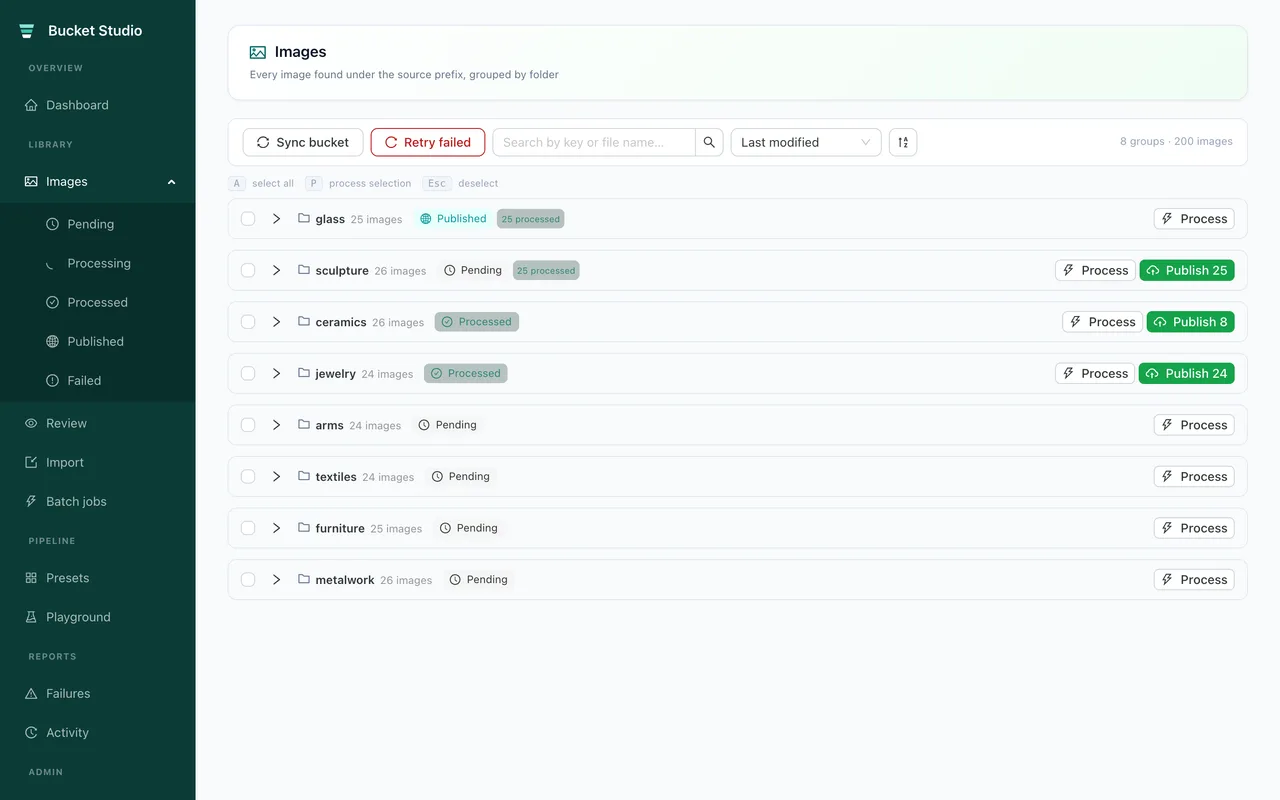
Sync can also run on a schedule and start a batch job when it finds new images. Files that match a derivative name template, such as thumbnails written by an earlier publish, are never picked up as sources.
Presets
A preset is a named recipe for the pipeline, and every stage can be switched off: contrast, background removal, autocrop to the subject, upscaling, placing the subject on a fixed canvas or resizing, and the output format with a quality and an optional maximum file size. Background removal uses BiRefNet through rembg, with lighter models for quick runs, and upscaling uses Real-ESRGAN.
Four presets come built in, among them a white square background for catalog photos and a transparent cutout. One preset is the default, and it is preselected everywhere a preset is chosen.
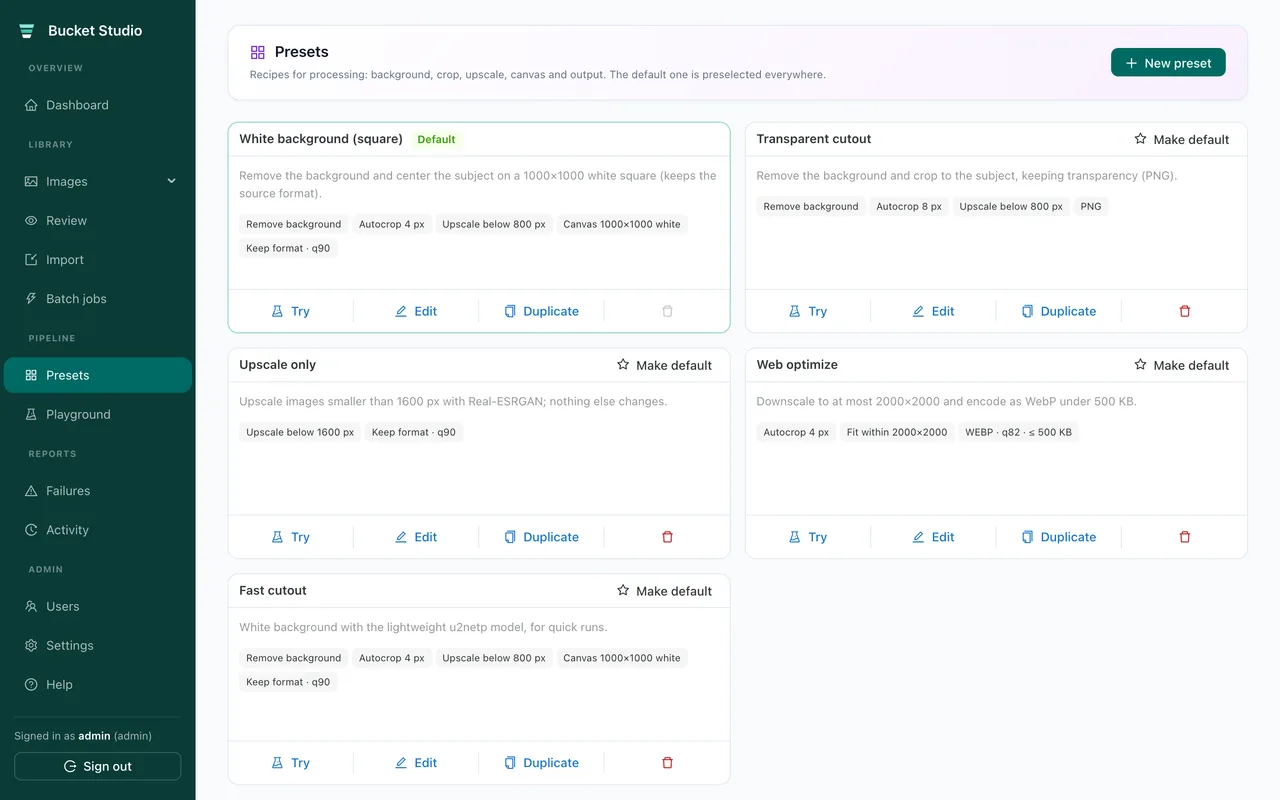
A preset can also send an image to OpenAI or Google Gemini instead of the local pipeline, always or only for very small images that local upscaling cannot save. Nothing is sent to a provider unless an API key is configured and a preset or a run selects that engine.
Try before a thousand
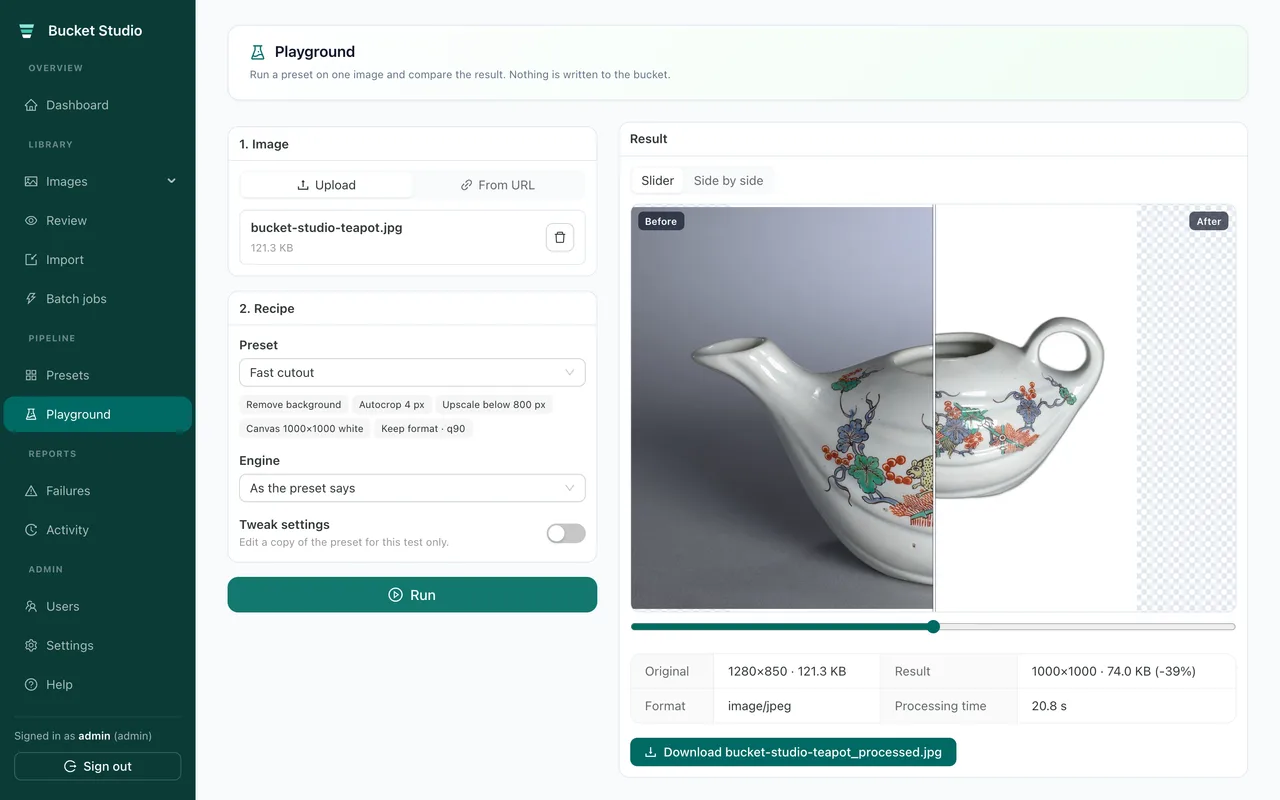
Running a recipe on thousands of images to find out it crops too tight wastes hours. The Playground runs a preset, or an unsaved tweak of one, on a single image from an upload or a URL, and shows the result under a before and after slider with the sizes and the processing time. Nothing is written to the bucket.
Batch jobs
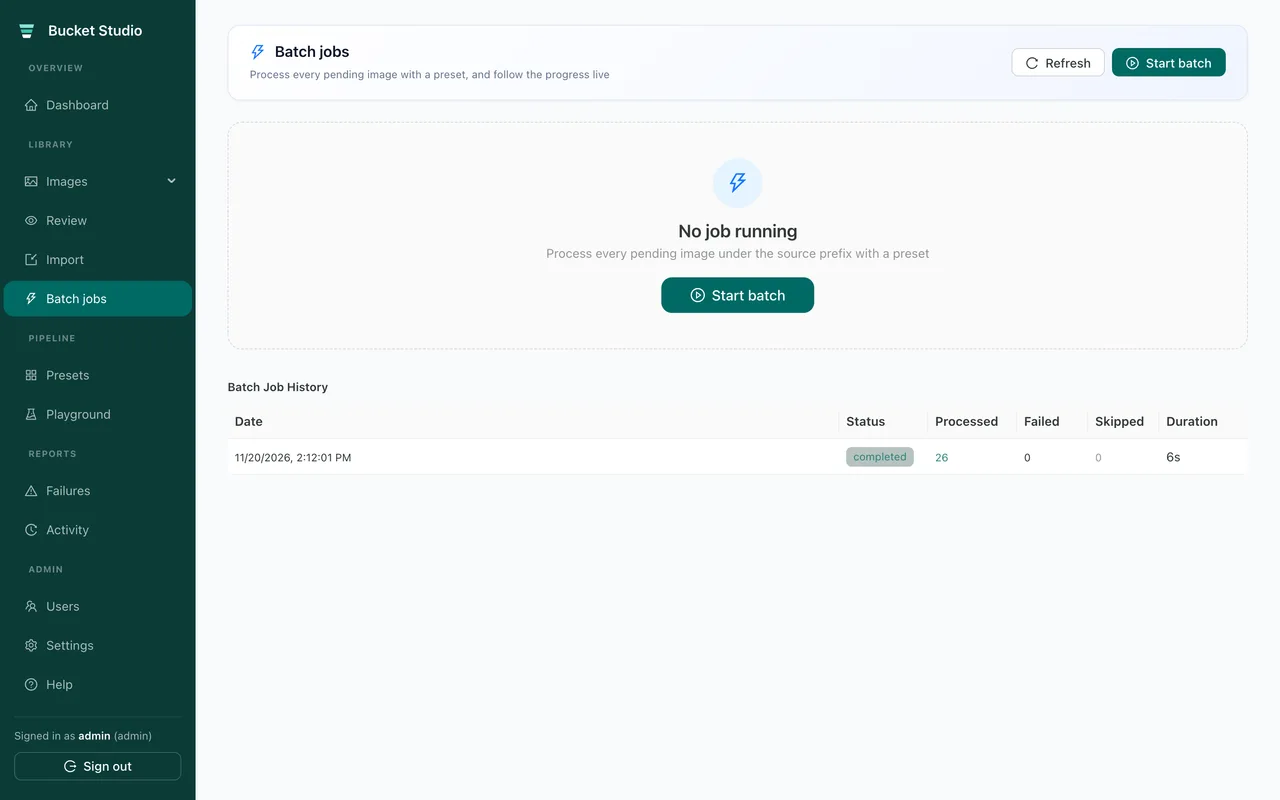
A batch job processes every pending image under a prefix with a preset. Progress streams to the browser live, and a running job can be aborted or stopped, or a single image skipped. Failed images keep a fixed, readable reason, they are listed on their own page, and one action retries them.
Review, publish, restore
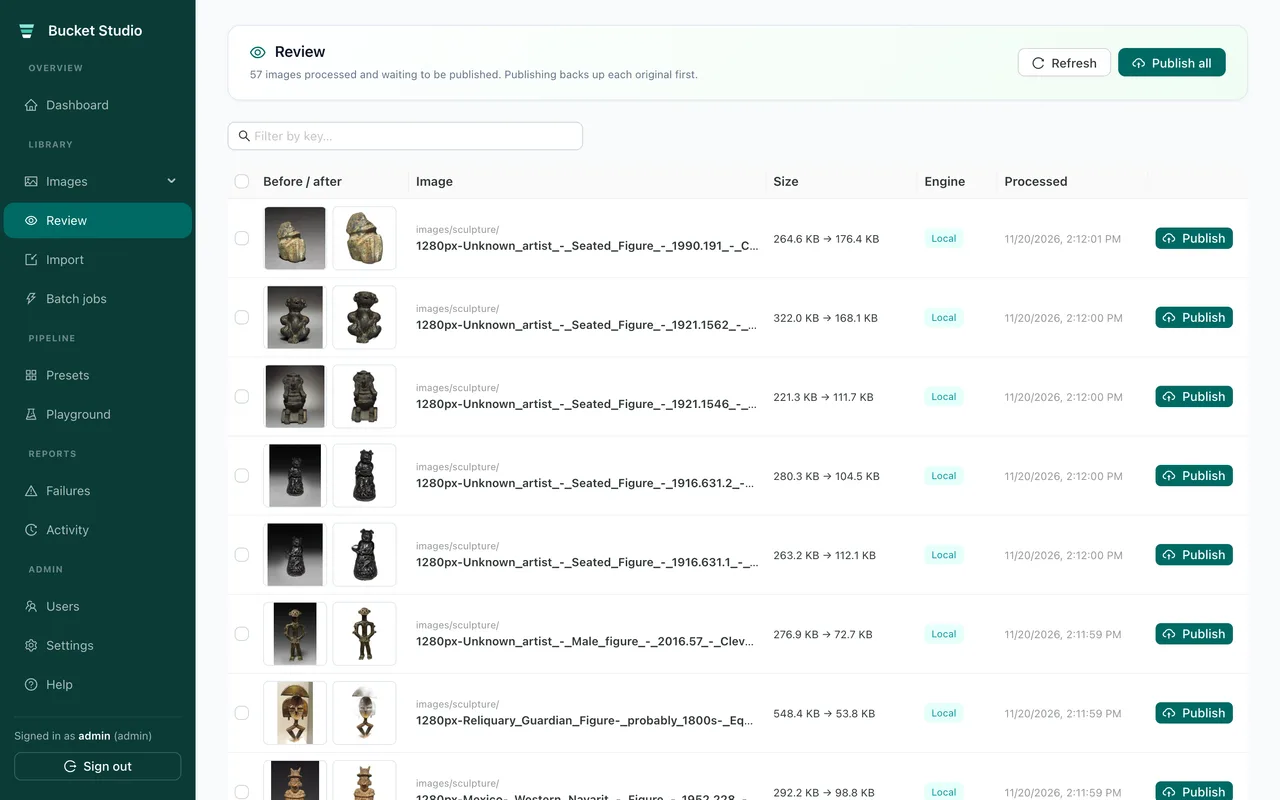
Processing never touches the originals. Results are written under a separate output prefix, and the Review page lists them with the original and the result side by side, the size before and after, and the engine that produced them.
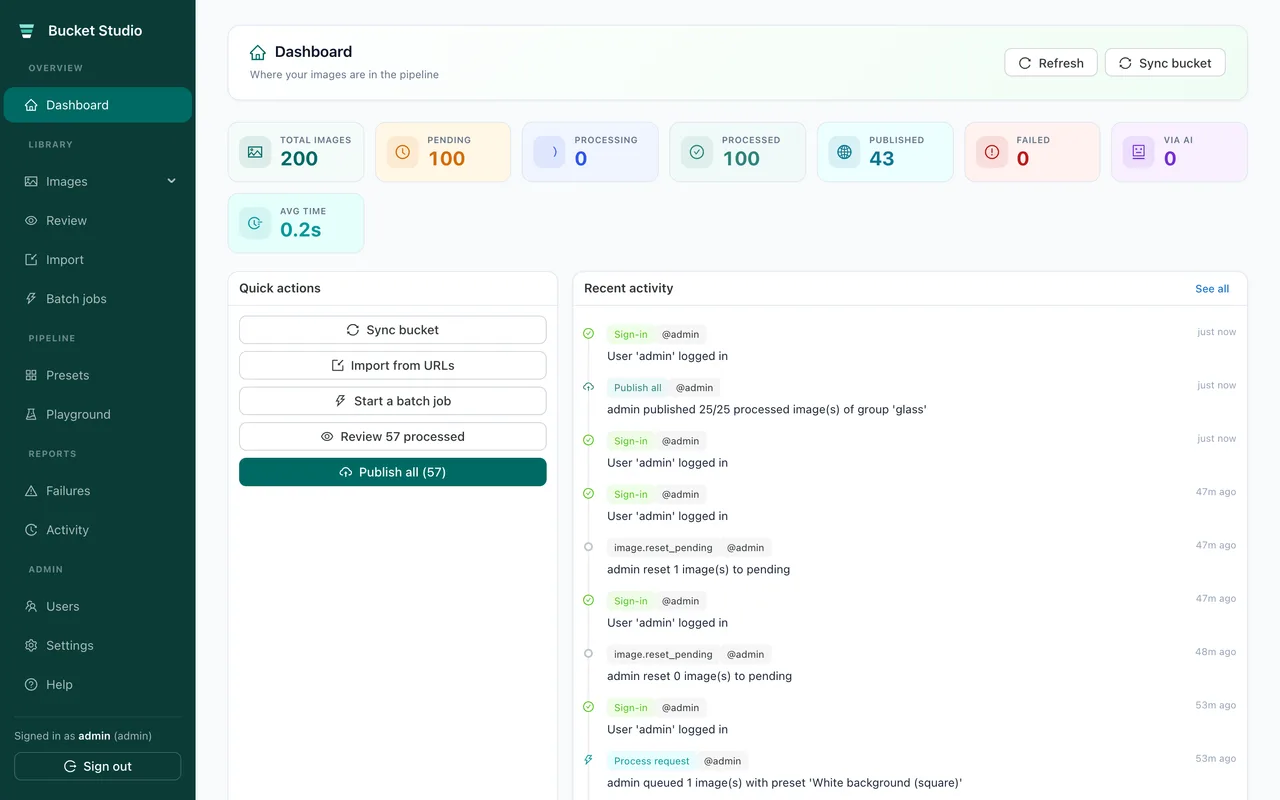
Publishing an image copies the original to the backup prefix, records that location on the image, and only then writes the processed file over the original key. The URL the site already uses keeps working and now serves the new image. Publishing can also write derivatives next to it, such as a thumbnail or a WebP copy, from name templates like {stem}_thumb.{ext}.
Restore copies the backup back over the key, regenerates the derivatives from it, and returns the image to pending so it can be processed again with a better preset.
Getting images in, and seeing what happened
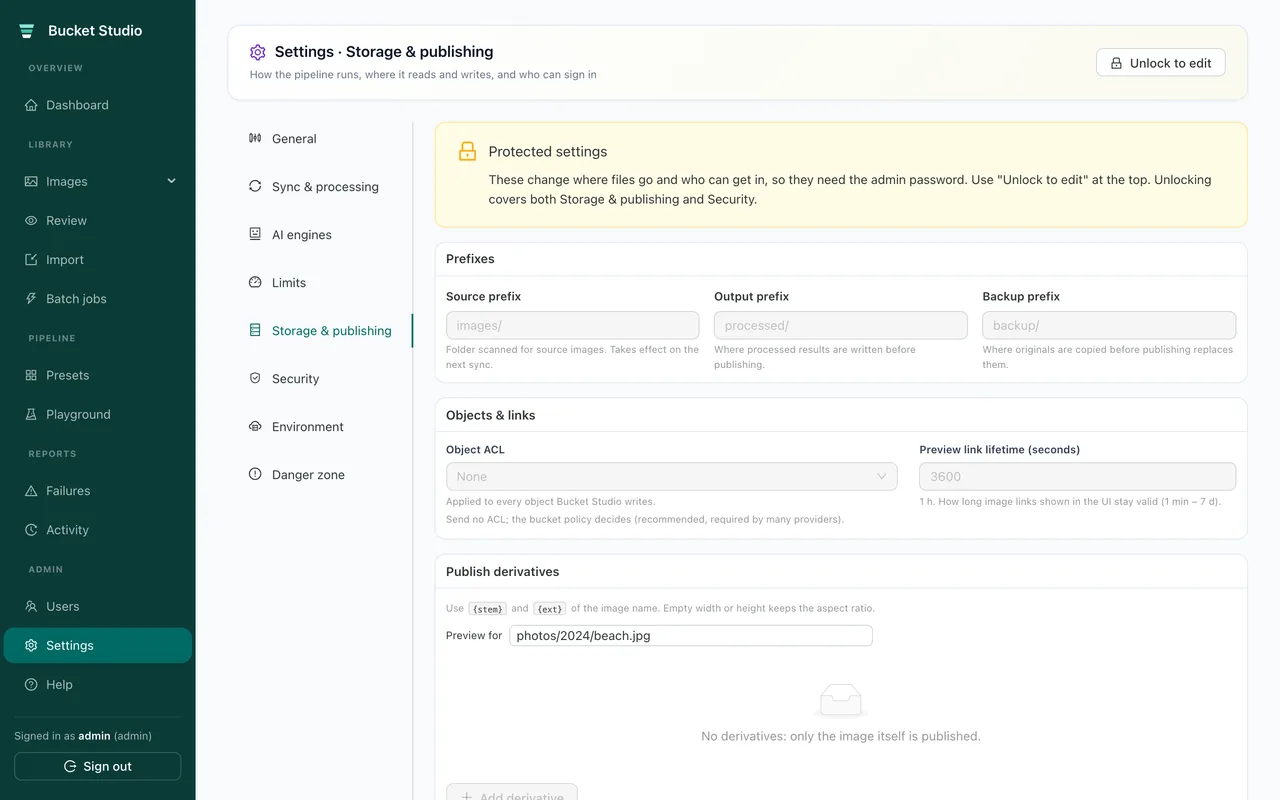
Images do not have to be in the bucket already. The Import page takes up to 100 public URLs, downloads each one into a folder under the source prefix, and adds it as pending.
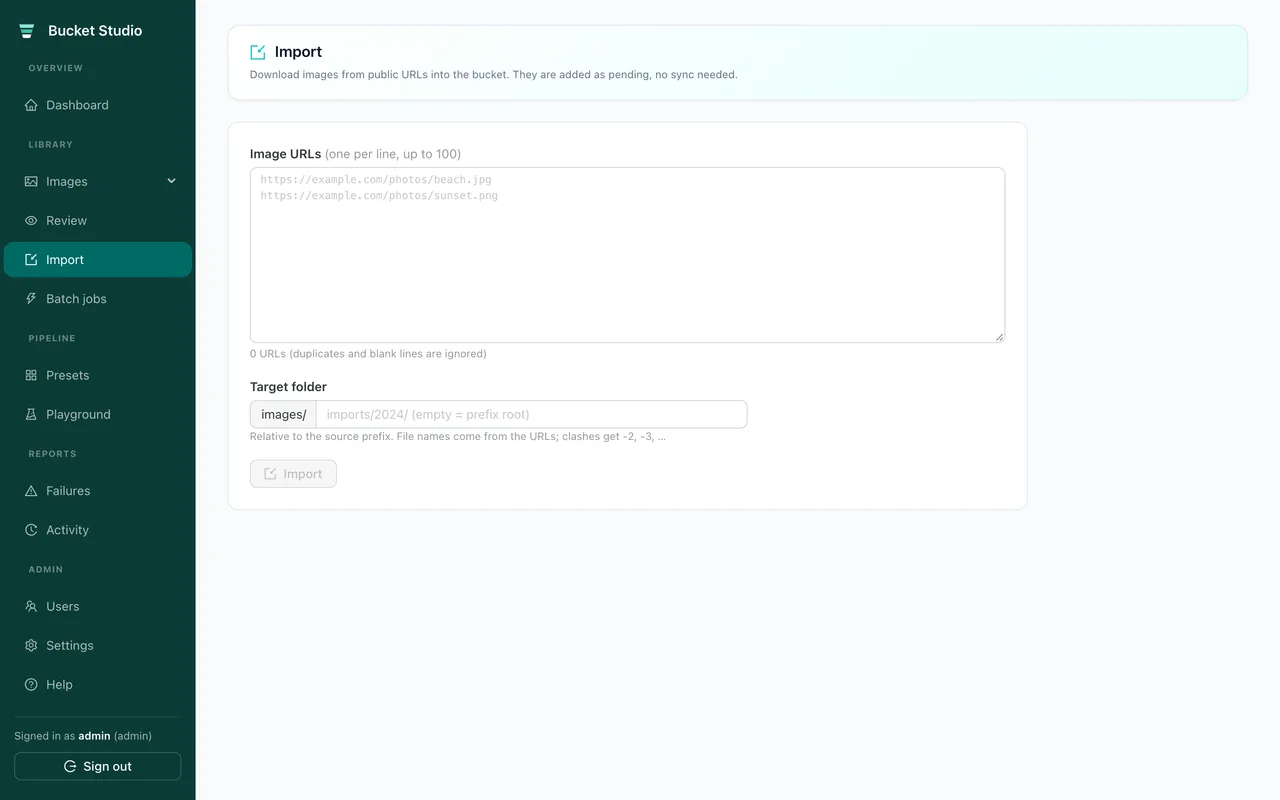
The dashboard counts the images in each state and lists recent activity. Every sign-in, process request, publish and restore is written to an activity log with the user who did it. There are two roles: operators process and review, and admins also manage users, presets and the storage settings.
Engineering decisions
A backup is written once. The dangerous moment in the whole product is the publish, because it overwrites a file that is in use. If a publish fails halfway and is retried, a naive version copies the source to the backup again, and by then the source is the processed image, so the original is gone. Here the backup location is recorded on the image before its source is overwritten, a retry reuses the recorded backup instead of copying again, an image that is already published is refused, and one image is published or restored by one request at a time. Restore reads the recorded location, so it still works after the backup prefix is changed.
The upload is the commit point. Abort, skip and stop cancel a token that the pipeline checks between stages and before it uploads. An image that was cancelled is never marked as processed, and images found in the processing state after a restart are reset to pending.
One process, on purpose. The backend runs as a single process. Job state, rate limits and progress live in memory and the data is in SQLite, so an installation is two containers and a bucket, with no queue or database server to operate. The cost is that it scales up rather than out, and the README says so. Blocking work (Pillow, ONNX Runtime, PyTorch, boto3) runs in threads while the event loop only coordinates, and whole-image jobs have their own thread pool, so a busy batch does not slow down listing, signing links or publishing.
Every user-supplied URL goes through one guard. Importing from links means the server fetches addresses that a user typed, which is how server-side request forgery happens. One function does every such fetch: http and https on standard ports only, the host name resolved once and every address required to be public, the connection pinned to the validated address so a DNS answer cannot change afterwards, each redirect validated again, and size and time capped.
Memory stays flat. Only JPEG, PNG and WebP are decoded, a pixel limit turns decompression bombs into errors, Real-ESRGAN runs in tiles with a cap on the input size, and imports are stored one at a time. Lists are paginated and searched on the server, so a page never loads a whole library at once.
Secure by default. Sign-in returns a JWT that expires (after 12 hours by default), and every request loads the user again, so deactivating a user ends their access at once. Failed logins are throttled per address and username, and the attempt is counted before the password is checked, so parallel guesses cannot go over the limit. Changing where files go or who can sign in needs a second admin password. Tokens are never placed in URLs, so the live progress stream uses fetch with an Authorization header instead of EventSource. Error responses carry fixed messages and never the text of an exception. The interface ships a strict Content Security Policy, and the containers run as non-root users with all capabilities dropped.
Settings without a restart. Secrets and storage credentials live in .env, and every other option is edited in the interface and applies immediately. Unsafe values, such as nested prefixes or a short admin password, stop the backend at startup instead of failing later.
Tested without a network
The backend has more than 140 tests, and they run against an in-memory S3 fake. Two fixtures make every test fail if it tries to load a model or open a real network connection, so the suite is fast and gives the same result on a laptop and in CI. The tests cover the parts where a mistake costs data: the publish and restore flow with failures in the middle, cancellation, the URL guard, migrations, and the authentication and throttling rules.
GitHub Actions runs linting, type checks with mypy, the tests and dependency audits for Python and JavaScript on every push. A release builds multi-arch images, publishes them to GHCR with build provenance and an SBOM, and the production Compose file pulls those images.
Tech stack
- Backend: Python 3.11, FastAPI, SQLAlchemy and Alembic on SQLite, boto3.
- Image pipeline: rembg on ONNX Runtime (BiRefNet, U²-Net), Real-ESRGAN on PyTorch (CPU), Pillow, OpenCV.
- Frontend: React 19, TypeScript, Vite, Ant Design.
- Optional AI engines: OpenAI and Google Gemini image models.
- Operations: Docker Compose, unprivileged nginx, GitHub Actions, multi-arch images on GHCR.
Outcome
Bucket Studio 0.1.0 is public and installable: one script creates the secrets, one Compose command starts it, and a seed script loads public-domain sample photos to try it with. The documentation covers configuration, architecture, the security model and deployment behind HTTPS.
It also says what the tool does not do. Processing runs on the CPU, so background removal takes several seconds per image. There is one bucket per installation, three image formats, and an interface in English only. GPU support, local folders as storage, webhooks and preset import and export are on the roadmap.
The lesson I took from it is that the model is the small part. The product is everything that makes it safe to point a model at files that are already live: the review step, the backup that cannot be overwritten, and the way back.
The code, the documentation and the quick start are on GitHub.