Zero-Downtime PostgreSQL Schema Migrations in 2026: Safe Patterns for High-Traffic Apps
 Derar SattoufDatabase
Zero-Downtime PostgreSQL Schema Migrations in 2026: Safe Patterns for High-Traffic Apps
In a staging environment with 500 rows, every database migration feels instantaneous. You run prisma migrate deploy or drizzle-kit push, the terminal prints green checks, and tests pass.
Then that same migration runs in production against a 20-million row table handling 3,000 active transactions per second.
Suddenly, an innocuous ALTER TABLE ADD COLUMN or CREATE INDEX statement requests an ACCESS EXCLUSIVE lock. While waiting for a long-running analytical query to finish, that migration blocks all subsequent read and write queries behind it in the lock queue. Within 15 seconds, the application connection pool exhausts its connections. Health checks fail, HTTP 500 errors spike, and the engineering team is suddenly in an emergency incident review.
In 2026, zero-downtime database evolution is no longer an optional luxury reserved for hyperscalers; it is an operational prerequisite.
This guide details the exact patterns, locking behaviors, and CI/CD safeguards required to migrate PostgreSQL schemas under continuous traffic without dropping a single query.
TL;DR
- The Danger Is the Lock Queue, Not the Migration Time: A migration that takes 2 milliseconds can still cause an outage if it waits for an
ACCESS EXCLUSIVElock while blocking all incoming queries behind it. - Always Set
lock_timeout: Never run a production migration without setting a short lock timeout (e.g.,SET lock_timeout = '2s';). If the migration cannot acquire the lock immediately, fail fast and retry rather than queueing up live traffic. - The Golden Rule: Expand and Contract: Never rename a column, drop a column, or change a column type in a single deployment. Always split breaking changes across at least three distinct phases: Expand (dual-write) $\rightarrow$ Backfill $\rightarrow$ Contract (cleanup).
- Index Concurrently: Always use
CREATE INDEX CONCURRENTLYin production. If a concurrent index build fails, it leaves anINVALIDindex that must be dropped manually before retrying. - Automate Linting in CI: Use migration linters like
squawkoratlasin your GitHub Actions pipeline to catch dangerous DDL statements before they reach production.
1. Understanding PostgreSQL Lock Hierarchy
To prevent outages, you must understand how PostgreSQL manages locks.
When you run DDL (Data Definition Language) commands, Postgres acquires one of several lock modes. The most restrictive is ACCESS EXCLUSIVE, which conflicts with all other locks, including basic SELECT queries:
[The Migration Lock Trap]
1. Long SELECT Query running on "orders" table (holds ACCESS SHARE)
2. Migration runs: ALTER TABLE orders ADD COLUMN ... (requests ACCESS EXCLUSIVE)
   └── Migration is BLOCKED waiting for SELECT to finish.
3. Incoming SELECT and INSERT queries arrive...
   └── They are BLOCKED behind the migration in the lock queue!
4. Connection pool saturates ──> 504 Gateway Timeout Outage.
Dangerous vs. Safe DDL Operations:
| Operation | Lock Acquired | Safe in Production? | Safe Alternative |
| :------------------------------------------------------------ | :--------------------------------- | :------------------------- | :--------------------------------------------------------------- |
| CREATE INDEX ... | SHARE (blocks writes) | ❌ Unsafe | CREATE INDEX CONCURRENTLY |
| ALTER TABLE ... ADD COLUMN (no default or constant default) | ACCESS EXCLUSIVE (brief) | ✅ Safe (Postgres 11+) | Ensure lock_timeout is set |
| ALTER TABLE ... ADD COLUMN NOT NULL (with volatile default) | ACCESS EXCLUSIVE (table rewrite) | ❌ Unsafe | Add nullable $\rightarrow$ Backfill $\rightarrow$ Add constraint |
| ALTER TABLE ... DROP COLUMN | ACCESS EXCLUSIVE | ⚠️ Dangerous | Ignore in code $\rightarrow$ Deploy $\rightarrow$ Drop column |
| ALTER TABLE ... RENAME COLUMN | ACCESS EXCLUSIVE | ❌ Breaks live code | Expand and Contract (dual write) |
| ALTER TABLE ... ALTER COLUMN TYPE | ACCESS EXCLUSIVE (table rewrite) | ❌ Unsafe | Add new column $\rightarrow$ Backfill $\rightarrow$ Swap |
2. Guardrail #1: Never Migrate Without lock_timeout
The single most impactful configuration you can add to every migration script is a lock timeout:
-- migration.sql
-- If the lock cannot be acquired within 2 seconds, abort immediately!
SET lock_timeout = '2s';
SET statement_timeout = '30s';

-- Your migration DDL here
ALTER TABLE users ADD COLUMN loyalty_points INT DEFAULT 0;
Why this prevents outages:
If a long-running report query is currently executing against users, the migration will not sit in the lock queue blocking incoming customer traffic. It will abort after 2 seconds with an error:
ERROR: canceling statement due to lock timeout.
Your deployment runner can then retry the migration with exponential backoff during a traffic trough, keeping the application online.
3. Safe Pattern: Adding a NOT NULL Column
Suppose you need to add a required organization_id UUID NOT NULL column to a 15-million row projects table.
❌ The Naive Way (Outage Guaranteed):
-- BLOCKS ALL WRITES, validates every existing row in one transaction
ALTER TABLE projects ADD COLUMN organization_id UUID NOT NULL;
✅ The Zero-Downtime Way (Three Steps):
Step 1: Add the column as NULLABLE (Instant in Postgres 11+)
SET lock_timeout = '2s';
ALTER TABLE projects ADD COLUMN organization_id UUID;
Step 2: Backfill existing rows asynchronously in batches
Never update 15 million rows in a single UPDATE query (it blows up WAL logs and bloats tables). Use a background script with chunked updates:
-- Run in a background worker script in batches of 5,000
UPDATE projects
SET organization_id = '00000000-0000-0000-0000-000000000000'
WHERE id IN (
    SELECT id FROM projects
    WHERE organization_id IS NULL
    LIMIT 5000
);
Step 3: Add a NOT VALID constraint, then validate it
Adding a constraint with NOT VALID acquires a brief lock without checking existing rows. Validating it scans the table without blocking writes!
-- Step 3a: Add the constraint without validation (instant)
SET lock_timeout = '2s';
ALTER TABLE projects
ADD CONSTRAINT check_organization_id_not_null
CHECK (organization_id IS NOT NULL) NOT VALID;

-- Step 3b: Validate existing rows (runs in background, never blocks writes!)
ALTER TABLE projects
VALIDATE CONSTRAINT check_organization_id_not_null;
4. Safe Pattern: Creating and Dropping Indexes Concurrently
Building an index on a large table can take several minutes. A standard CREATE INDEX blocks all INSERT, UPDATE, and DELETE queries on that table for the entire duration.
The Concurrent Solution:
-- Note: CONCURRENTLY cannot run inside a standard transaction block!
CREATE INDEX CONCURRENTLY idx_orders_customer_id
ON orders (customer_id);
CREATE INDEX CONCURRENTLY performs two table scans:
- It builds the index while allowing live writes to continue.
- It catches up with modifications made during the build.
Handling the "Invalid Index" Trap:
If a concurrent index build fails (for instance, due to a unique constraint violation or lock timeout), the index is left in the database with status INVALID. An invalid index is dangerous: it is ignored by queries, yet Postgres continues updating it on every write!
Check for invalid indexes:
SELECT relname, indisvalid
FROM pg_index i
JOIN pg_class c ON c.oid = i.indexrelid
WHERE indisvalid = false;
Clean up before retrying:
DROP INDEX CONCURRENTLY IF EXISTS idx_orders_customer_id;5. Safe Pattern: Renaming a Column (The Expand & Contract Strategy)
Renaming a database column (ALTER TABLE users RENAME COLUMN phone TO mobile;) will instantly break any running application server that is still querying for phone. Because deployments roll out progressively across instances, your code and database will be out of sync for minutes.
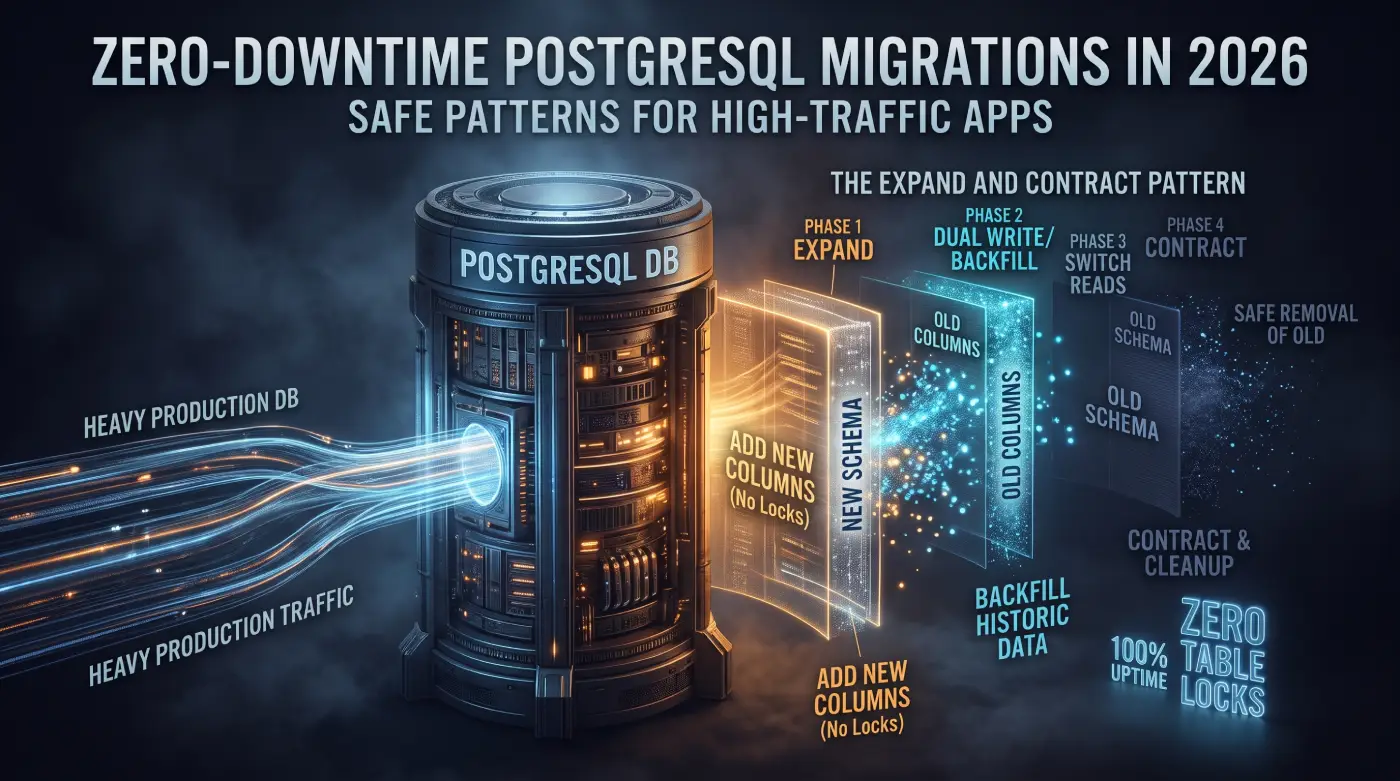
Instead, execute the Expand and Contract pattern across four releases:
[Phase 1: Expand]
- Add new column `mobile`.
- Update application to write to BOTH `phone` and `mobile` (dual write).
- Application still reads from `phone`.

[Phase 2: Backfill]
- Run asynchronous script copying legacy `phone` values into `mobile`.

[Phase 3: Switch Reads]
- Deploy code update: read exclusively from `mobile`.
- Stop reading from `phone`.

[Phase 4: Contract]
- Drop legacy column `phone` in database.
6. Automating Safety in CI/CD
Do not rely on developer discipline alone to catch dangerous SQL. Integrate automated migration static analysis into your CI pipeline using Squawk or Atlas:
# .github/workflows/migration-check.yml
name: Lint Database Migrations
on: [pull_request]

jobs:
  lint-sql:
    runs-on: ubuntu-latest
    steps:
      - uses: actions/checkout@v4
      - name: Run Squawk Linter
        run: |
          npx squawk-cli migrations/*.sql
The linter will automatically fail a pull request if it detects:
CREATE INDEXwithoutCONCURRENTLY.- Missing
lock_timeout. - Adding a
NOT NULLconstraint withoutNOT VALID. - Direct table type alterations.
7. Production Zero-Downtime Checklist
Before approving any database migration PR, verify:
- [ ] Does every DDL file set
SET lock_timeout = '2s';? - [ ] Are all indexes created with
CONCURRENTLY? - [ ] If adding a
NOT NULLcolumn, is it added as nullable and validated in two steps? - [ ] If dropping or renaming a column, has the application code already stopped referencing it for at least one full deployment cycle?
- [ ] Is data backfilling handled in throttled batches rather than a single massive query?
- [ ] Can the migration be rolled back safely without data loss?
Conclusion
The mark of a mature engineering team is not the speed at which they generate code, but the discipline with which they evolve state.
By respecting PostgreSQL's lock hierarchies, using lock_timeout, and embracing the Expand and Contract pattern, teams can deploy database updates continuously—delivering high-frequency features without ever scheduling a midnight maintenance window.