
Durable Execution for Workflows and Long-Running AI Agents
 Derar SattoufUpdated Backend & databases
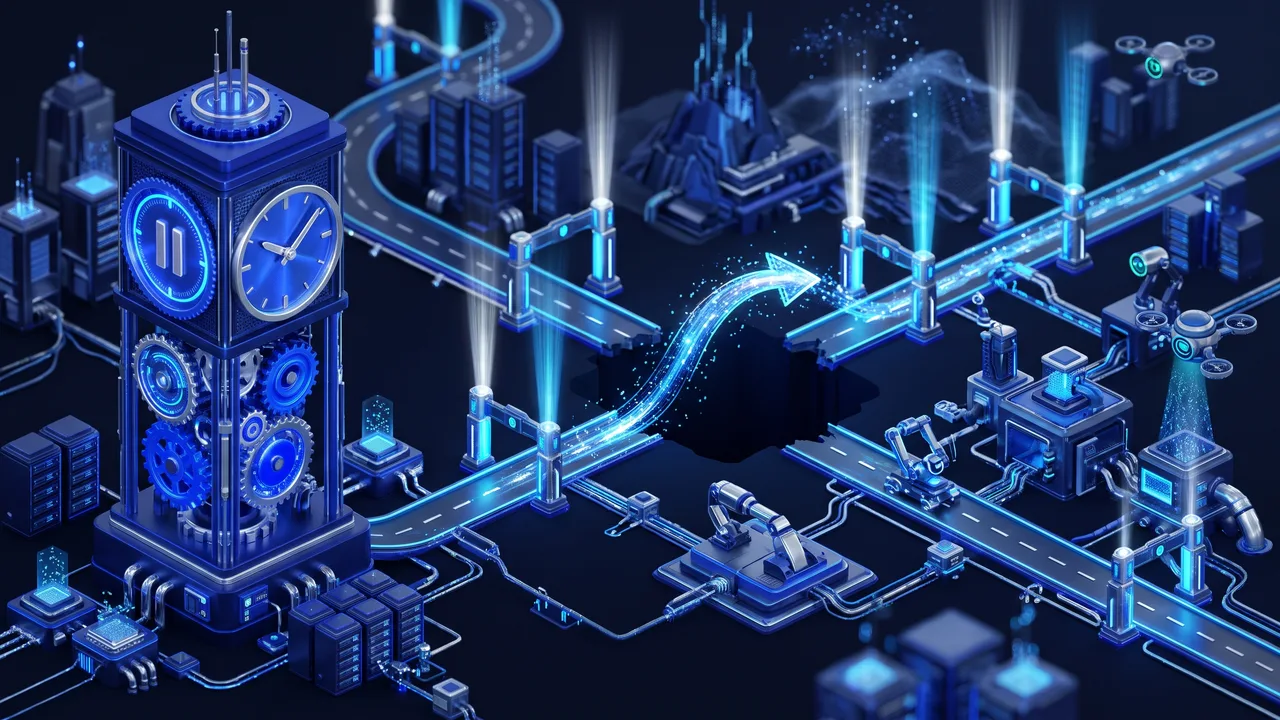
Sooner or later every backend grows a process that takes longer than a request: onboarding that spans three days and four systems, a payment that must be retried for a week, a data pipeline with 40 steps, an AI agent that researches for twenty minutes and calls a dozen tools. The first implementation is a cron job plus a status column. The second adds a queue. The third is a tangled state machine across tables, with retry logic copy-pasted into every handler and a Slack channel full of "stuck order" reports.
Durable execution is a programming model that removes this whole class of plumbing. You write ordinary code, and the platform makes sure it runs to completion through crashes, deploys, timeouts and outages. It does that by persisting every step's result and replaying the program to resume exactly where it left off. The price is some discipline (determinism, idempotency). In return you write the happy path as straightforward code, and the platform supplies reliability, timers, retries and visibility.
Temporal is the best-known engine. Restate, Inngest, Cadence, Azure Durable Functions and AWS Step Functions (in a more declarative form) occupy the same space. The examples below use Temporal-style concepts and TypeScript, so check the current SDK docs for exact APIs.
It isn't a message queue. A queue delivers messages; durable execution persists the progress of a multi-step program, with timers, retries, state and visibility built in. Queues are still useful beneath or beside it.
The problem durable execution solves
Consider a signup flow:
1. create account
2. send welcome email
3. wait 3 days
4. if user hasn't activated, send reminder
5. wait 7 more days
6. if still inactive, flag for sales outreach
Without durable execution you need a scheduler, a table of "pending steps", a poller, idempotency handling for each step, retry and backoff code, and some way to see where any given user is. A failure in the middle (the server restarts after step 2 but before it's recorded) leaves you with duplicates or lost steps.
With durable execution, this is the actual code:
import { proxyActivities, sleep, condition, defineSignal, setHandler } from "@temporalio/workflow";
import type * as activities from "./activities";

const { createAccount, sendEmail, flagForSales } = proxyActivities<typeof activities>({
  startToCloseTimeout: "30 seconds",
  retry: { initialInterval: "1s", backoffCoefficient: 2, maximumInterval: "1m", maximumAttempts: 10 },
});

export const activatedSignal = defineSignal("activated");

export async function onboarding(userId: string, email: string) {
  let activated = false;
  setHandler(activatedSignal, () => { activated = true; });

  await createAccount(userId);
  await sendEmail(email, "welcome");

  // Waits up to 3 days or until the signal arrives. No threads, no polling.
  if (!(await condition(() => activated, "3 days"))) {
    await sendEmail(email, "reminder");
    if (!(await condition(() => activated, "7 days"))) {
      await flagForSales(userId);
    }
  }
}
The workflow can be paused for ten days across several deployments and server restarts, and still resume at the correct line.
How it works
Your worker process                     Durable execution service
┌──────────────────────┐   poll task    ┌─────────────────────────────┐
│ Workflow code        │<───────────────│ Event history (persisted)   │
│ Activity code        │───result──────>│ Timers, queues, state       │
└──────────────────────┘ └─────────────────────────────┘- The service stores an append-only event history for each workflow execution: "workflow started", "activity A scheduled", "activity A completed with result X", "timer fired", "signal received".
- Workers poll for tasks. When a worker picks up a workflow task, it replays your workflow function against the history. Completed activities return their recorded results instantly instead of running again.
- When replay reaches new ground, the workflow schedules the next activity or timer, and the worker commits the new commands.
- If the worker dies, any other worker replays the history and carries on.
Your code is, in effect, a deterministic function of its history. That's what makes resumption possible, and it's where the rules below come from.
Side effects (API calls, database writes, LLM calls) live in activities, which are retried automatically with configurable policies.
Determinism: the rule that matters most
Workflow code must produce the same commands every time it's replayed with the same history. So inside workflow code, don't:
- call
Math.random(),Date.now(),new Date(), orcrypto.randomUUID()(use the SDK's deterministic equivalents), - make network or database calls,
- read environment variables or files that may change,
- use unordered iteration that could differ between runs,
- spawn raw threads or timers (use the SDK's
sleep).
Do all of that in activities.
// workflow code
import { uuid4, sleep } from "@temporalio/workflow";   // deterministic helpers

const orderId = uuid4();          // same value on every replay
await sleep("2 hours");           // durable timer, survives restarts

// BAD in a workflow:
// const id = crypto.randomUUID();
// const res = await fetch("https://api.example.com");// activity code: free to do anything, retried on failure
export async function chargeCard(orderId: string, amount: number) {
const res = await fetch("https://payments.example.com/charge", {
method: "POST",
headers: { "Idempotency-Key": `charge-${orderId}` }, // see "Exactly-once effects: idempotent activities"
body: JSON.stringify({ orderId, amount }),
});
if (!res.ok) throw new Error(`charge failed: ${res.status}`);
return res.json();
}Retries and timeouts
Activities are retried according to a policy, and there are four timeouts to know:
| Timeout | Meaning |
|---|---|
startToCloseTimeout | Max time for a single attempt |
scheduleToCloseTimeout | Max total time including all retries |
scheduleToStartTimeout | Max time waiting in the queue for a worker |
heartbeatTimeout | For long activities: max gap between heartbeats |
const { generateReport } = proxyActivities<typeof activities>({
  startToCloseTimeout: "30 minutes",
  heartbeatTimeout: "30 seconds",       // detect a dead worker quickly
  retry: {
    maximumAttempts: 5,
    nonRetryableErrorTypes: ["ValidationError", "NotFound"],   // don't retry permanent failures
  },
});
Long activities should call heartbeat() periodically (optionally with progress details), so a crashed worker is detected in seconds and the retry resumes from the last heartbeat checkpoint rather than from scratch.
Classify errors: throw non-retryable errors for permanent problems (bad input) and let transient ones retry. That replaces dozens of hand-written retry loops with one declarative policy.
Exactly-once effects: idempotent activities
Activities run at least once. If a worker finishes an API call but crashes before reporting success, the activity runs again. The workflow logic is exactly-once, but the external effects need your help. This is why the charge activity earlier passes an idempotency key.
- Pass idempotency keys to external APIs (derived from workflow ID plus step name).
- Make database writes idempotent (
INSERT ... ON CONFLICT DO NOTHING, conditional updates). - Prefer "set state to X" over "increment".
export async function sendEmail(to: string, template: string, idempotencyKey: string) {
  const sent = await db.query(`INSERT INTO sent_emails (key) VALUES ($1) ON CONFLICT DO NOTHING RETURNING 1`, [idempotencyKey]);
  if (sent.length === 0) return;      // already sent on a previous attempt
  await emailProvider.send({ to, template });
}
Signals, queries and updates
Workflows can sleep for months, wait for external events and expose their status, all without holding threads or polling. Three mechanisms cover the interaction:
- Signals send data into a running workflow (user approved, webhook arrived, payment settled).
- Queries read workflow state without changing it (progress dashboards).
- Updates are request/response style interactions that can change state and return a result.
import { defineSignal, defineQuery, setHandler, condition } from "@temporalio/workflow";

export const approve = defineSignal<[{ by: string }]>("approve");
export const status = defineQuery<string>("status");

export async function expenseApproval(expenseId: string) {
  let approvedBy: string | null = null;
  let state = "pending";

  setHandler(approve, ({ by }) => { approvedBy = by; });
  setHandler(status, () => state);

  await notifyManager(expenseId);
  const ok = await condition(() => approvedBy !== null, "5 days");   // human in the loop

  if (!ok) { state = "expired"; return "expired"; }
  state = "paying";
  await payExpense(expenseId, approvedBy!);
  state = "paid";
  return "paid";
}
From a web handler you then start or signal workflows:
import { Client } from "@temporalio/client";

const client = new Client();
await client.workflow.start(expenseApproval, {
  taskQueue: "expenses",
  workflowId: `expense-${expenseId}`,     // deterministic ID => natural dedupe
  args: [expenseId],
});

// later, from the approval endpoint
await client.workflow.getHandle(`expense-${expenseId}`).signal(approve, { by: user.id });
Using a business key as the workflow ID prevents duplicate runs and gives you a stable handle.
Sagas: compensating for failure
When step 3 fails after steps 1 and 2 succeeded, you need to undo. Keep a list of compensations and run them in reverse.
export async function bookTrip(trip: Trip) {
  const compensations: Array<() => Promise<void>> = [];
  try {
    const flight = await reserveFlight(trip);
    compensations.push(() => cancelFlight(flight.id));

    const hotel = await reserveHotel(trip);
    compensations.push(() => cancelHotel(hotel.id));

    await chargeCustomer(trip.customerId, flight.price + hotel.price);
    return { flight, hotel };
  } catch (err) {
    for (const undo of compensations.reverse()) {
      await undo().catch(() => { /* log and alert; compensation must itself be retried via activity policy */ });
    }
    throw err;
  }
}
Compensations are activities too, so they get automatic retries. Make them idempotent and, where possible, "semantic" (issue a refund rather than delete the charge).
This is also the answer to transactions across services: you get reliable orchestration plus sagas for compensation, not distributed ACID transactions. Design each step to be idempotent and compensable.
Long-running AI agents on durable execution
LLM agents are loops: think, call a tool, observe, repeat. They're slow, expensive and nondeterministic, and they call flaky external services, which makes a durable engine a good fit.
export async function researchAgent(question: string) {
  const messages: Message[] = [{ role: "user", content: question }];

  for (let step = 0; step < 25; step++) {
    // Each model call is an activity: result recorded, never re-billed on replay
    const reply = await callModel(messages);
    messages.push(reply);

    if (!reply.toolCalls?.length) return reply.content;

    for (const call of reply.toolCalls) {
      if (needsHumanApproval(call)) {
        await requestApproval(call);
        const ok = await condition(() => approvals.get(call.id) !== undefined, "1 day");
        if (!ok || !approvals.get(call.id)) { messages.push(toolDenied(call)); continue; }
      }
      const result = await runTool(call);        // activity, retried per policy
      messages.push({ role: "tool", toolCallId: call.id, content: result });
    }
  }
  return "step limit reached";
}
What you get out of this:
- A deploy or OOM mid-run resumes at the last completed step, and you don't pay for the same model call twice (the recorded result is reused on replay).
- Human-in-the-loop approvals can wait hours or days without holding resources.
- The event history is a full trace of every prompt, tool call and result.
- Budgets and limits live in code: step caps, token budgets, timeouts.
- You can fan out child workflows for parallel sub-tasks and gather the results.
Keep large payloads (long transcripts) out of workflow history where possible. Store them in object storage and pass references, because histories have size limits and large payloads slow replay.
Versioning and deployment
Running workflows may live for months while you deploy new code. Changing the order or number of commands in a workflow breaks replay of in-flight executions (a non-determinism error).
A few strategies help. Patching APIs let you branch on a version marker so old executions follow the old path and new ones follow the new path:
import { patched } from "@temporalio/workflow";

if (patched("add-fraud-check")) {
  await fraudCheck(order);
}
await chargeCard(order);
Worker versioning (build IDs) routes old executions to workers running old code until they finish. Replay tests download histories from production and replay them against new code in CI, which catches non-determinism before deploy. And for workflows that loop forever, Continue-As-New periodically restarts them with carried state to keep history bounded.
When not to use it
Durable execution isn't the right tool for everything.
- Simple request/response endpoints and fire-and-forget background jobs are fine with a plain queue.
- Ultra-high-throughput, ultra-low-latency paths (tens of thousands of tiny events per second) may be better served by stream processing.
- Adopting it adds an infrastructure dependency (self-hosted cluster or managed cloud) and a mental model your team must learn.
It can also be overkill for a small team. With one simple background job, a queue and a status column are fine. Adopt durable execution when the number of hand-rolled retry and state-machine code paths starts to hurt. It earns its place with processes that are long-lived, multi-step, failure-prone, or that need human or time-based waits, and where a stuck or duplicated process is expensive.
Choosing an engine
Durable execution has become a standard backend category. The engines differ mostly in where state lives, how you deploy, and how code is expressed. The notes below are directional, so verify current features and pricing with each vendor. You don't need Temporal specifically: the concepts transfer across engines, so pick based on operational model, language support, cost and team preference.
| Engine | Model | Strengths | Trade-offs |
|---|---|---|---|
| Temporal | Event-sourced histories with replay; server cluster plus your workers; self-hosted or Temporal Cloud | Very mature, many SDKs, strong tooling (UI, replay tests, versioning), large community | Operational weight if self-hosted; determinism rules; learning curve |
| Restate | Replay-based durable execution with a lightweight server; services invoked over HTTP | Lower operational overhead, simple deployment, RPC-style services | Younger ecosystem |
| Inngest | Event-driven functions with step APIs, strong serverless fit | Great developer experience on serverless platforms | Platform-centric model |
| DBOS | Library running inside your app, state in Postgres | No separate cluster, transactions with your data | Tied to Postgres and the library's languages |
| Cloudflare Workflows, Vercel Workflow and similar | Platform-native durable steps | Convenient if you already run on that platform | Platform lock-in; check limits |
| AWS Step Functions, Azure Durable Functions | Declarative state machines or orchestrator functions | Native cloud integration | Different authoring model; vendor lock-in |
Five questions narrow the choice:
- Do you want to run infrastructure? If not, a managed service or a library on your existing Postgres reduces overhead. Library-based approaches don't need a separate server, since they keep state in your own database, but evaluate their guarantees and limits.
- How long do workflows live, and how many run concurrently? Months-long business processes favour a mature engine with versioning tools.
- What languages do you use? Check SDK maturity per language.
- Where does data live? Library-on-Postgres approaches let a workflow step and your business write share a transaction.
- What will it cost? Pricing is often per action or step, and an AI agent that makes dozens of calls can bill many steps per run. Model your expected volume.
If you only need reliable background jobs and outbox-style publishing, a simpler pattern may be enough. The outbox pattern makes "write to the database and publish an event" atomic, while durable execution orchestrates long, multi-step flows, so the two complement each other. See event-driven architecture, outbox and idempotency.
Try it locally
This lab uses Temporal's TypeScript SDK and the local development server. Commands and package names may change; check the Temporal docs if something differs.
- Install the Temporal CLI and start a dev server (an in-memory server with a web UI):
# macOS (Homebrew); other platforms: see the Temporal docs
brew install temporal
temporal server start-dev
# Web UI: http://localhost:8233- Scaffold a project in another terminal:
npx @temporalio/create@latest ./durable-lab
cd durable-lab
npm install-
Run a worker and start a workflow using the scaffold's scripts (typically
npm run start.watchfor the worker andnpm run workflowto start one). Open the web UI and look at the event history of the run. -
Break it on purpose. Add a
console.logand athrow new Error("boom")inside an activity that fails twice, then succeeds (use the attempt number fromContext.current().info.attempt). Watch the UI show retries with backoff, then success. The workflow never notices. -
Kill the worker mid-run (Ctrl+C while a long
sleepor activity is in progress), restart it, and watch the workflow resume. That's the core promise, in action. -
Trigger a non-determinism error. Change the order of two activity calls in a workflow that is already running, restart the worker, and see the failure message. This is why versioning and replay tests matter.
Testing workflows
Workflows are plain code, so test them. Time skipping lets sleep("3 days") take milliseconds:
import { TestWorkflowEnvironment } from "@temporalio/testing";
import { Worker } from "@temporalio/worker";
import { onboarding, activatedSignal } from "./workflows";

test("sends a reminder if the user never activates", async () => {
  const env = await TestWorkflowEnvironment.createTimeSkipping();
  const sent: string[] = [];

  const worker = await Worker.create({
    connection: env.nativeConnection,
    taskQueue: "test",
    workflowsPath: require.resolve("./workflows"),
    activities: {
      createAccount: async () => {},
      sendEmail: async (_to: string, template: string) => { sent.push(template); },
      flagForSales: async () => {},
    },
  });

  await worker.runUntil(async () => {
    const handle = await env.client.workflow.start(onboarding, {
      taskQueue: "test",
      workflowId: "wf-test-1",
      args: ["u1", "a@b.co"],
    });
    await handle.result(); // the test server skips time while waiting
  });

  expect(sent).toEqual(["welcome", "reminder"]);
  await env.teardown();
});
Tests fall into four layers:
- Workflow tests with mocked activities (as above) verify control flow, signals, timeouts and compensation.
- Activity tests are ordinary unit tests with the Temporal context mocked where needed.
- Replay tests feed real recorded histories into the new workflow code to detect non-determinism before deploy.
- Chaos tests inject activity failures and worker restarts in staging.
More building blocks
Child workflows split big processes into units with their own histories, retries and timeouts. Use them for fan-out (one child per item) and to keep histories small. Schedules replace cron: they're durable and pausable, with overlap policies and backfill.
- Search attributes let you index workflows by business fields (customer ID, status) so support can query "all stuck orders for customer X".
- Cancellation and timeouts at workflow level (
workflowExecutionTimeout) bound runaway executions. - Rate limiting and concurrency control on task queues and activities protect downstream APIs.
- Data converters and encryption encode or encrypt payloads so the service never sees sensitive data in plaintext. Plan this early if histories contain personal data. See AI governance and compliance for related obligations.
- Local activities run short, cheap steps in the worker without a round trip. Use them sparingly and keep them idempotent.
Design notes for durable agents
The agent loop above is the skeleton. These are the practical points when you build agents on durable execution:
- Use one activity per model call and per tool call. The recorded result prevents re-billing and re-executing side effects on replay.
- Keep the prompt state compact. Replay re-runs your workflow code with recorded results, so large message arrays inflate history. Store long transcripts in a database or object store and keep references.
- Put guardrails in code. Step limits, token budgets, allow-listed tools and approval gates belong in the workflow, not the prompt. See agentic AI in production.
- Make tools idempotent, with idempotency keys derived from workflow ID, step number and tool call ID.
- Pause for humans with signals and timeouts, with a defined behaviour on expiry (deny by default).
- Stream partial results to the UI through a separate channel (for example server-sent events fed from a database or pub/sub) rather than through workflow history; see real-time AI streaming.
- Trace everything. Combine the engine's history with OpenTelemetry spans; see OpenTelemetry for LLM apps.
- Treat untrusted tool output as data, not instructions. See prompt injection defence for AI agents.
Observability and operations
Watch these signals:
| Metric | What it tells you |
|---|---|
| Schedule-to-start latency | Workers are saturated or down; scale workers |
| Activity failure and retry rates | A downstream service is degrading |
| Workflow failure and timeout counts | Bugs or stuck business processes |
| Non-determinism errors | A deploy broke replay; roll back or patch |
| History size and event counts | Workflows approaching limits; use child workflows or continue-as-new |
| Worker CPU and memory | Right-size workers; large payloads can hurt |
Define SLOs for the business outcome (for example "95 percent of onboardings complete within one hour"), not only for the infrastructure. See SLOs, error budgets and incident response. Keep runbooks for the common failures: stuck workflow (terminate and restart with the same business key, or signal), poison activity (fix the bug, then retry), and backlog (add workers).
Troubleshooting
| Symptom | Likely cause | Fix |
|---|---|---|
| Non-determinism error after deploy | Changed command order or count in workflow code | Use patching or worker versioning; run replay tests |
| Workflow task keeps failing | Exception thrown in workflow code or forbidden API used | Check the history; remove nondeterministic calls |
| Nothing happens after starting a workflow | No worker polling that task queue | Check task queue name and worker logs |
| Activity retried forever | No maximumAttempts and a permanent error | Classify non-retryable errors, set limits |
| Duplicate side effects | Non-idempotent activity | Use idempotency keys and conditional writes |
| History too large | Many events or big payloads in one workflow | Child workflows, continue-as-new, external storage for blobs |
| Timer fires late | Worker backlog | Scale workers; check schedule-to-start latency |
| Cannot find a workflow later | No searchable business attributes | Add search attributes and meaningful workflow IDs |
| Secrets visible in history | Payloads unencrypted | Use a payload codec for encryption |
Before you ship
- Workflow code is deterministic; all I/O lives in activities.
- Activities are idempotent and use idempotency keys with external systems.
- Retry policies and four timeouts are set deliberately, with non-retryable errors classified.
- Long activities heartbeat; payloads are small (store blobs elsewhere).
- Business-key workflow IDs prevent duplicates.
- Compensation logic exists for multi-step side effects.
- Replay tests run in CI against real histories, timers are tested with time skipping, and a versioning strategy is defined.
- Big processes are split into child workflows with sensible boundaries instead of one giant workflow.
- Metrics and alerts cover failed workflows, schedule-to-start latency (worker saturation), and retries.
Sources and docs
- Temporal documentation
- Temporal TypeScript SDK
- Restate documentation
- Inngest documentation
- DBOS documentation
- Saga pattern (microservices.io)
On this site: building AI agents, automated development workflows and background agents, modular monolith architecture and API rate limiting, idempotency and pagination.