
Keyword Research and Internal Linking for Developer Blogs in 2026
 Derar SattoufUpdated SEO & analytics
Most developer blogs do not have a traffic problem. They have a structure problem. Several posts cover overlapping topics, two of them compete for the same query, and the good ones are linked from nowhere. Keyword research and internal linking fix this, and neither requires a paid tool.
This is about the planning layer, not the page itself. For structuring a single page for AI-powered results, read SEO for Google AI Mode in 2026 first.
Start by classifying each target query by search intent, then copy the format that already ranks. A tutorial will not beat a product page for a commercial query. The research loop that follows needs only free inputs: your Search Console query data, Google autocomplete, People Also Ask, Google Trends, and one free keyword tool for rough volume.
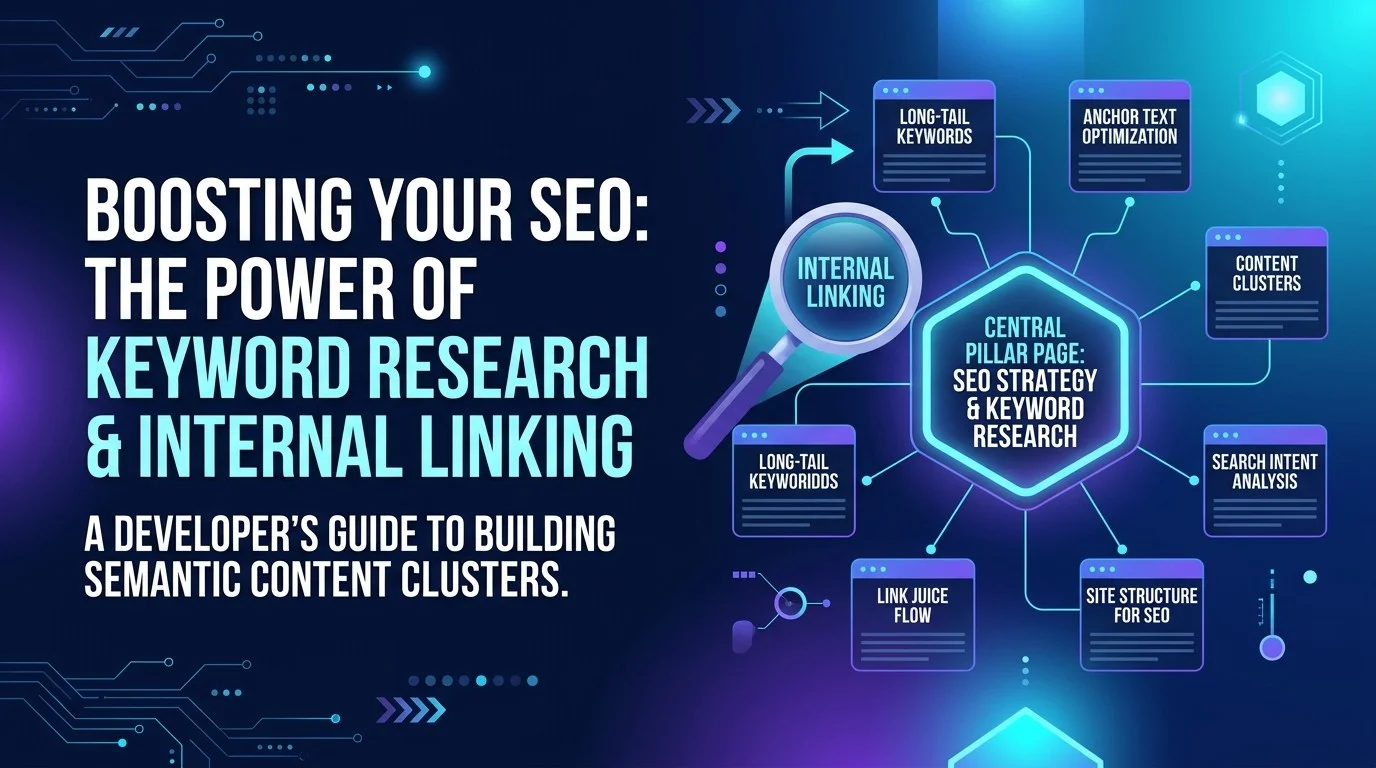
Build topic clusters around one pillar page and three to six supporting posts. Each supporting post answers one narrower question and links back to the pillar. Contextual links with descriptive anchor text are the main linking method; related-post blocks and breadcrumbs are supporting structure, not substitutes.
Cannibalization means two URLs compete for the same query. Find it in Search Console, then merge, redirect or differentiate depending on whether the pages share an intent. Measure by query and by cluster, compare equal date ranges, and judge a cluster over months.
Match the format to the intent
Search intent is the reason behind a query. Keyword tools usually label it with one of four categories:
- Informational. The searcher wants to learn something, such as "how does ISR work in Next.js".
- Commercial investigation. The searcher is comparing options, such as "Vercel vs Netlify for Next.js".
- Transactional. The searcher is ready to act, such as "hire a Next.js developer".
- Navigational. The searcher wants a specific site, such as "Search Console login".
These labels are an industry convention, not an official Google taxonomy, and many queries mix intents. Treat them as a hypothesis and check the live results. Search the query in a private window, from your target country and language, and ask three questions:
- What format is ranking: tutorial, comparison, tool page, documentation, or video?
- How deep are the top results? A list of shallow tips leaves room for a thorough guide. A field of long guides means you must match their depth.
- Is a dominant brand or product page taking the query? If so, target the informational question next to it instead.
The rule is to write the format the results already reward, then differentiate on depth, examples, and accuracy. A "best tools" list without hands-on testing will underperform however well it is optimized.
Example (illustrative). For the query "Next.js sitemap", the results show official documentation, a hosting guide, and short tutorials. The intent is informational with a task flavor, so a step-by-step tutorial with a working code sample fits. A comparison table of hosting providers would be the wrong format.
A repeatable keyword research workflow
The workflow below takes about an hour per topic area and produces a ranked list.
Step 1: start with your Search Console data
Your Performance report shows what Google already associates with your site, which makes it the best keyword source you have. Open Performance > Search results, enable the Queries and Pages tabs, and sort by impressions.
Look for three patterns:
- Impressions with low clicks. Your page appears but people do not click. The fix is usually a clearer title, a better description, or a stronger opening answer.
- Pages on the edge of page one. A post sitting around positions 8 to 20 for a query with real impressions often moves further with a focused update than with a new post.
- Impressions without a matching page. A query with demand and no dedicated page is a content gap.
Search Console keeps roughly 16 months of data in the interface, so export what you need for analysis before it ages out. Use "queries containing" to isolate a topic. Anonymized queries are included in totals unless a query filter is applied, so filtered totals can look smaller than the headline chart.
Step 2: expand with Google autocomplete
Type your seed phrase, then add a letter or word to surface variations. Suggestions are not volume measurements, but they show the wording people use, which often differs from how developers name things internally.
Step 3: read People Also Ask
Expand the People Also Ask box for your seed query and open a few questions. These are a map of the sub-problems a searcher has after the first query. Each one is a candidate heading or a candidate supporting post. Google doesn't document how PAA questions are chosen, so use them for phrasing and subtopics, not as a demand signal.
Step 4: check direction with Google Trends
Trends shows relative interest on a 0 to 100 scale, where 100 is the peak for that term in the chosen range. It does not report absolute search volume. Use it to see whether interest is rising, flat, or falling, and whether it is seasonal.
Step 5: add one free keyword tool for rough volume
Pick one free keyword tool, use it only for rough volume ranges and related terms, and treat its difficulty score as a loose hint rather than a ranking prediction.
Step 6: score and bucket
Put each candidate in a sheet with these columns: query, intent, ranking format, existing page, impressions, trend direction, and decision. Decisions should be one of four things:
- Update. A page you already have is close to ranking.
- New post. No page covers the query and it fits the blog.
- Supporting post. It belongs under an existing pillar.
- Skip. The intent is transactional for someone else's product, or the topic is outside your expertise.
Do updates first. They usually produce the fastest gains because the page already has history.
Worked example (illustrative). A developer blog targets "Next.js SEO". The candidates are "Next.js metadata API", "Next.js sitemap", "JSON-LD in Next.js", "canonical URL Next.js", and "Next.js robots.txt". Search Console shows the metadata post at position 14 with steady impressions. The sitemap query has no page. The decisions: update the metadata post, write a new sitemap post, and file the other three as supporting posts under the pillar.
Topic clusters: one pillar and several supporting posts
A topic cluster is a group of pages covering one broad subject. The pillar covers the whole subject at overview depth and links to each supporting page. Each supporting page goes deep on one narrower question and links back to the pillar and to related supporting pages.
The value is structural. A reader who lands on a sitemap tutorial should reach the broader SEO picture in one click, and search engines see a coherent set of pages on one subject instead of isolated posts.
Example pillar (illustrative): "Next.js SEO". The pillar summarizes rendering and crawlability, metadata, sitemaps and robots, structured data, and measurement, in that order. Each section links to a supporting post:
- Metadata in the App Router: titles, descriptions, canonical URLs, and Open Graph tags, with static versus dynamic metadata.
- Sitemaps in the App Router: generating
sitemap.xmlfrom asitemap.tsfile and keeping it in sync with dynamic content. - Structured data in Next.js: adding JSON-LD, validating it, and matching markup to what the page visibly shows.
- Robots and indexing controls:
robots.txt, noindex, and handling staging and preview deployments.
Each supporting post is a plausible landing page for its own query, which is what makes it useful. A pillar that only links to itself, or posts that never mention each other, is not a cluster.
Keep one pillar per cluster, three to six supporting posts, and a two-way link between the pillar and every supporting post. A simple cluster map makes gaps visible.
Internal linking patterns
Internal links help readers move to related material, tell search engines which pages matter and how they relate, and pass context through anchor text.
Contextual links with descriptive anchor text
Contextual links sit inside the body, where the reader is already interested. They are the most valuable links you can add. Google's link best practices say links should be standard <a> elements with an href, that anchor text should be descriptive and relevant to both pages, and that every page you care about should be linked from at least one other page on the site.
Compare two versions (the bold text is the link text):
- "For more, see this post."
- "To generate the sitemap itself, read how to build a sitemap in the Next.js App Router."
The second tells readers and search engines what the target covers. Keep anchors specific and short, and vary the wording naturally rather than repeating one keyword phrase across the site.
Related-post blocks
A related-post block lists two to four posts at the end of an article. It helps readers and creates links even when you forget to write a contextual one. Its weakness is generic anchor text, the post title, and automated choices. Use it as a fallback, and curate it by hand on pillar and cluster pages so it suggests the next question a reader will have.
Breadcrumbs
Breadcrumbs show where a page sits in the site hierarchy. Google's breadcrumb documentation describes them as a way to show the page's position and let users move up one level at a time. If you add them, mark them up with BreadcrumbList structured data that matches the visible trail, validate with the Rich Results Test, and check the page with URL Inspection after deployment.
Breadcrumbs are structure, not a linking strategy. They add value only when URLs reflect a real hierarchy such as /blog/seo/....
Avoiding orphans and link sprawl
An orphan page has no internal links pointing to it. Google can still find it through a sitemap, but readers rarely will. Find orphans by comparing your post list with the links across your MDX files, or with a crawler such as Screaming Frog.
Link sprawl is the opposite: every page links to every other page through a footer or sidebar. Keep sitewide navigation to a few hub pages, and make most links contextual. A workable target is that every post links to at least one related post in its body and is linked from at least one other post or hub.
Audit your own links with a script
For a blog whose posts are Markdown or MDX files, you can audit internal links without a crawler. This Node script lists posts with no inbound links (orphans) and posts with no outbound internal links. It assumes posts live in content/blog/<slug>.mdx and link as /blog/<slug>; adjust the paths for your site.
// scripts/link-audit.mjs  (run: node scripts/link-audit.mjs)
import fs from "node:fs";
import path from "node:path";

const dir = "content/blog";
const slugs = fs.readdirSync(dir).filter((f) => f.endsWith(".mdx")).map((f) => f.replace(/\.mdx$/, ""));
const inbound = new Map(slugs.map((s) => [s, new Set()]));
const outbound = new Map(slugs.map((s) => [s, new Set()]));

for (const slug of slugs) {
  const text = fs.readFileSync(path.join(dir, slug + ".mdx"), "utf8");
  const body = text.replace(/```[\s\S]*?```/g, ""); // ignore code fences
  for (const m of body.matchAll(/\]\(\/blog\/([a-z0-9-]+)\)/g)) {
    const target = m[1];
    if (target === slug || !inbound.has(target)) continue;
    inbound.get(target).add(slug);
    outbound.get(slug).add(target);
  }
}

console.log("Orphans (no inbound links):");
for (const [s, from] of inbound) if (from.size === 0) console.log("  " + s);

console.log("\nPosts with no outbound internal links:");
for (const [s, to] of outbound) if (to.size === 0) console.log("  " + s);

console.log("\nBroken targets are skipped; add a check if you want to list them too.");
Run it in CI and fail the build when a new post is an orphan. A related check is to confirm that every /blog/... link points at an existing file, which the script skips silently; extend it to print unknown targets if you want strict validation.
Link from old posts to new ones
New posts get links from the start, but old posts do not know about them. After publishing, search your archive for the new post's topic terms and add one contextual link in two or three relevant older posts. This is often the single highest-return internal linking task, because older posts have more authority and traffic.
Finding and fixing cannibalization
Keyword cannibalization happens when two or more of your URLs compete for the same query. Google then chooses between them, sometimes alternating, which splits clicks and weakens both pages. The term is an SEO industry label, not an official Google concept, but the symptoms are visible in Search Console.
How to find it
Open Performance > Search results, filter by a query or by a topic with "queries containing", and check the Pages tab. If two or more URLs have meaningful impressions for the same query, you have a candidate. Frequent position swings, or two pages sitting in similar positions, are strong signs. Start with high-impression queries, because splitting a large query costs the most.
How to decide the fix
Answer one question first: do the two pages serve the same intent?
- Same intent, overlapping content: merge. Combine the strongest material into one page, keep the URL with the most links and history, and rewrite it to fully serve the query.
- Same intent, the weaker page cannot be saved: redirect. Set a 301 from the weaker URL to the stronger one and update internal links to point at the target directly. Google's older guidance on duplicate pages describes redirects as the way to eliminate existing duplicates. Avoid long chains, and do not redirect unrelated pages to the homepage.
- Different intent, shared keyword: differentiate. Keep both pages and make each clearly answer a different question. Adjust titles, headings, and internal anchors so each page points to the other accurately.
Do not merge pages just because they share a term. A hosting comparison and a deployment tutorial may both mention one provider, but merging them produces a page that serves neither reader.
Cannibalization example (illustrative). Two posts, "Next.js SEO basics" and "Next.js metadata guide", both collect impressions for "next.js seo metadata". The overview is general and the reference is detailed. Differentiate: retitle the overview around the cluster-level picture, link it to the metadata reference with a metadata-specific anchor, and let the reference own the metadata query. If the overview adds nothing beyond the reference, merge its useful parts into the reference and redirect the overview.
Detect overlaps from an export
Export the Performance report with Query and Page dimensions (or use the Search Console API or bulk data export to BigQuery) and find queries served by more than one URL:
import pandas as pd

df = pd.read_csv("gsc_query_page.csv")          # columns: query, page, clicks, impressions, position
df = df[df["impressions"] >= 50]                # ignore long-tail noise

grouped = df.groupby("query").agg(
    pages=("page", "nunique"),
    impressions=("impressions", "sum"),
    clicks=("clicks", "sum"),
).reset_index()

overlaps = grouped[grouped["pages"] > 1].sort_values("impressions", ascending=False)
print(overlaps.head(25).to_string(index=False))
Then review the top rows by hand and apply the merge, redirect or differentiate decision from this section. Do not automate the decision; two URLs for one query is sometimes healthy (a documentation page and a tutorial, or sitelinks).
Measuring results in Search Console
Most content plans fail at measurement. A post goes live, someone checks after three days, and the topic is judged a failure. Use a routine that matches how rankings move:
- Query and page reports, weekly. Track impressions, clicks, CTR, and position for each target query. Look for trends, not single days.
- Compare equal periods. Compare the last 28 days with the previous 28, or with the same period last year for seasonal topics.
- Cluster totals, monthly. A cluster is succeeding when its total impressions and clicks grow, even if one post dips.
- Indexing status. Use URL Inspection on new or updated posts. A "Crawled, currently not indexed" status often points to thin or duplicate content.
- Sitemap health. Confirm the sitemap processes without errors. Google's sitemap guidance says
lastmodis useful when accurate, so set it from the real modification date. - Cannibalization check, quarterly. New posts create overlaps you did not plan for.
For a new cluster, an early signal is impressions growing across several supporting posts, with the pillar appearing for broader queries. Clicks come later. Keep a log of new posts, merges, redirects, and title rewrites, so you can tell your own changes from outside shifts.
Step-by-step checklist
- Export about 16 months of query and page data for the topic.
- Collect candidates from autocomplete and People Also Ask, and check Trends for direction.
- Read the live top ten for each priority query and note the dominant format.
- Classify each query by intent and decide: update, new post, supporting post, or skip.
- Group decisions into one pillar and three to six supporting posts.
- Write a content brief (template below) for each post before drafting.
- Link each new post contextually to its pillar and one related post, and link the pillar back.
- Check for cannibalization and orphans, then schedule a review 28 days after publishing.
Where this usually goes wrong
- Targeting by volume alone. A high-volume commercial query may be out of reach, so check the live results first.
- Writing a new post for a query an existing post already ranks for. Update the existing page first.
- Using "click here" or identical anchors everywhere. Descriptive, varied anchors give clearer context.
- Linking only from the footer. Sitewide links are weak topical signals.
- Creating orphans, or building link sprawl. Both hide the structure from readers and dilute the signal.
- Merging pages with different intents. Shared keywords do not mean shared readers.
- Redirecting old posts to the homepage. Redirect to the most relevant page instead.
- Setting
lastmodto today for every page. An inaccurate date reduces trust in the signal, so omit it instead. - Judging a post after a few days. Compare equal date ranges over weeks.
- Adding structured data that does not match the page. Markup must reflect what readers see.
A sample content brief template
A brief keeps the post on one intent and makes internal linking part of the plan. This example is illustrative:
# Content brief: Next.js sitemap tutorial

Primary query: next.js sitemap
Secondary queries: sitemap.ts next.js, dynamic sitemap next.js app router
Intent: informational, task-oriented
Top-ranking format (checked live, dated): step-by-step tutorial with code
Reader: developer with a Next.js App Router site and a CMS or database
Reader's problem: keep sitemap.xml in sync with dynamic content

Cluster: Next.js SEO (pillar: /blog/nextjs-seo-pillar, illustrative)
Decision: new supporting post
Cannibalization check: no existing URL ranks for the primary query (dated)

Outline:
1. What a sitemap does and does not do
2. Minimal sitemap.ts example
3. Adding dynamic entries from a data source
4. What to put in lastmod, and when to omit it
5. Checking the result in Search Console

Examples: working sitemap.ts with a stubbed data source (mark as illustrative)
Sources: official Next.js and Google sitemap documentation
Internal links:
- Up: pillar page, anchor "Next.js SEO checklist"
- Sideways: metadata post, anchor "per-page metadata in the App Router"
- Sideways: robots post, anchor "robots rules for staging and production"
Schema: BlogPosting; BreadcrumbList only if the trail matches the URL
Success signal: impressions for the primary query by week 6, position movement by week 12
Review date: publish date plus 28 days
Keyword research for AI search and answer engines
Search results increasingly include AI-generated answers. Your planning layer should account for that without chasing myths.
Questions are the unit. People Also Ask phrasing and natural-language questions in your Search Console data map directly onto how people prompt assistants, so use them as headings with a concise answer first and depth after. Cite-worthy pages do best: pages with original examples, clear definitions, dated facts and primary-source links are easier for any system to use accurately. See generative engine optimization and SEO for Google AI Mode.
Structured data supports understanding, not magic. Mark up what is visible on the page; see structured data and JSON-LD. Technical basics still gate everything: crawlability, canonical URLs, sitemaps, performance. See the Next.js technical SEO checklist and Core Web Vitals and INP.
Measure referrals from AI products where your analytics can identify them, and treat the numbers as directional. Server-side collection can improve data quality; see server-side tagging with GTM and GA4.
A quarterly content planning routine
Week 1  Export Search Console data; refresh the candidates sheet; run the orphan and overlap scripts.
Week 2  Decide: updates first, then new posts and supporting posts; write briefs.
Week 3  Publish updates and new posts; add contextual links from older posts.
Week 4  Review indexing status; fix cannibalization and broken links; log changes.
Next quarter: compare cluster totals against the previous quarter, retire or merge weak posts.
Keep the log in the repository (a simple Markdown table of date, URL, change, reason). It becomes your memory when rankings move. If you use AI assistants for outlines and audits, keep a human review step on facts and links.
Questions that come up
How many keywords should one post target? One primary query and a few closely related secondary queries. If a post needs to rank for unrelated topics, split it.
Do I need a paid keyword tool? No. Search Console, autocomplete, People Also Ask, Google Trends, and one free tool cover this workflow. A paid tool helps at scale but is not required.
Is a 301 enough to fix cannibalization? It fixes the case where one URL should replace another. Update internal links too.
Should I use keyword density targets? No. Cover the topic fully in natural language, use the primary query in the title and a heading where it fits, and use related terms naturally.
How often should I update posts? When facts change or when Search Console shows a page slipping or stuck near page one. Update the content, then update lastmod or updatedAt honestly; do not change dates without changing substance.
Do AI-written drafts hurt rankings? Quality, accuracy and usefulness matter, not the tool. Unreviewed, generic text performs poorly in any case.
Sources
- Google Search Central, Link best practices for Google: crawlable links, anchor text, internal linking.
- Google Search Central, Breadcrumb (BreadcrumbList) structured data: breadcrumb markup and testing.
- Google Search Central Blog, Sitemaps ping endpoint is going away: accuracy requirement for
lastmod. - Google Search Central Blog, Changes to HowTo and FAQ rich results: FAQ rich result restrictions.
- Google Support, How to specify a canonical with rel="canonical" and other methods: legacy guidance on redirects for duplicates.
- Google Search Console Help, Performance report (Search results): Dimensions and data groupings: query filters and anonymized queries.
- Vercel, How do I generate a sitemap for my Next.js app on Vercel?:
sitemap.tsconvention. - Ahrefs, Search intent glossary: industry definitions of intent types.
- Existing posts on this site: SEO for Google AI Mode in 2026.