
SEO for Google AI Mode in 2026: Structuring Content for Developers
 Derar SattoufUpdated SEO & analytics
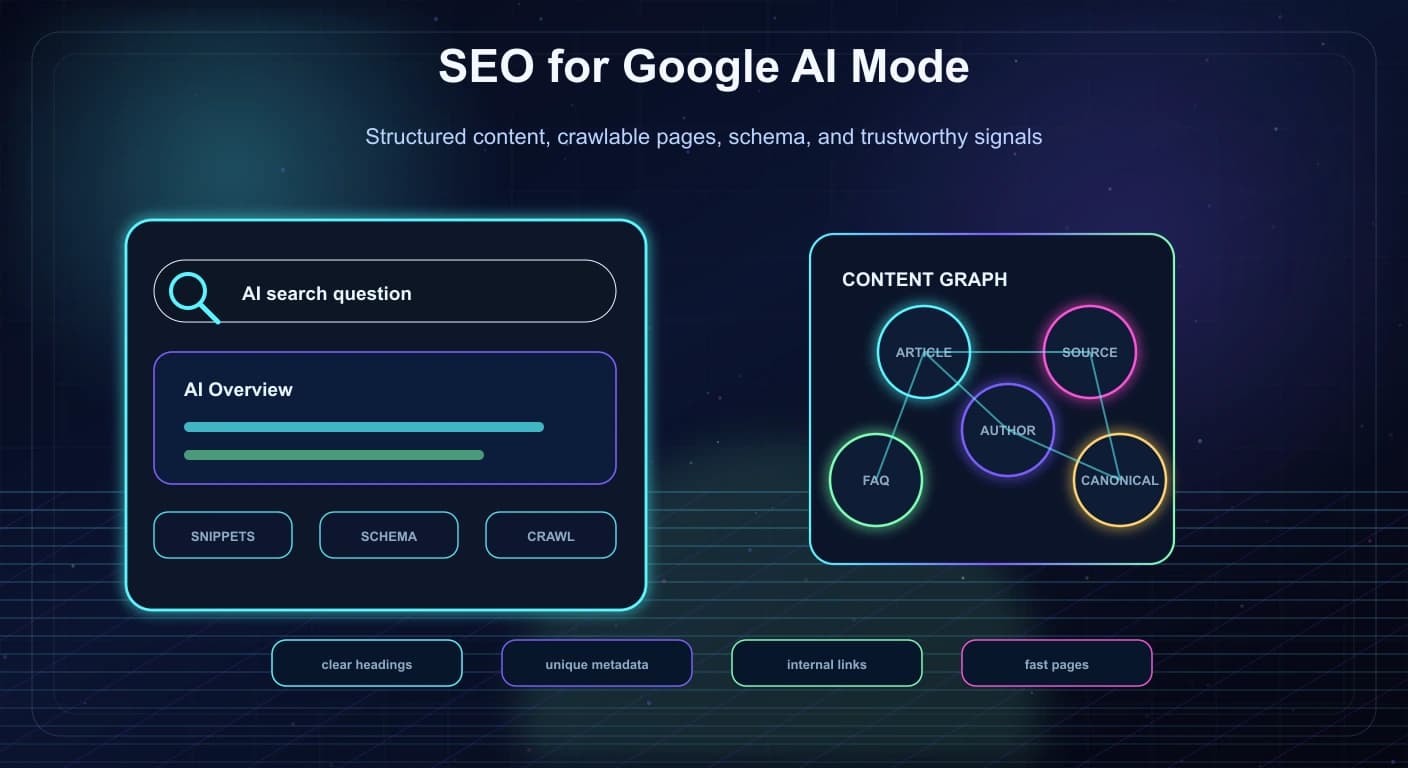
AI search is changing how people discover information, but it hasn't removed the fundamentals of SEO. Google's own AI features and your website documentation says the same best practices still apply to AI features such as AI Overviews and AI Mode. There are no special hidden tags that guarantee inclusion. The work is still about making useful content accessible, understandable, trustworthy, and technically easy to process.
What's different in 2026 is that your content is both a web page and a source that AI systems may summarize, connect, or cite, so structure matters. AI search doesn't replace technical SEO. It raises the cost of vague, thin, or hard-to-parse pages.
In practice that means crawlable HTML, clear headings, descriptive summaries, and stable canonical URLs. Structured data helps search engines understand the entities on a page and how they relate. And don't block snippets or previews if discoverability in AI search features matters to you. Treat content architecture as part of product engineering, not only marketing.
Why This Topic Matters Now
Search is becoming more conversational.
Users are asking complex questions, comparing options, and expecting summaries. AI Overviews and AI Mode are part of that shift. For site owners, the question is no longer only "can we rank for this keyword?"
The better question is:
"Can search systems understand what this page proves, explains, offers, or solves?"
Google's guidance points back to core SEO fundamentals. That makes developer implementation more important, because weak technical structure can hide otherwise useful content.
Areas where developers can make the biggest difference:
- AI Overviews and AI Mode visibility.
- Content that answers multi-step questions.
- Structured data quality.
- Author and organization trust signals.
- Crawlable server-rendered content.
- Clear snippet and preview controls.
- Fast, stable pages that users can inspect.
AI search rewards clarity. Developers control a lot of that clarity.
Start With Crawlable HTML
If important content only appears after fragile client-side work, search systems may have a harder time understanding it.
Strong implementation patterns:
- Render primary article content in HTML.
- Use semantic headings.
- Keep the main content in a clear page region.
- Avoid hiding important text behind interactions that require user input.
- Use descriptive link text.
- Keep canonical URLs stable.
- Make pagination and related content crawlable.
For a blog, guide, product page, or service page, the main value should be visible without needing a complex app state.
JavaScript is fine. But the content should not depend on a maze of client-only rendering if it is meant to be discovered through search.
Build Pages Around Questions And Evidence
AI search features often respond to specific, natural-language questions.
That does not mean every page should become a FAQ dump. It means pages should make their purpose obvious.
A strong technical article should include:
- A clear title.
- A direct opening answer.
- Logical H2 sections.
- Examples.
- Tradeoffs.
- Definitions.
- Practical steps.
- Source links.
- A clear conclusion.
For example, a page titled "Server-Side Tagging in 2026" should quickly explain what it is, why teams use it, when it helps, when it is overkill, and how to implement it safely.
That structure is useful for humans first. It also helps search systems identify the page's role.
Use Structured Data Where It Actually Fits
Google's structured data introduction explains how structured data can help search understand a page and enable richer search features.
Use schema that matches the page type:
ArticleorBlogPostingfor blog posts.Productfor product pages.FAQPageonly when there is a real FAQ visible to users. Note that Google stopped showing FAQ rich results in May 2026, so this is no longer a search-appearance tactic (see "What Google officially says" below).BreadcrumbListfor navigational context.OrganizationorPersonfor identity signals.WebSiteandSearchActionwhere appropriate.
Do not add schema just because it looks impressive. Invalid or mismatched structured data can create more noise than value.
Good structured data should answer:
- What is this page?
- Who created it?
- When was it published or updated?
- What entity does it describe?
- How does it relate to the rest of the site?
Snippets, Previews, And Robots Controls
Developers often forget that robots controls can affect how content appears in search.
Google's snippet documentation explains controls such as nosnippet, max-snippet, max-image-preview, and max-video-preview.
If a site blocks snippets too aggressively, it may reduce how much search systems can show or use in previews. That can matter even more in AI search experiences where summaries and links are central.
Review:
robots.txt.- Page-level robots meta tags.
- HTTP robots headers.
- Snippet limits.
- Image preview settings.
- Canonical tags.
- Noindex rules.
Do not copy old robots rules blindly from staging, privacy pages, or legacy templates.
Make Author And Business Signals Easy To Verify
AI search does not remove trust signals.
For professional content, users still want to know:
- Who wrote this?
- What experience do they have?
- When was it updated?
- Is the site a real business or person?
- Are there sources?
- Can I contact them?
For a developer portfolio or agency site, this means the About, Contact, Projects, and Blog pages should support each other.
Useful implementation details:
- Add author names to articles.
- Link author names to a real profile page.
- Keep professional experience current.
- Add organization details where relevant.
- Use consistent social links.
- Include date published and date modified when possible.
- Make contact information easy to find.
Trust is not only written. It is assembled across the site.
Avoid Thin AI-Written Pages
AI tools can help create drafts, but AI search makes thin pages easier to spot.
Weak pages often have:
- Generic introductions.
- No original examples.
- Repeated definitions.
- No practical details.
- No sources.
- No author context.
- No clear audience.
- No real tradeoffs.
Strong pages have:
- Specific use cases.
- Real implementation advice.
- Clear opinions.
- Accurate links.
- Updated dates.
- Examples that match the reader's problem.
- Human judgment about when not to use something.
The goal is not to sound like a search result. The goal is to be the page someone is relieved to find.
Technical SEO Checklist For AI Search
Use this checklist when publishing important content:
- The page has one clear H1.
- H2 headings describe real sections.
- The opening paragraph answers the core topic quickly.
- Main content is server-rendered or reliably crawlable.
- Canonical URL is correct.
- Metadata title and description are unique.
- Article date is accurate.
- Structured data matches the visible content.
- Internal links point to related pages.
- External source links are reputable.
- Images have useful alt text.
- Robots and snippet settings are intentional.
- The page passes basic performance checks.
- The content includes practical details, not only general claims.
This is not flashy work, but it compounds.
What Developers Should Do Differently
Developers should be part of SEO earlier.
Do not wait until after content is written to ask whether the page is indexable or whether metadata is duplicated.
Better workflow:
- Define the page purpose.
- Pick the content type.
- Choose the URL and canonical behavior.
- Design the heading structure.
- Add schema where appropriate.
- Confirm crawlability.
- Test snippets and social previews.
- Monitor search performance after publishing.
SEO is not a plugin you install at the end. It is a product quality layer.
Build A Content Brief Before Writing
Strong AI-search SEO starts before the article is written.
A useful content brief should answer:
- Who is the reader?
- What problem are they trying to solve?
- What question should the page answer first?
- What related questions should the page cover?
- What examples will make the content credible?
- What sources should be referenced?
- What internal pages should be linked?
- What schema type fits the page?
- What should the reader do next?
For example, a page about server-side tagging should not only define the topic. It should explain when to use it, what it changes in GTM and GA4, how consent fits, what developers need to implement, and what mistakes to avoid.
This kind of brief helps writers avoid generic content and helps developers prepare the right page structure.
Write For Extractable Clarity
AI search experiences often summarize parts of pages. That does not mean you should write robotic content. It means each section should have a clear point.
Good section structure:
- Start with the main answer.
- Add context.
- Give examples.
- Explain tradeoffs.
- Link to supporting sources.
- End with a practical takeaway.
Weak section structure:
- Start with a long vague introduction.
- Repeat the title in different words.
- Delay the answer until the end.
- Use buzzwords without examples.
- Make claims without evidence.
Extractable clarity helps both humans and search systems. A busy reader should be able to scan the headings and still understand the page.
Internal Linking Still Matters
AI search may feel new, but internal linking remains one of the simplest ways to help search engines understand a site.
Good internal links:
- Connect related blog posts.
- Point service pages to case studies.
- Point case studies to relevant technologies.
- Link author pages to articles.
- Link technical guides to implementation examples.
- Use descriptive anchor text.
Bad internal links:
- Use "click here" everywhere.
- Point every page to every other page.
- Exist only in a footer.
- Link to outdated content.
- Create loops without hierarchy.
For a developer portfolio, internal linking can show the relationship between skills and proof:
Full-stack development page
  -> Laravel project
  -> Flutter project
  -> SEO case study
  -> Analytics implementation article
  -> Contact page
That structure helps users and search engines understand what you actually do.
Example Schema For A Blog Post
Schema should match the visible page. For a blog article, BlogPosting or Article is usually appropriate.
Example:
{
  "@context": "https://schema.org",
  "@type": "BlogPosting",
  "headline": "SEO for Google AI Mode in 2026: How Developers Should Structure Content",
  "description": "A practical SEO guide for AI Overviews and AI Mode, focused on crawlable HTML, structured data, content clarity, snippets, and technical quality.",
  "datePublished": "2026-06-02",
  "dateModified": "2026-06-02",
  "author": {
    "@type": "Person",
    "name": "Derar Sattouf"
  },
  "publisher": {
    "@type": "Person",
    "name": "Derar Sattouf"
  }
}
Do not add fields that are not true. If the page does not show a review, do not add review schema. If the page is not a product, do not add product schema.
Structured data is strongest when it is honest, specific, and consistent.
What To Measure After Publishing
SEO work should continue after publishing.
Track:
- Indexed status.
- Search impressions.
- Click-through rate.
- Query coverage.
- Average position.
- Pages receiving traffic from related queries.
- Engagement on the page.
- Conversions from organic traffic.
- Internal link clicks.
- Snippet appearance.
- Crawl errors.
For AI search features, also watch for changes in query behavior. Users may search with longer, more specific prompts. They may click fewer generic pages and more pages that answer a clear sub-question.
That makes long-tail clarity valuable.
Developer Mistakes That Hurt AI Search
Common technical mistakes:
- Duplicate titles across pages.
- Missing meta descriptions.
- Incorrect canonical URLs.
- Important text rendered only after user interaction.
- Broken heading hierarchy.
- Thin pages created from templates.
- Stale dates on updated content.
- Missing alt text on meaningful images.
- Invalid structured data.
- Accidentally blocked pages in
robots.txt. - Overly strict
nosnippetrules. - Slow pages with heavy third-party scripts.
Most of these are not glamorous. They are basic quality problems. But basic quality problems become more expensive when search systems need to understand the page deeply.
What Google officially says (as of 2026)
Google's documentation on AI features and your website is short and worth reading in full. The points that matter for developers:
- AI Overviews are summaries with links, shown only when Google's systems decide they add value beyond classic results. AI Mode is for deeper, multi-step questions and returns a longer response with links to supporting sites.
- Both use query fan-out: instead of one search, the system issues several related searches across subtopics and data sources. That can surface a wider and more varied set of pages than a single classic query would.
- Eligibility is plain: the page must be indexed and eligible to appear in Search with a snippet. There are no additional technical requirements, no special optimizations and no AI-specific markup. Meeting the requirements does not guarantee crawling, indexing or serving.
- No special files are needed. The documentation explicitly says you do not need new machine-readable files or AI text files (this covers files such as
llms.txt), and no special schema.org markup is required. - Measurement: AI Overviews and AI Mode traffic is counted in the Search Console Performance report under the "Web" search type. There is no separate "AI Mode" report to look for.
- Controls: robots.txt governs crawling for Search including AI features. To limit what is shown, use
nosnippet,data-nosnippet,max-snippetornoindex. TheGoogle-Extendedtoken is for limiting use of content for training and grounding in other Google systems (Gemini apps and related APIs), and it does not affect inclusion or ranking in Search.
One correction to a common assumption in older advice, including the schema list above: FAQ rich results were discontinued. Google's documentation states the FAQ feature stopped appearing in Search starting May 7, 2026, and the documentation page was removed. You can keep FAQPage markup for other consumers, but don't expect a rich result, and don't rely on it as an "AI visibility" tactic.
Because the official position is "fundamentals only," the useful engineering question is: what fundamentals are most often broken on real sites? The rest of this section answers that.
Query Fan-Out: Why Sub-Question Coverage Matters
When a user asks AI Mode a complex question, the system breaks it into narrower searches. A text sketch of the idea (illustrative, not Google's actual implementation):
User question:
  "Should a small team move from Webpack to Vite, and what breaks?"

Fan-out into narrower searches (examples):
  - Vite vs Webpack build speed for small apps
  - Webpack loaders that have no Vite equivalent
  - Vite migration steps from Webpack
  - Vite environment variables vs process.env
  - Vite production build differences

Each sub-search retrieves pages that answer THAT narrow question well.
The final answer cites a mix of those pages.
Implications for how you write and structure pages:
- A page can win a sub-question without winning the head term. A section titled with a clear question and answered in its first sentence is a retrievable unit.
- Breadth with depth beats a thin overview. A page that covers the five sub-questions above with real detail gives the retrieval systems more to match.
- Specific, checkable details are a differentiator. Version numbers, commands, limits, measured results, and "when this fails" notes distinguish a source from a summary.
- Sibling pages matter. Link your pillar page to focused pages for each sub-question, and link back. See Keyword Research and Internal Linking for SEO.
A practical pattern for each H2 section:
## How do I handle environment variables when moving to Vite?

Short answer: replace `process.env.X` with `import.meta.env.VITE_X` and expose
only variables prefixed with `VITE_`.

Details, a code example, one gotcha, and a link to the official docs follow.
Note that this is writing for readers. Do not turn every heading into a question as a trick; use question headings where the reader really has that question.
Lab: Audit One Page For AI-Feature Eligibility
Eligibility is "indexed and snippet-eligible." You can check most of it from a terminal.
URL="https://example.com/blog/my-post"

# 1. Status, redirects, and robots headers
curl -sIL "$URL" | grep -iE "^(HTTP|location|x-robots-tag|content-type)"

# 2. Is the main content in the raw HTML (what a non-JS fetch sees)?
curl -s "$URL" | grep -c "a distinctive sentence from your article"

# 3. Meta robots and canonical
curl -s "$URL" | grep -ioE '<meta[^>]+name="robots"[^>]*>|<link[^>]+rel="canonical"[^>]*>'

# 4. robots.txt allows Googlebot for this path?
curl -s https://example.com/robots.txt
Interpretation:
| Check | Pass | Fail means |
|---|---|---|
Final status is 200 | Yes | Redirect chains, 404, or 5xx stop indexing |
X-Robots-Tag has no noindex or nosnippet | Yes | Header-level rules override your HTML |
| Distinctive sentence found in raw HTML | Count is 1 or more | Content may depend on client-side rendering; test with URL Inspection |
| Canonical points to the page itself | Yes | Signals consolidate to another URL |
robots.txt does not block the path | Yes | Googlebot cannot fetch it |
Then use URL Inspection in Search Console on the live URL, view the rendered HTML, and confirm the main text is present. That tool shows what Googlebot sees; your browser does not.
In a Next.js App Router site, set the robots policy deliberately in metadata:
// app/blog/[slug]/page.tsx
import type { Metadata } from "next";

export async function generateMetadata({ params }: { params: Promise<{ slug: string }> }): Promise<Metadata> {
  const { slug } = await params;
  const post = await getPost(slug);
  return {
    title: post.title,
    description: post.description,
    alternates: { canonical: `https://example.com/blog/${slug}` },
    robots: {
      index: true,
      follow: true,
      googleBot: {
        index: true,
        follow: true,
        "max-snippet": -1,
        "max-image-preview": "large",
        "max-video-preview": -1,
      },
    },
    openGraph: { title: post.title, description: post.description, type: "article" },
  };
}
max-snippet: -1 means no limit on snippet length. Only loosen or tighten these values with intent; each is documented in Google's snippet documentation. If a block of text should not appear in snippets (for example paid content or a private price list), wrap only that block:
<p>Public summary that may appear in snippets.</p>
<div data-nosnippet>Members-only details that should not be quoted.</div>
Crawlers And Controls: A Reference Table
Different systems use different crawlers and different controls. Verify each vendor's current documentation, because names and behavior change.
| Goal | Control | Notes |
|---|---|---|
| Appear in Google Search, AI Overviews and AI Mode | Allow Googlebot; keep the page indexable and snippet-eligible | No separate AI crawler or markup is required |
| Limit snippet length or text shown | max-snippet, nosnippet, data-nosnippet | Affects previews and AI features that use snippets |
| Keep a page out of Search entirely | noindex (meta or X-Robots-Tag) | The page must be crawlable for noindex to be seen |
| Limit use of content for Gemini training and grounding | Google-Extended in robots.txt | A control token, not a crawler; documented as not affecting Search inclusion or ranking |
| Allow or block other vendors' AI crawlers | Vendor-specific user agents in robots.txt | Check each vendor's documentation for current agent names and behavior |
A robots.txt that keeps Search open while opting out of Gemini training use:
User-agent: Googlebot
Allow: /

User-agent: Google-Extended
Disallow: /

Sitemap: https://example.com/sitemap.xml
This is a business decision. Opting out of one system's training use does not change your Search eligibility, and opting in can create more places your content is cited. For the cross-engine view, read Generative Engine Optimization (GEO).
A Better JSON-LD Implementation For Blog Posts
The example earlier shows the minimum. A fuller BlogPosting that matches the visible page, generated from your content data rather than typed by hand:
// components/ArticleJsonLd.tsx
type Props = {
  url: string;
  title: string;
  description: string;
  publishedAt: string; // ISO 8601
  updatedAt?: string;
  image?: string;
  authorName: string;
  authorUrl: string;
};

export function ArticleJsonLd(p: Props) {
  const data = {
    "@context": "https://schema.org",
    "@type": "BlogPosting",
    headline: p.title,
    description: p.description,
    mainEntityOfPage: { "@type": "WebPage", "@id": p.url },
    datePublished: p.publishedAt,
    dateModified: p.updatedAt ?? p.publishedAt,
    ...(p.image ? { image: [p.image] } : {}),
    author: { "@type": "Person", name: p.authorName, url: p.authorUrl },
  };

  return (
    <script
      type="application/ld+json"
      // escape "<" so content can never close the script tag
      dangerouslySetInnerHTML={{ __html: JSON.stringify(data).replace(/</g, "\\u003c") }}
    />
  );
}
Rules that keep it honest:
dateModifiedshould change only when the content meaningfully changes. Bumping it for cosmetic edits is a trust problem.- The headline, author and dates must match what is visible on the page.
- Validate with the Rich Results Test and the Schema Markup Validator, and watch the enhancement reports in Search Console.
A deeper structured-data walkthrough lives in Structured Data and JSON-LD: A Developer's SEO Guide, and the full technical checklist for Next.js sites is in Next.js Technical SEO Checklist.
Content That Earns Citations: Before And After
Here is the same paragraph written two ways, for a page about caching.
Weak:
Caching is very important for modern web applications. There are many types of
caching and many ways to implement it. In this article we will explore caching
and why it matters for performance.
Strong:
Cache the response, not the computation, when the same URL is requested more
than once per minute and the data can be up to 60 seconds stale. In Next.js
this is a single cacheLife setting. Do not cache responses that depend on the
signed-in user unless the user id is part of the cache key.
What changed: a direct recommendation, a condition, a number the author chose, a framework-specific action, and a "do not" with its reason. Those are the details that make a section quotable and trustworthy.
A page-level template that scales:
Title: specific, matches the main question
Opening: 2-3 sentences that answer the question and name who it is for
TL;DR: 4-8 bullets
Sections: one sub-question each, answer first, then detail
Evidence: commands, code, numbers, screenshots, dated sources
Tradeoffs: "when this is a bad idea"
FAQ: short answers to real follow-up questions
Further reading: official docs, not only your own pages
Metadata: accurate dates, author, canonical
For the related practice of making content easy for coding agents and chat systems to use, see Context Engineering for Coding Agents.
Measuring: What You Can And Cannot See
What exists:
- Search Console Performance report, Web search type: includes AI Overviews and AI Mode traffic, but not as a separate filter. You cannot isolate AI-feature clicks there; analyze query patterns and pages instead.
- Analytics: track engagement and conversions from organic sessions. Google says clicks from AI features tend to be higher quality; verify that against your own data rather than assuming it.
- Server logs: show which crawlers hit which URLs.
A quick log summary of crawler traffic (adjust the log format and path):
# Count requests by common crawler user agents in an nginx access log
for bot in Googlebot bingbot GPTBot OAI-SearchBot ClaudeBot PerplexityBot; do
  printf "%-14s %s\n" "$bot" "$(grep -c "$bot" /var/log/nginx/access.log)"
done

# Which URLs does Googlebot fetch most?
grep Googlebot /var/log/nginx/access.log | awk '{print $7}' | sort | uniq -c | sort -rn | head -20
User-agent strings can be spoofed; verify real Googlebot traffic with reverse DNS as Google documents. Vendor agent names change, so check each vendor's documentation.
What does not exist: a trustworthy rank or "AI visibility score" from Google. Third-party tools sample AI answers and can be useful directionally, but treat their numbers as estimates.
A practical weekly routine:
- In Search Console, compare the last 28 days to the previous period for pages you updated.
- Look for impressions rising with flat clicks (answer displayed, fewer clicks) and decide whether the page needs a stronger reason to click: a tool, a template, a dataset.
- Check the Pages report for "Crawled - currently not indexed" and "Discovered - currently not indexed", and improve substance on those pages before anything else.
Myths And Facts
| Claim | Reality (per Google's guidance) |
|---|---|
"You need llms.txt to appear in AI Mode" | Google says no new machine-readable or AI text files are needed |
| "Special schema gets you into AI Overviews" | No special structured data is required; markup should match visible content |
| "Chunk your content into tiny blocks" | Not recommended as an AI-specific tactic; write clear sections for readers |
| "FAQ schema boosts AI visibility" | FAQ rich results were discontinued in May 2026 |
"Blocking Google-Extended removes you from Search" | It does not affect Search inclusion or ranking |
| "AI Mode traffic is reported separately" | It is part of the Web search type in Performance |
| "AI-generated pages are penalized per se" | Thin, unhelpful pages are the problem regardless of how they were made |
Troubleshooting Table
| Symptom | Likely cause | What to do |
|---|---|---|
| Page "Crawled - currently not indexed" | Thin or duplicate content, weak internal links | Add original substance, examples and sources; link from relevant indexed pages |
| Page indexed but never shown with a snippet | nosnippet or max-snippet:0 somewhere | Check meta tags and X-Robots-Tag; inspect with URL Inspection |
| Rendered HTML missing the article body | Client-only rendering or a failed data fetch | Render on the server; test the live URL in URL Inspection |
| Wrong date shown | dateModified missing or inconsistent with visible date | Align schema, visible date and sitemap lastmod |
| Structured data errors in Search Console | Required fields missing or mismatch with page | Fix generation code; validate; request validation |
| Traffic fell after a template change | Canonical, noindex or heading changes | Diff the rendered HTML before and after; check robots headers |
| Duplicate titles reported | Same metadata across templated pages | Generate unique titles and descriptions from content |
| AI answers cite competitors, not you | Page lacks the specific, checkable detail | Add concrete steps, numbers, tables and tradeoffs for the sub-question |
| Preview control changes ignored | Not recrawled yet | Allow time or request recrawl; docs say it can take days to months |
Where this usually goes wrong
- Chasing AI-specific tricks that Google says are unnecessary while basic indexability is broken.
- Adding FAQ markup expecting a rich result after the feature was discontinued.
- Faking freshness by changing
dateModifiedwithout changing content. - Publishing many near-duplicate pages from a template. They dilute quality and end up unindexed.
- Blocking CSS, JS or API calls the page needs to render.
- Hiding key content in tabs or accordions that load on click.
- Copying staging robots rules to production, or leaving
noindexfrom a launch. - Measuring only rank. Look at impressions, clicks, engagement and conversions together.
- Ignoring page experience. Slow, shifting pages hurt users first. See Core Web Vitals and INP in Next.js.
When not to optimize for AI features
- Your content is paid or gated. Use
nosnippetordata-nosnippetdeliberately and accept less preview visibility. - The page's value is the click. Calculators, tools and downloads can benefit from showing less in a summary.
- You have not fixed the basics. If pages are not indexed, tuning for AI features is premature.
- You are tempted to mass-produce pages. Fewer, stronger pages outperform thousands of thin ones.
- Your business cannot afford any lost clicks. Decide the policy (snippets,
Google-Extended) with legal and business owners, not only developers.
Questions that come up
Do I need special markup to appear in AI Overviews or AI Mode? No. Google says there are no additional technical requirements beyond being indexed and snippet-eligible.
Should I create an llms.txt file?
Google states it is not needed for its AI features. Other tools may read it; that is optional and unproven for search visibility.
Can I see AI Mode clicks in Search Console? They are included in the Web search type but not separated out.
Does blocking Google-Extended hurt SEO? Google documents that it does not affect inclusion in Search or serve as a ranking signal.
Is FAQ schema worth keeping? Only if it matches a visible FAQ and you value it for other consumers. Do not expect a Google rich result.
How long until changes show? Recrawling can take days to months, so make changes early and monitor with URL Inspection.
Sources and docs
- Google Search Central: AI features and your website
- Google: Robots meta tag, data-nosnippet and X-Robots-Tag
- Google: Control your snippets in search results
- Google: Introduction to structured data
- Google: Common crawlers and the Google-Extended control token
- Google: Creating helpful, reliable, people-first content
- Related on this site: Generative Engine Optimization (GEO), Server-Side Tagging with GTM and GA4.