
Local AI in 2026: Private, Offline-Ready Apps With On-Device Models
 Derar SattoufUpdated AI engineering
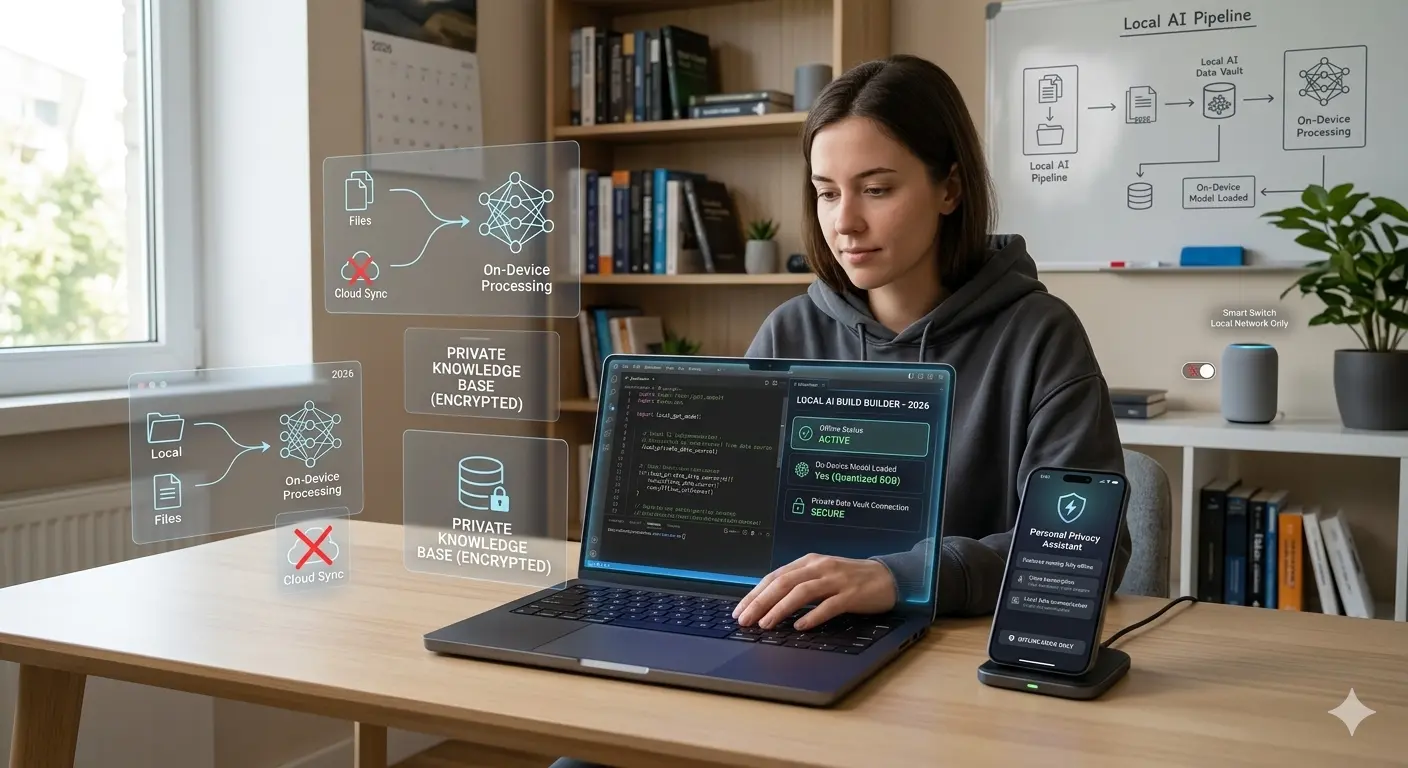
For the last few years, most AI features meant calling a cloud API. In 2026, local AI is back in a serious way. Smaller and better models, faster chips, browser APIs, WebGPU and desktop runtimes make it possible to run genuinely useful AI on the user's device.
The point is not to replace cloud models everywhere. It is to pick the right execution location for each job. Some AI should run in the cloud. Some should run locally. Many products will use both, and the interesting engineering is in the seams: detecting what a device can do, falling back gracefully, keeping output contracts stable, and being honest with users about where their data goes.
Local AI is practical today for summarization, classification, extraction, translation, language detection, semantic search, autocomplete, moderation and lightweight assistants. The strongest reasons to go local are privacy, latency, offline support, cost control and personalization. The strongest reasons to stay cloud-first are model quality, heavy reasoning, long context, centralized updates and auditing, and simpler deployment.
There are three execution routes: browser built-in AI (the browser ships the model), WebGPU with your own model (you ship or download weights), and desktop runtimes (Ollama, llama.cpp, OS-provided models). Chrome's built-in Summarizer, Translator and Language Detector APIs are stable (Chrome 138), while Writer, Rewriter, Proofreader and the web Prompt API are still trials or limited as of November 2026. Hardware requirements are substantial: for the Summarizer, desktop only, a GPU with more than 4 GB of VRAM or a CPU with 16 GB of RAM, and at least 22 GB of free disk.
Hybrid is usually the right answer. Detect capability, prefer the private and fast path, fall back to cloud with clear user disclosure, and keep one output contract. Treat local models like application code: version them, roll them out gradually, and test on the devices your users actually own.
API availability in this area changes quickly, so every code sample comes with a "verify against current docs" caveat.
A working example of the bring-your-own-model route is CanvasCV, my resume builder. Its writing suggestions run in the browser with Transformers.js, so the resume text never leaves the device. The CanvasCV case study covers how I built it.
Why this is happening now
Several forces are converging. Chrome documents built-in AI APIs that use browser-managed models for summarization, translation and language detection, with more APIs in trial. WebGPU is widely available in modern browsers, which makes in-page inference of small language models feasible; check current browser support for your audience on caniuse. Operating systems provide models and runtimes too, for example Microsoft's Foundry Local for Windows and Apple's on-device foundation models for its platforms. Verify the current SDK names and availability on each vendor's site.
Open-weight small models keep improving. Models in the sub-10-billion-parameter range, and many below 4 billion, handle focused tasks well, especially when fine-tuned. Runtimes are mature as well: Ollama, llama.cpp, LM Studio, MLX on Apple silicon and ONNX Runtime make local inference a few commands away.
The pattern is clear: AI is moving to the edge. The risk is assuming it is uniformly available.
Why run AI locally?
| Benefit | What it means in practice |
|---|---|
| Privacy | Selected text, drafts, files and customer data can stay on the device |
| Latency | Small tasks complete without a network round trip, which can make features feel instant |
| Offline support | Works on planes, in low-connectivity regions and in locked-down enterprise networks |
| Cost | High-volume lightweight tasks do not hit a metered API on each interaction |
| Personalization | Local context (notes, history) can improve suggestions without uploading everything |
| Resilience | Fewer dependencies on a vendor's uptime and rate limits |
These advantages are especially strong for editors, productivity apps, developer tools, healthcare and legal workflows, education and enterprise software.
Why not run AI locally?
- Quality ceiling. Small models are weaker at deep reasoning, long documents and broad knowledge.
- Device variance. Your users have wildly different hardware. Quality and speed will vary.
- Download and storage cost. Models are large. Some browser models need many gigabytes of disk.
- Battery and thermals. Sustained inference drains laptops and heats phones.
- Update and governance burden. You must ship, version and possibly revoke models, and you lose central logging unless you build it.
- Security surface. Model files and local runtimes become part of what you must secure.
Where local works well and where it does not
Good local use cases:
- Summarizing selected text, rewriting short passages, drafting quick replies.
- Classifying content into categories; moderation pre-checks.
- Extracting dates, names, todos and entities.
- Local semantic search over notes or docs with small embedding models.
- Translating short text and detecting language.
- Accessibility helpers, UI command parsing, form assistance.
- Simple code explanation in an IDE.
Riskier local use cases:
- Complex reasoning across many documents, or long-horizon planning.
- Mission-critical medical, legal or financial decisions.
- Large codebase refactors.
- Tasks that need fresh external knowledge or tools.
- Anything requiring central audit and policy enforcement.
The mistake is assuming "local" means "worse" or "cloud" means "always better." Ask what the feature needs.
Route 1: Browser built-in AI (Chrome)
The browser provides a model and exposes task APIs. You do not ship weights; the browser manages download, updates and device constraints. As of November 2026 the status looks like this (verify, since it changes often):
| API | Status | Notes |
|---|---|---|
| Translator | Stable from Chrome 138 | On-device translation |
| Language Detector | Stable from Chrome 138 | Detect text language |
| Summarizer | Stable from Chrome 138 | Types: key-points, tldr, teaser, headline |
| Writer, Rewriter, Proofreader | Developer or origin trials | Not for general production yet |
| Prompt API | Available to extensions from Chrome 138; web availability listed for a later version with some parts in origin trial | Verify before relying on it |
Important constraints documented for the Summarizer: desktop platforms only (Windows 10 or 11, macOS 13 or later, Linux, and ChromeOS on Chromebook Plus), not Android or iOS; a GPU with more than 4 GB of VRAM, or a CPU with 16 GB of RAM and four or more cores; an unmetered connection for the first model download; and at least 22 GB of free space on the profile volume. Creation must follow a user gesture.
A summarizer with capability detection and progress
type SummarizerLike = { summarize(text: string): Promise<string> };

async function getBuiltInSummarizer(
  onProgress?: (pct: number) => void,
): Promise<SummarizerLike | null> {
  if (!("Summarizer" in self)) return null;

  const availability = await (self as any).Summarizer.availability();
  if (availability === "unavailable") return null;

  // Creation needs user activation (for example, a button click)
  if (!navigator.userActivation.isActive) return null;

  const summarizer = await (self as any).Summarizer.create({
    type: "tldr",
    format: "plain-text",
    length: "short",
    monitor(m: EventTarget) {
      m.addEventListener("downloadprogress", (e: any) => onProgress?.(e.loaded * 100));
    },
  });

  return {
    summarize: (text: string) => summarizer.summarize(text, { context: "Audience: busy developers." }),
  };
}
Use innerText rather than innerHTML as the input so markup does not pollute the summary. For long outputs, the API also offers streaming through summarizeStreaming, which returns an async iterable of chunks.
Because feature detection, availability states (unavailable, downloadable, downloading, available) and user activation all matter, put this behind one function and never scatter checks through your UI.
Language detection and translation
async function translateIfNeeded(text: string, target = "en") {
  if (!("LanguageDetector" in self) || !("Translator" in self)) return text;

  const detector = await (self as any).LanguageDetector.create();
  const [best] = await detector.detect(text);
  if (!best || best.detectedLanguage === target) return text;

  const avail = await (self as any).Translator.availability({
    sourceLanguage: best.detectedLanguage,
    targetLanguage: target,
  });
  if (avail === "unavailable") return text;

  const translator = await (self as any).Translator.create({
    sourceLanguage: best.detectedLanguage,
    targetLanguage: target,
  });
  return translator.translate(text);
}
Verify the exact shapes in the current Chrome documentation before shipping; these APIs are standardizing through the web platform process and details can shift.
Route 2: Your own model in the browser (WebGPU)
When you want control over the model, or need support beyond Chrome's built-ins, run inference in the page with WebGPU through a library such as Transformers.js (ONNX Runtime Web) or WebLLM. You choose the model, accept the download, and cache it.
A WebLLM sketch (check the model ID and API names against the current WebLLM docs):
import { CreateMLCEngine } from "@mlc-ai/web-llm";

const engine = await CreateMLCEngine("Llama-3.2-1B-Instruct-q4f16_1-MLC", {
  initProgressCallback: (p) => console.log(p.text),
});

const reply = await engine.chat.completions.create({
  messages: [
    { role: "system", content: "Answer in one sentence." },
    { role: "user", content: "What is an index in a database?" },
  ],
  temperature: 0.2,
});
console.log(reply.choices[0].message.content);
Practical rules for this route:
- Run inference in a Web Worker so the UI thread stays responsive.
- Cache the model with the browser's Cache API or IndexedDB (libraries usually do this), and show first-run download size and progress.
- Check WebGPU support (
"gpu" in navigator) and fall back to WASM CPU inference for tiny models, or to the cloud. - Prefer small, task-specific models (a few hundred million to a few billion parameters, quantized) over general chat models for classification and extraction.
- Use cross-origin isolation where a library needs multi-threaded WASM (
SharedArrayBuffer), which requires specific COOP and COEP headers. - Budget memory. Mobile browsers will kill tabs that use too much.
Best for: offline-first web apps, domain-specific behavior, apps that can afford an initial download. For the data-layer side, see Local-first architecture.
Route 3: Desktop and OS runtimes
Desktop apps (and local dev tools) can talk to a runtime on the machine:
- Ollama and llama.cpp-based servers expose a local HTTP API, including OpenAI-compatible endpoints.
- LM Studio, MLX (Apple silicon) and ONNX Runtime are other options.
- OS-provided models (for example Windows' Foundry Local or Apple's on-device frameworks) give you system-managed models with platform privacy guarantees, subject to device support.
A quick local test with Ollama (install it first; use any model you have pulled):
ollama pull llama3.2:3b
curl http://localhost:11434/api/chat -d '{
  "model": "llama3.2:3b",
  "stream": false,
  "messages": [{"role": "user", "content": "Classify this ticket as bug, feature or question: App crashes on login"}]
}'
From an app, call the local OpenAI-compatible endpoint so you can swap local and cloud with one base URL:
import OpenAI from "openai";

const client = new OpenAI({
  baseURL: process.env.USE_LOCAL === "1" ? "http://localhost:11434/v1" : undefined,
  apiKey: process.env.USE_LOCAL === "1" ? "ollama" : process.env.OPENAI_API_KEY,
});

const res = await client.chat.completions.create({
  model: process.env.USE_LOCAL === "1" ? "llama3.2:3b" : "gpt-4o-mini",
  messages: [{ role: "user", content: "Summarize: ..." }],
});
Check current model names for whichever cloud provider you use.
Security note: a local model server bound to 0.0.0.0 or exposed through a browser extension or tunnel is an unauthenticated API. Bind to localhost, and treat any web page that can reach it (through CORS settings) as a potential attacker.
Best for: IDEs, design tools, enterprise desktop software, apps needing file-system access, heavier compute.
Route 4: Hybrid cloud and local
The best architecture for most serious products is hybrid:
Local model:                          Cloud model:
 - classify the user's intent          - complex multi-step reasoning
 - summarize selected text             - tools and external knowledge
 - redact sensitive fields             - long-context processing
 - quick draft / autocomplete          - final high-quality output

                     router (capability + sensitivity + difficulty)
A router can decide per request:
type Task = { kind: "summarize" | "classify" | "reason"; text: string; sensitive: boolean };

async function run(task: Task, caps: { builtIn: boolean; webgpu: boolean; online: boolean }) {
  // 1. Sensitive data prefers local, and never silently falls back to the cloud
  if (task.sensitive) {
    if (caps.builtIn) return runBuiltIn(task);
    if (caps.webgpu) return runWebGpu(task);
    throw new Error("Local processing unavailable. Ask user before using cloud.");
  }
  // 2. Easy tasks go local when possible
  if (task.kind !== "reason") {
    if (caps.builtIn) return runBuiltIn(task);
    if (caps.webgpu) return runWebGpu(task);
  }
  // 3. Hard tasks or no local capability go to the cloud
  if (!caps.online) throw new Error("Offline and no local model available.");
  return runCloud(task);
}
Design rules:
- Prefer the most private and responsive path.
- Fall back when the device cannot support it, and tell the user when behavior changes.
- Never silently send sensitive data to the cloud because the local path failed. Ask, or fail.
- Keep the output contract (schema, length, tone) identical across paths so the UI does not care.
- Record which path produced each output (version, model, route) for debugging and quality tracking.
Product design questions
Before choosing local AI, ask:
- Does this feature need to work offline?
- Is the input sensitive, and is a cloud fallback acceptable at all?
- How much latency can the user tolerate?
- What devices do our users actually have (check real analytics)?
- How large is the download and when do we ask for it?
- How will quality vary by machine, and what is the minimum acceptable quality?
- What telemetry is allowed, and how do we debug without seeing content?
- How do we update or revoke a model?
- How do we explain local processing honestly?
Local AI is a product decision as much as a technical one: it affects messaging, support, reliability and trust.
Privacy wording: be specific
"Runs locally" is a powerful promise, so be precise.
Good wording:
- "This summary is generated on your device when on-device AI is available."
- "Your selected text is not sent to our servers for this action."
- "Cloud fallback is disabled in private mode."
Risky wording:
- "Your data never leaves your device" while analytics, sync or fallback calls still exist.
- "Private AI" without explaining what is processed where.
If you operate in regulated areas, note that local processing does not remove obligations about the outputs you generate.
Performance tips
Local AI feels magical when fast and broken when startup is slow.
- Lazy-load AI features only when needed; do not download models on page load.
- Ask for downloads after a clear user action, and explain size and Wi-Fi expectations.
- Cache models and embeddings; version cache keys.
- Stream output as soon as possible.
- Use smaller task-specific models and short, structured prompts.
- Debounce: do not run inference on every keystroke.
- Run in workers; keep the main thread free.
- Measure memory, battery and thermal impact, not just tokens per second.
- Test on the devices your users own, not your high-end development machine.
Model update strategy
Local models create a new deployment question: how do you update them safely?
For web apps: model download size, cache invalidation, browser and device compatibility, progressive rollout, fallback when the model fails to load, version tracking on generated output, and user consent when behavior changes.
For desktop apps: signed model packages, rollback, enterprise update controls, storage limits and offline update behavior.
Treat local models like application code with release notes, compatibility checks, canary rollouts and rollback plans. A model swap can change outputs as much as a code change, so re-run your evaluations on every change.
Testing local AI features
Test across environments:
- Low-memory devices, older CPUs and integrated GPUs.
- Different browsers and OS versions, including those without the API.
- Offline mode, slow startup, interrupted downloads, low disk space.
- Battery saver and enterprise policies that disable features.
- Cloud fallback behavior, and the "no fallback allowed" path for sensitive data.
Test quality with a fixed evaluation set, and track it per route. If the local path is faster but worse, add a confidence threshold or send hard cases to the cloud. A quick feature-detection unit test is also worth having:
import { describe, it, expect, vi } from "vitest";

describe("getBuiltInSummarizer", () => {
  it("returns null when the API is missing", async () => {
    vi.stubGlobal("Summarizer", undefined);
    // @ts-expect-error simulate absence
    delete (globalThis as any).Summarizer;
    expect(await getBuiltInSummarizer()).toBeNull();
  });
});
Decision table
| Need | Recommended route |
|---|---|
| Summarize, translate or detect language in a Chrome web app | Browser built-in APIs with cloud fallback |
| Offline-first web app with custom behavior | WebGPU model in a worker, cached |
| Desktop tool with file access | Ollama or llama.cpp locally, or OS model |
| Strong reasoning or long context | Cloud model |
| Sensitive text, no external processing allowed | Local only, fail closed |
| Mobile web | Usually cloud; local options are limited on phones, verify per platform |
| Regulated audit trail required | Cloud or a controlled local logging design |
Where this usually goes wrong
| Mistake | Consequence | Fix |
|---|---|---|
| Assuming every device can run the model | Broken feature for many users | Capability detection and fallback |
| Downloading a large model on page load | Slow load, angry users | Download on explicit user action |
| Silent cloud fallback for sensitive data | Privacy breach, broken promise | Ask or fail closed |
| Inference on the main thread | Frozen UI | Web Worker |
| Benchmarking only on a developer laptop | Surprises in the field | Test on low-end devices |
| No output contract across routes | UI breaks on fallback | Shared schema and validation |
| Claiming "100 percent private" loosely | Trust and legal risk | Specific, accurate wording |
| No model versioning or rollback | Cannot recover from a bad model | Version, canary, rollback |
| Exposing a local model server to the network | Unauthenticated access | Bind to localhost, authenticate |
| Not evaluating quality per route | Silent quality regressions | Fixed eval set per route |
When not to use local AI
- The task needs frontier-level reasoning, large context, or fresh knowledge.
- Your users are mostly on phones or low-end hardware where the model cannot run well.
- You need centralized logging, moderation or audit of every interaction, and cannot build it locally.
- The feature is rare, so maintaining a local pipeline costs more than a few API calls.
- You cannot test across the device range you support.
Troubleshooting
| Symptom | Likely cause | Check |
|---|---|---|
availability() returns unavailable | Unsupported OS or hardware, or low disk space | Review the API's hardware requirements |
create() throws a user activation error | Called outside a click or tap | Trigger from a user gesture |
| Model never finishes downloading | Metered network or disk space | Check connection type and free storage |
| Page freezes during inference | Running on main thread | Move to a worker |
| WebGPU not found | Old browser or disabled GPU | Check navigator.gpu, fall back to WASM or cloud |
| Out-of-memory tab crash | Model too large for device | Use a smaller quantized model |
| Output differs between browsers | Different underlying models | Validate against a schema, tolerate variation |
| Local server rejects browser calls | CORS or origin settings | Configure allowed origins carefully |
Questions that come up
Is local AI actually private? The model inference is local, but the app around it may still send data elsewhere. Privacy depends on the whole system, so audit network calls and fallbacks.
Are Chrome's built-in APIs available to all users? No. They depend on browser version, OS, hardware and settings, and several are still in trials. Always feature-detect.
Which small model should I pick? It depends on your task and device range. Evaluate two or three candidates on your own data, in the quantization you will ship.
Can local models call tools? Some can, with reduced reliability. For tool-heavy agent behavior, a cloud model is usually safer.
Does local AI save money? For high-volume lightweight tasks, yes, but you take on engineering, support and download costs. Compare total cost, not just API fees.