
Speculation Rules in 2026: Making Multi-Page Apps Feel Instant
 Derar SattoufUpdated Performance
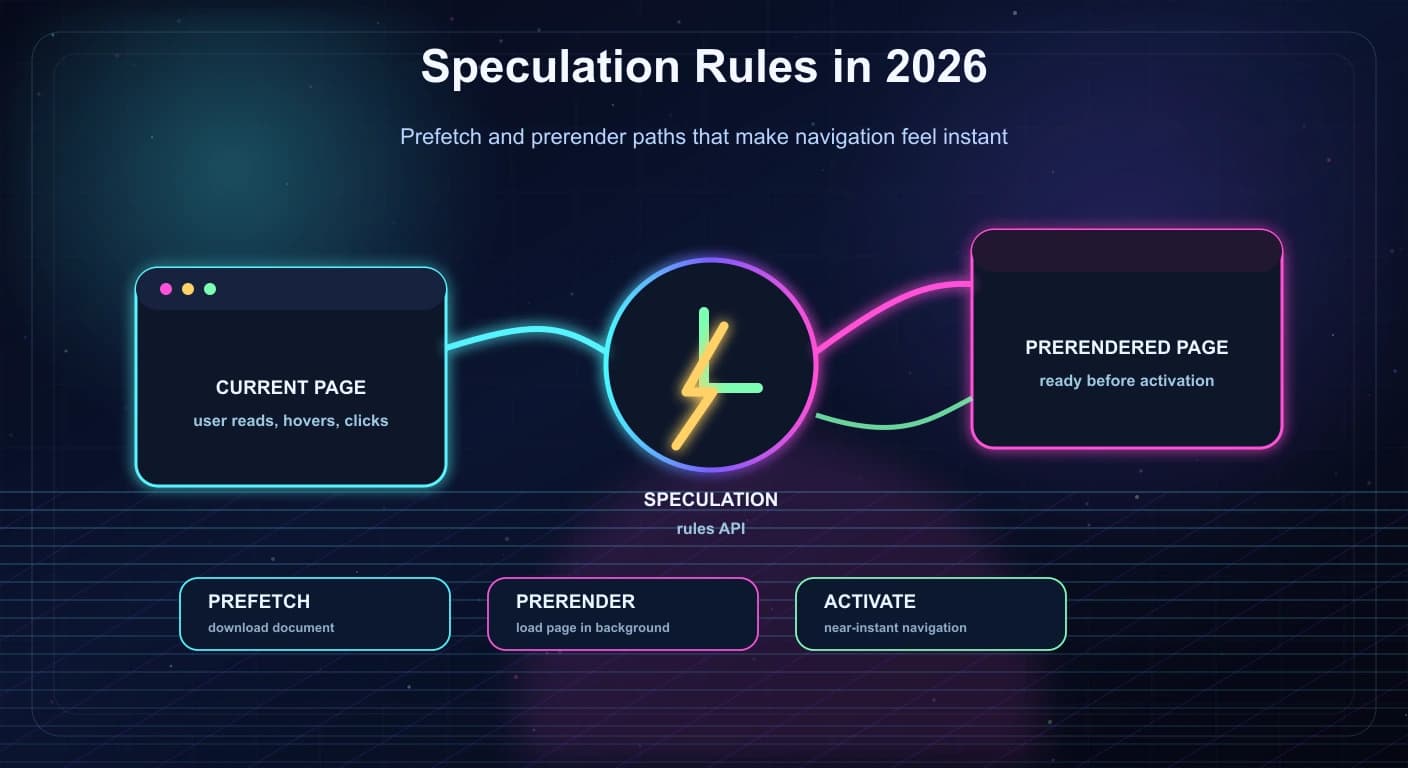
Modern web performance is not only about making the current page fast. It is also about making the next page feel immediate.
That is where the Speculation Rules API is becoming interesting. It gives browsers a structured way to prefetch or prerender likely future navigations. Used carefully, it can make multi-page apps feel much closer to single-page apps without replacing the architecture.
MDN's Speculation Rules API documentation describes it as a performance feature for future navigations, especially multi-page applications. Chrome's prerendering documentation and web.dev's speculation rules guidance show why this is becoming a practical performance topic, not just a browser experiment.
Prefetch downloads the document; prerender can load, render and run the next page in the background, so use prerender sparingly because it costs memory, CPU and network. Start with high-confidence navigations such as "next article", checkout steps or logged-in dashboard routes, and take special care with analytics, side effects, auth and personalization.
Why the next navigation matters
Core Web Vitals work has pushed teams to optimize the page users are on. But users experience a product as a sequence of navigations.
The next gain is in the delay between pages:
- Blog readers moving to the next article.
- Ecommerce shoppers moving from product to cart.
- SaaS users opening a dashboard detail view.
- Documentation users clicking the next guide.
- Search users opening a likely result.
Framework-level navigation has helped single-page apps for years. Speculation rules bring a browser-native path for multi-page applications, static sites, and hybrid apps.
That matters because not every site should become a heavy SPA just to make navigation feel fast.
Prefetch versus prerender
Speculation rules support two major ideas: prefetch and prerender.
Prefetch is lighter.
It asks the browser to fetch the future page document before the user navigates. When the user clicks, the browser may already have the response body available.
Prerender is heavier.
It can fetch the page, load subresources, render the document, run JavaScript, and keep the page ready in the background. When the user navigates, the browser can activate that prepared page almost instantly.
Think of it this way:
prefetch  -> prepare the document response
prerender -> prepare the page experience
Prerender can feel amazing, but it uses more resources. Use it when the next navigation is very likely.
A simple speculation rules example
A small rule can target a likely next page:
<script type="speculationrules">
{
  "prefetch": [
    {
      "source": "list",
      "urls": ["/blog/next-article"]
    }
  ]
}
</script>
For a very high-confidence path, you might use prerender:
<script type="speculationrules">
{
  "prerender": [
    {
      "source": "list",
      "urls": ["/checkout/shipping"]
    }
  ]
}
</script>
The best rules are boring and obvious. Do not try to predict the entire user journey on day one.
Document rules: speculate by pattern, not by hand-listed URL
Listing URLs works for a single next page. For whole sites, use source: "document" rules, which pick links that already exist on the page using conditions, and set how eager the browser should be.
<script type="speculationrules">
{
  "prefetch": [
    {
      "where": {
        "and": [
          { "href_matches": "/blog/*" },
          { "not": { "selector_matches": "[rel~=nofollow], .no-prefetch" } }
        ]
      },
      "eagerness": "moderate"
    }
  ],
  "prerender": [
    {
      "where": { "selector_matches": "a.next-step" },
      "eagerness": "moderate"
    }
  ]
}
</script>
Key fields (confirm the current set on MDN):
| Field | Meaning |
|---|---|
source | list (explicit URLs) or document (links found in the page). When you use where, source defaults to document. |
where | Conditions: href_matches (URL pattern), selector_matches (CSS selector), combined with and, or, not. |
eagerness | immediate, eager, moderate, conservative. Controls when the browser acts. |
requires | For example anonymous-client-ip-when-cross-origin for cross-origin prefetch privacy. |
referrer_policy | Referrer policy used for the speculative request. |
expects_no_vary_search | Tells the browser the target ignores certain query parameters, so a prefetched URL can be reused when only those parameters differ. |
target_hint | Hints about the target browsing context for prerender. |
Eagerness in plain words
| Value | When the browser speculates | Use for |
|---|---|---|
immediate | As soon as the rules are seen | A small list of near-certain next pages |
eager | Almost immediately, slightly less aggressive | Same as above, when you want some restraint |
moderate | On hover for about 200 ms (or pointerdown/focus signals where supported) | General-purpose default for link lists |
conservative | On pointer or touch down, just before the click | Lowest waste; still saves time between press and navigation |
Chrome applies per-page limits to how many speculations can be active, and the limits differ by eagerness (a larger allowance for immediate and eager, a much smaller one for moderate and conservative, with older ones evicted first). Treat the exact numbers as implementation details that can change, and check the Chrome documentation.
Delivering rules from a header or dynamically
You can serve rules as a JSON file referenced by an HTTP header, which is handy for CDNs and for sites where editing HTML is hard:
Speculation-Rules: "/speculation-rules.json"The rules file must be served with the application/speculationrules+json content type. You can also add rules from JavaScript, for example after a user opens a menu:
function addSpeculationRules(urls: string[]) {
  if (!HTMLScriptElement.supports?.("speculationrules")) return;
  const script = document.createElement("script");
  script.type = "speculationrules";
  script.textContent = JSON.stringify({ prefetch: [{ source: "list", urls }] });
  document.head.append(script);
}
In a Next.js or React app
// components/speculation-rules.tsx
export function SpeculationRules() {
  const rules = {
    prefetch: [
      {
        where: { href_matches: "/blog/*" },
        eagerness: "moderate",
      },
    ],
  };
  return (
    <script
      type="speculationrules"
      // Static JSON built from constants, not user input
      dangerouslySetInnerHTML={{ __html: JSON.stringify(rules) }}
    />
  );
}
Next.js and similar frameworks already prefetch routes with their own Link component and client router. Speculation rules help most for full-page navigations (multi-page sites, static exports, hard navigations between apps) and do not replace framework prefetching for client-side transitions. See Core Web Vitals and INP in Next.js and Next.js technical SEO checklist for the wider performance picture.
Where speculation rules work best
Good candidates:
- Next article links.
- Documentation "next" and "previous" links.
- Multi-step checkout flows.
- Pricing to signup flows.
- Product page to cart.
- Search results with a strong top result.
- Dashboard table rows when the user hovers or focuses.
- Logged-in navigation where routes are stable and cache-safe.
Weak candidates:
- Pages with destructive side effects.
- Pages that mutate session state on load.
- Pages that trigger billing, emails, or writes.
- Heavy dashboards with expensive automatic queries.
- Highly personalized pages with unpredictable content.
- Low-confidence links from large navigation menus.
The rule is simple: speculate only when the expected value is higher than the wasted work.
Watch out for side effects
Prerendering can run JavaScript before the user actually views the page.
That means teams need to audit pages for actions that happen on load:
- Analytics page views.
- A/B experiment exposure events.
- Notification marks.
- Cart mutations.
- "Last seen" updates.
- Automatic form submissions.
- Read receipts.
- Expensive API calls.
A page should not change important server state just because it was prerendered.
Delay side effects until activation when possible. MDN documents mechanisms for detecting prerendered pages and notes restrictions around APIs during prerendering. For example, check document.prerendering before sending a page-view event, and send it from the prerenderingchange event once the page is activated. The practical engineering takeaway is this: treat prerender as a real page load that has not yet become visible to the user.
Detecting prerender in your code
function onActivated(callback: () => void) {
  if (document.prerendering) {
    document.addEventListener("prerenderingchange", callback, { once: true });
  } else {
    callback();
  }
}

// Fire analytics only when the page is actually shown to the user
onActivated(() => analytics.pageView(location.pathname));

// For performance measurement, activationStart shifts timings so metrics match what users saw
const nav = performance.getEntriesByType("navigation")[0] as PerformanceNavigationTiming;
const activationStart = (nav as any).activationStart ?? 0;
Also remember:
- Chrome stops some APIs from running during prerender (for example geolocation and notifications permission prompts are deferred) and defers things like
window.openuntil activation. - Cookies and storage written during prerender are real writes, so do not create sessions or carts on load.
- Third-party scripts (chat widgets, tag managers, ads) may not be prerender-aware. Test them, and delay the ones you can live without until activation.
- Server-side code can recognize speculative loads from the
Sec-Purposerequest header (prefetchorprefetch;prerender). Use it for logging, for skipping personalization or side effects, and for rate limiting. Do not rely on it for security.
// Next.js route handler or middleware sketch
export function isSpeculative(req: Request) {
  const purpose = req.headers.get("sec-purpose") ?? "";
  return purpose.includes("prefetch") || purpose.includes("prerender");
}
Analytics needs a clean rule
Analytics is one of the easiest places to get speculation wrong.
If a prerendered page fires a page-view event too early, analytics can count users who never actually navigated. That pollutes conversion funnels, content reports, and experiment analysis.
Safer analytics patterns:
- Fire page-view events after activation.
- Mark speculative requests on the server if needed.
- Avoid counting prerendered pages as engaged views.
- Test with browser DevTools before rollout.
- Compare analytics data before and after deployment.
Performance wins are not helpful if measurement becomes less trustworthy.
Rollout strategy
Start with prefetch.
Prefetch is lower risk because it prepares the document but does not run the full page experience in the same way prerender does.
A practical rollout:
- Pick one route with a very predictable next navigation.
- Add prefetch rules.
- Measure navigation latency and bandwidth.
- Check server logs for speculative traffic.
- Review analytics quality.
- Upgrade one high-confidence route to prerender.
- Monitor memory, CPU, conversion, and errors.
Keep the first version small. A tiny, correct speculation rule is better than a huge rule set that burns bandwidth and confuses analytics.
Security and privacy notes
Speculation is still navigation-related work. That means the browser and server need to respect privacy boundaries.
Important considerations:
- Do not speculate across sensitive account boundaries.
- Avoid prerendering pages that expose private data unless the user is already authorized and the route is safe.
- Use normal cache and auth discipline.
- Review Content Security Policy requirements for inline speculation rules.
- Be careful with cross-origin behavior and browser support.
- Treat speculation as progressive enhancement, not required functionality.
Users who have data saver or other constraints may not receive the speculative load. Your site should still work normally.
Measuring the impact
Measure the thing users feel: navigation speed.
Useful metrics:
- Time from click to first content.
- Largest Contentful Paint on activated pages.
- Interaction delay after navigation.
- Speculation hit rate.
- Wasted speculation rate.
- Additional bandwidth.
- Server load from speculative requests.
- Error rate on prerendered pages.
The most useful metric is often hit rate.
If only 5 percent of prerenders are activated, the rule is probably too broad. If 80 percent are activated and the page is important, you may have found a strong performance opportunity.
Practical patterns by site type
Different sites should use speculation rules differently.
For blogs:
- Prefetch the next article in a series.
- Prefetch related posts after the main content becomes visible.
- Avoid prerendering every card in a grid.
- Use hover or viewport signals for likely links.
For documentation:
- Prefetch next and previous guide links.
- Prerender the next step in a tutorial.
- Avoid prerendering search result pages with expensive queries.
- Keep docs pages static where possible so speculative loads stay cheap.
For ecommerce:
- Prefetch cart after a product is added.
- Prerender checkout steps only when the user is already in the checkout flow.
- Avoid speculative loads that reserve inventory, create carts, or trigger promotions.
- Be careful with personalized pricing.
For SaaS dashboards:
- Prefetch detail routes when a table row receives hover or focus.
- Avoid prerendering heavy reports with automatic data refresh.
- Do not trigger "last viewed" writes during prerender.
- Keep speculative routes behind normal auth checks.
For portfolios and agency sites:
- Prefetch project case studies linked from the work grid.
- Prefetch contact pages after pricing or services pages.
- Use prerender only for very likely next steps.
- Keep scripts light so speculation does not waste too much CPU.
The pattern should match the product, not the other way around.
How to think about hover rules
Many teams start with hover-triggered speculation.
That can work well because hover is a stronger signal than simply seeing a link. If the user points at a card or navigation item, there is a reasonable chance they may click.
But hover rules need restraint.
Good hover candidates:
- Main call-to-action.
- Product cards.
- Project cards.
- Search result rows.
- Documentation sidebar links.
- Checkout next step.
Weak hover candidates:
- Footer links.
- Social links.
- External links.
- Mega-menu items with many options.
- Links that open modals instead of pages.
- Pages that perform expensive server work.
Hover-based speculation should feel like a performance assist, not a crawler that follows the user's mouse everywhere.
Server logs and speculative requests
Speculative loading can increase server traffic.
That does not mean it is bad, but it does mean teams need to understand the logs. Some speculative requests may never become real page views.
Track:
- Speculative request count.
- Activated request count.
- Speculative request status codes.
- Routes with high wasted speculation.
- Traffic from authenticated versus anonymous users.
- CDN cache hit rate.
- Origin load increase.
If a route is mostly static and served from cache, extra speculative requests may be cheap. If a route hits a database, calls an AI model, or starts a heavy server render, speculation can become expensive quickly.
When possible, make likely speculative pages cache-friendly.
A QA checklist before launch
Before enabling prerender, test the route as if you are trying to break it.
Checklist:
- Page renders correctly when activated.
- Analytics fires only when the page is actually viewed.
- No write operations happen before activation.
- Auth state is respected.
- Personalized data does not leak.
- Forms do not submit automatically.
- Checkout state does not mutate unexpectedly.
- A/B experiment exposure is counted correctly.
- Server logs can identify speculative requests.
- Browser fallback works when speculation is unsupported.
- Data saver or low-memory conditions do not break the journey.
Also test with real navigation paths, not only isolated pages. Speculation is about the transition between pages.
A simple decision matrix
Use this matrix when choosing between no speculation, prefetch, and prerender.
low confidence + high page cost      -> no speculation
low confidence + low page cost       -> maybe prefetch
medium confidence + low page cost    -> prefetch
medium confidence + high page cost   -> cautious prefetch
high confidence + low page cost      -> prefetch or prerender
high confidence + high page value    -> selective prerender
High confidence means the user is very likely to navigate. High value means the faster transition improves conversion, completion, or user trust.
Do not prerender because the API is exciting. Prerender because the next page is important and predictable.
Browser support and fallbacks
Speculation rules are a Chromium-led feature: Chrome and other Chromium browsers support prefetch and prerender, while support in Safari and Firefox has been partial or still in progress. Verify the current state on caniuse and MDN's compatibility table before promising results. Browsers that do not understand the rules simply ignore the script, so the page works exactly as before. That is why this is a pure progressive enhancement.
Even in supporting browsers, speculation may not happen if the user enabled Data Saver or Energy Saver, if memory is low, if the user disabled preloading in settings, or if the page is not eligible (for example, responses with Cache-Control: no-store can block prerender activation, and cross-origin prerender is restricted). Do not build functionality that requires it.
Some platforms ship their own versions. For example, WordPress core and several CDNs and hosting products have added speculative loading features based on this API (WordPress with conservative defaults, and Cloudflare with prefetch-based features). If you use one, check what it injects so you do not duplicate or conflict with your own rules.
Debugging in Chrome DevTools
- Open DevTools, then Application, then Speculative loads (older versions group it under Background services).
- The Speculations view lists each rule candidate with status (not triggered, pending, ready, success, failure) and a failure reason if it did not work.
- Rules shows the parsed
speculationrulesJSON and syntax errors. - Use the Network panel with the
Sec-Purposeheader to see speculative requests, and the Performance panel to confirm activation was near-instant. - Check the console for messages about blocked APIs during prerender.
Common reasons a prerender fails: the target responds with a non-200 status, includes Cache-Control: no-store, redirects cross-origin, triggers a download, or uses an unsupported API on load. The failure reason in DevTools usually names the cause.
Server and CDN considerations
- Make target pages cacheable at the CDN so speculative requests do not reach your origin. A cache hit makes speculation almost free.
- Normalize query strings (strip tracking parameters in the cache key) and use
expects_no_vary_searchso?utm_source=...variants reuse prefetched content. - Do not rate limit speculative requests as if they were abuse, but do cap them separately so a burst cannot overload an origin.
- Avoid putting side effects in
GEThandlers. This is good practice anyway: crawlers, link scanners and prefetchers all assumeGETis safe. - With authenticated pages, keep
Cache-Control: privateand verify that prerender runs in the user's session context only when you intend it to.
Step-by-step lab: add and verify speculation on a static blog
- Serve any multi-page site locally (
npx serve .or your framework's preview server) overhttp://localhost, which Chrome treats as a secure context. - Add this snippet before
</body>of the index page:
<script type="speculationrules">
{
  "prefetch": [{ "where": { "href_matches": "/posts/*" }, "eagerness": "moderate" }],
  "prerender": [{ "urls": ["/posts/first-post"], "eagerness": "immediate" }]
}
</script>- Open DevTools, then Application, then Speculative loads, reload, and confirm
/posts/first-postshows Ready and hovered post links turn Success after a prefetch. - In the first post's page, add
console.log("prerendering:", document.prerendering)and confirm it logstruewhen loaded speculatively, then click through and verify theprerenderingchangeevent fires at activation. - Measure: use the Performance panel to compare a click with and without speculation, and look at LCP on activated pages (it can be near zero because rendering already happened).
- Remove the rules to compare. Keep notes of the numbers you measure rather than relying on generic claims.
Where this usually goes wrong
- Prerendering many links with
immediateeagerness on a link-heavy page, causing wasted bandwidth and CPU. - Not guarding analytics, experiments or write operations during prerender.
- Prerendering pages that vary by cookies without testing, which can show the wrong user's data if caching is misconfigured.
- Forgetting
Content-Type: application/speculationrules+jsonfor external rule files. - Blocking inline rules with a strict CSP and not adding the
inline-speculation-rulessource (or a nonce or hash) toscript-src. - Speculating on links that trigger downloads, logout or any state change.
- Relying on speculation as the only fix for slow pages. Fix the page first: see Core Web Vitals and INP.
- Treating hit rate as optional: without it you cannot tell whether rules help.
Questions that come up
Is this the same as <link rel="prefetch">? Similar goal, but speculation rules are more expressive (prerender, patterns, eagerness) and integrate with the browser's navigation handling. Resource hints like preload and preconnect remain useful for the current page.
Does prerender hurt SEO? Speculation is a user-side loading optimization. Search crawlers do not execute it for ranking, and it can improve user experience metrics. It does not change the content crawlers index. For general SEO setup, see Next.js technical SEO checklist.
Can I use it for cross-origin links? Prefetch cross-origin is possible with restrictions and privacy requirements; prerender of cross-origin pages is limited. Check the current documentation.
Does it work with single-page apps? It helps hard navigations. For in-app route changes, your router's prefetching is the relevant tool, though you can combine them for entry points.
How many rules should I have? Few. Start with one document rule at moderate eagerness for prefetch and add prerender for one or two critical paths.
What about AI crawlers and agents? They generally do not run speculation rules; the feature targets human browsing. For visibility in AI search see generative engine optimization.